3.5 Maintenance inside the case 3 MS3PRO HARDWARE
3.5.2 Replacing the SD card
The SD card stores the MS3Pro’s data logs. This can be swapped out for a larger card if needed. The card simply
slides in until the retaining pin in the side of the SD holder moves out. You do not need to push the card to eject it
- simply pull it out. We use a blob of sensor-safe RTV to hold the SD card in place against severe vibration.
3.5.3 Changing the real time clock battery
The MS3Pro real time clock uses a lithium battery for maintaining its time and other data when the ECU is powered
down. The battery slips in with the positive (flat) side up. The MS3Pro can use any of the following batteries. Part
numbers starting with BR can be used for -30 to +80 °C (-22 to 176 °F) and we recommend these for their extended
temperature range. CR series batteries fit and put out sufficiend voltage, but they have a smaller temperature range
of -30 to + 60 °C (-22 to 140 °F) and we do not recomemnd them.
• BR1216
• BR1220
• BR1225
3.5.4 Water seal specifications
The case is O-ringed and can withstand immersion for 5 minutes, but is not intended for continuous immersion
out of the box. If you need more water protection - for underhood use, boats, or vehicles that lack an enclosed
passenger compartment - we recommend sealing the O-ring with a continuous bead of sensor safe RTV silicone,
and replacing the silicone every time the case is opened.
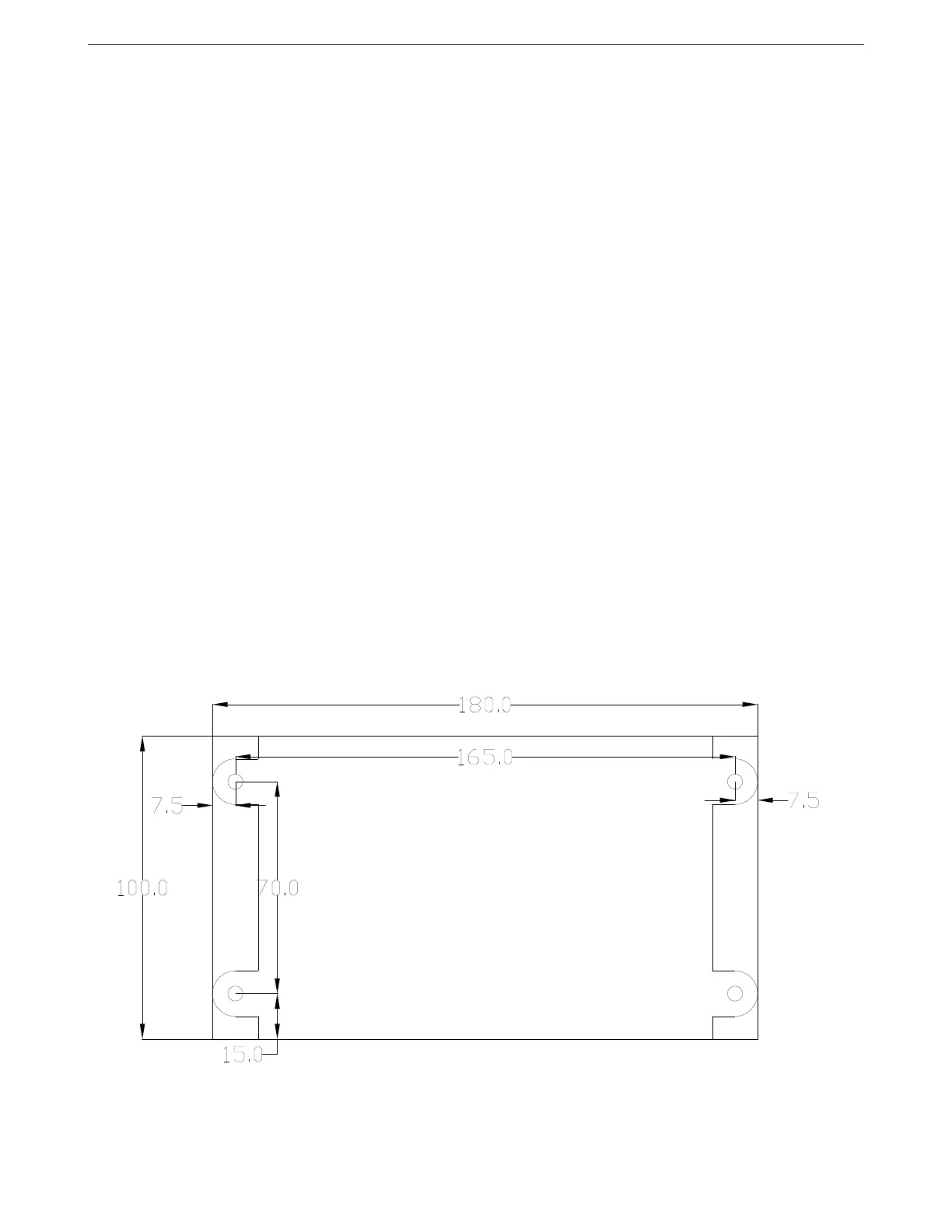
3.5.5 Mounting footprint
Here is a dimensioned drawing, in millimeters, for planning an electrical panel.
AMP EFI MS3Pro manual version 1.202, firmware 1.5.0, 4/21/2017 Page 29



 To Next Page