7.10 CAN bus / Testmodes 7 ADDITIONAL ITEMS: BEYOND BASIC FUEL AND IGNITION CONTROL
• Use fallback MAP table - if this is enabled, the MS3Pro uses a table to approximate the likely engine MAP
reading if the MAP sensor fails.
• MAT triggers limp mode - whether a MAT fault triggers limp mode
• Fallback MAT - replacement MAT value
• CLT triggers limp mode - whether a CLT fault triggers limp mode
• Fallback cold CLT - replacement initial CLT value
• Fallback warmed up CLT - replacement final CLT value
• Time to warmup engine - time taken to blend from cold to warm value (simulating a warmup cycle)
• TPS triggers limp mode - whether a TPS fault triggers limp mode. TPS based acceleration is disabled if
TPS is faulty.
• Batt triggers limp mode - whether an out of range battery voltage reading triggers limp mode
• EGO triggers limp mode - whether an EGO fault triggers limp mode
• Flex triggers limp mode - whether a Flex fault triggers limp mode
• EGT triggers limp mode - whether an EGT fault triggers limp mode
• Oil pressure triggers limp mode - controls if the oil pressure sensor reading triggers limp home mode.
Note that this is configured under the oil pressure screen, not the check engine light screen.
The settings below are applied when any sensor triggers the limp mode.
• Limp rev limit - the hard fuel cut rev limiter when in limp mode
• Limp boost limit - the boost limit when in limp mode. Typically, this will be no boost to prevent engine
damage in unknown conditions.
• Limp boost valve duty - forces boost valve1 to a set duty in limp mode.
• Limp boost valve2 duty - forces boost valve2 to a set duty in limp mode.
• Limp retard timing by - retards timing by the set amount in limp mode.
7.10.13 Fallback MAP table
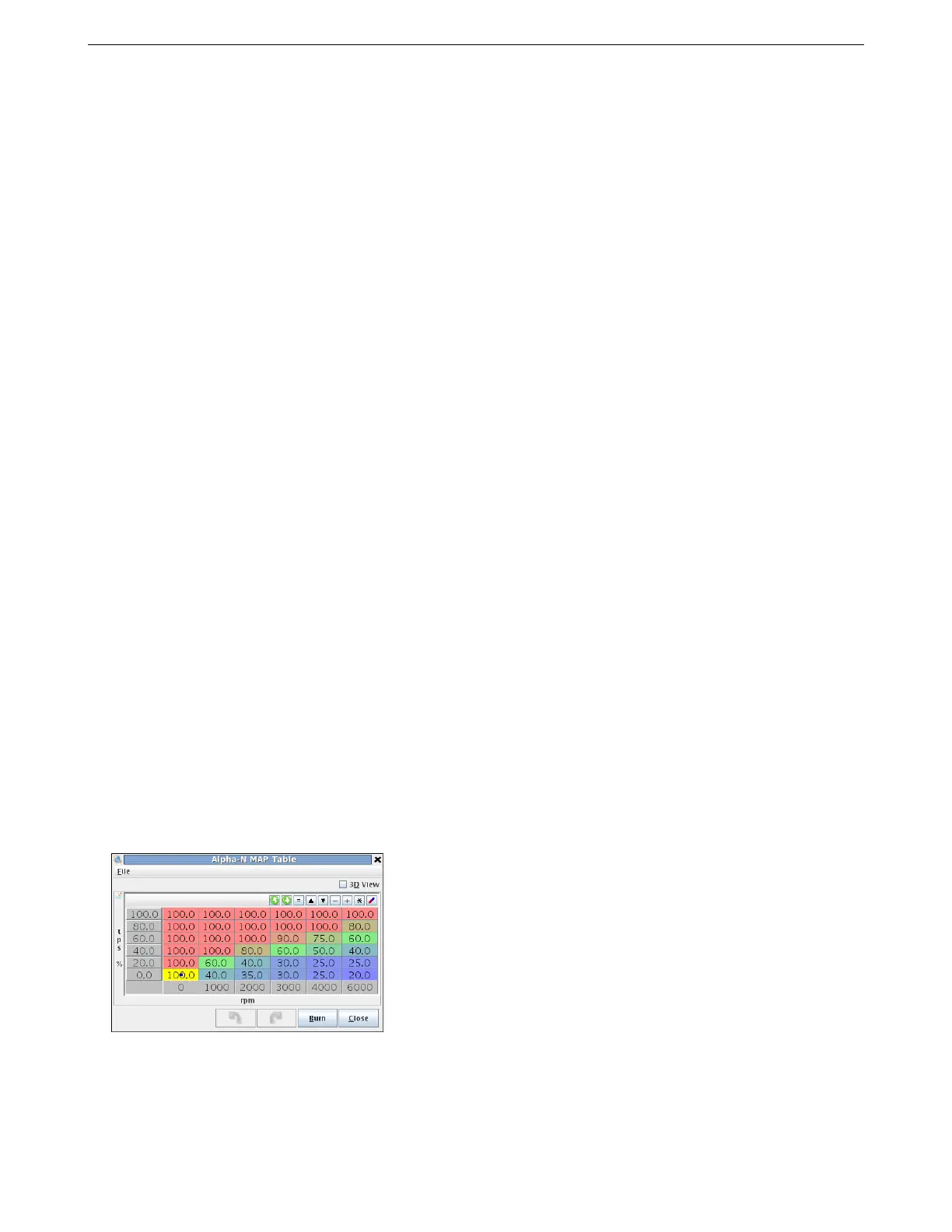
In the event of a MAP sensor failure, the MS3Pro can use a synthesized MAP value based on TPS and Rpm. This
will be less accurate than the real MAP reading, but the aim is to allow some driveability in the absence of a real
sensor reading before the root cause failure is fixed.
The initial vales for this table can be derived from datalogs comparing MAP, RPM, TPS while driving. You can
use MegaLogViewer’s scatter plot feature to see what MAP reading is common for the throttle position and RPM
range in a data log; the shape of the scatter plot will be close to the table required.
To test and tune this table, unhook the MAP hose and wait until “Limp Mode” engages. Then this table will be
operative and you can tune.
AMP EFI MS3Pro manual version 1.202, firmware 1.5.0, 4/21/2017 Page 271



 To Next Page