7.8 Advanced Engine 7 ADDITIONAL ITEMS: BEYOND BASIC FUEL AND IGNITION CONTROL
• Enable spark cut limiting - Allows using a spark cut as pit speed rev limiter.
• Enable fuel cut limiting - Allows using a fuel cut as pit speed rev limiter.
• Progressive fuel cut - Ramps in the fuel cut instead of applying it all at once. Requires sequential injection
to be enabled.
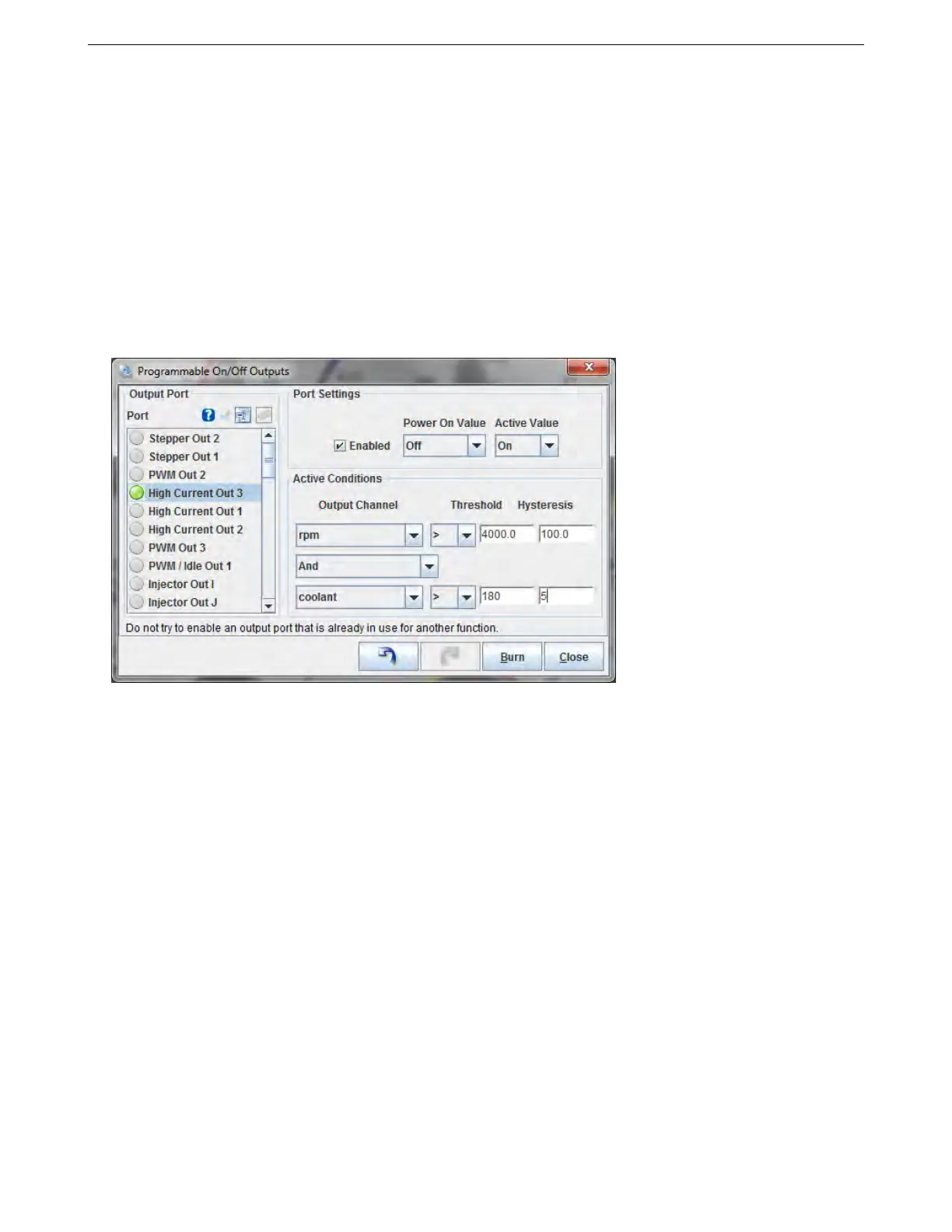
7.8.23 Programmable on/off outputs 1
This screen is for setting up generic on/off outputs for features like shift lights, variable intake control solenoids,
and other items that don’t need complicated control settings.
Note that if you’re using one of these outputs for another function, you don’t want to enable it here. For example,
if you’re using PWM / Idle Out 1 for idle control, don’t enable it here. Enabling it here will tell the MS3Pro that you’re
trying to use PWM / Idle Out 1 as some sort of on/off output at the same time, and the MS3Pro will report a
configuration error.
7.8.23.1 Output port pane In the left hand pane, ports currently configured through this system are shown with
a green bulb. To configure a port, click on the name to highlight it and then view or alter the settings in the right
hand pane.
7.8.23.2 Port settings pane
• Enabled This enables or disables the selected port. (Toggles green bulb on/off) Do not try to configure a
port already used for another feature.
• Power On Value Whether the output should be on or off when MS3Pro first starts. Ensure that this matches
up with the conditions the MS3Pro is likely to see on startup.
• Trigger Value The output state when your conditions are met. Typical settings would have the power on
value as Off and the trigger value as On.
7.8.23.3 Conditions This pane is where you specify the logic that activates the output.
Output channel This is a list of MS3Pro internal variables - much the same as the various gauges you can
select in TunerStudio.
AMP EFI MS3Pro manual version 1.202, firmware 1.5.0, 4/21/2017 Page 256



 To Next Page