8.2 Capturing data logs 8 TROUBLESHOOTING AND DATA LOGGING
8.2.1.1 GPS logging with a laptop TunerStudio can add GPS data from an external device such as the one
sold by EFI Analytics. To enable this, go to Communications and select GPS Configuration. Check “GPS Enabled”
and select how your GPS device is connected to your laptop.
8.2.2 Data logging with the SD card
The MS3Pro comes with an SD card built in for internal logging. The standard 8 gigabyte SD card can hold several
days’ worth of continuous running data even at the fastest logging speeds. If you do manage to fill up the SD card,
it will overwrite the lowest numbered files first.
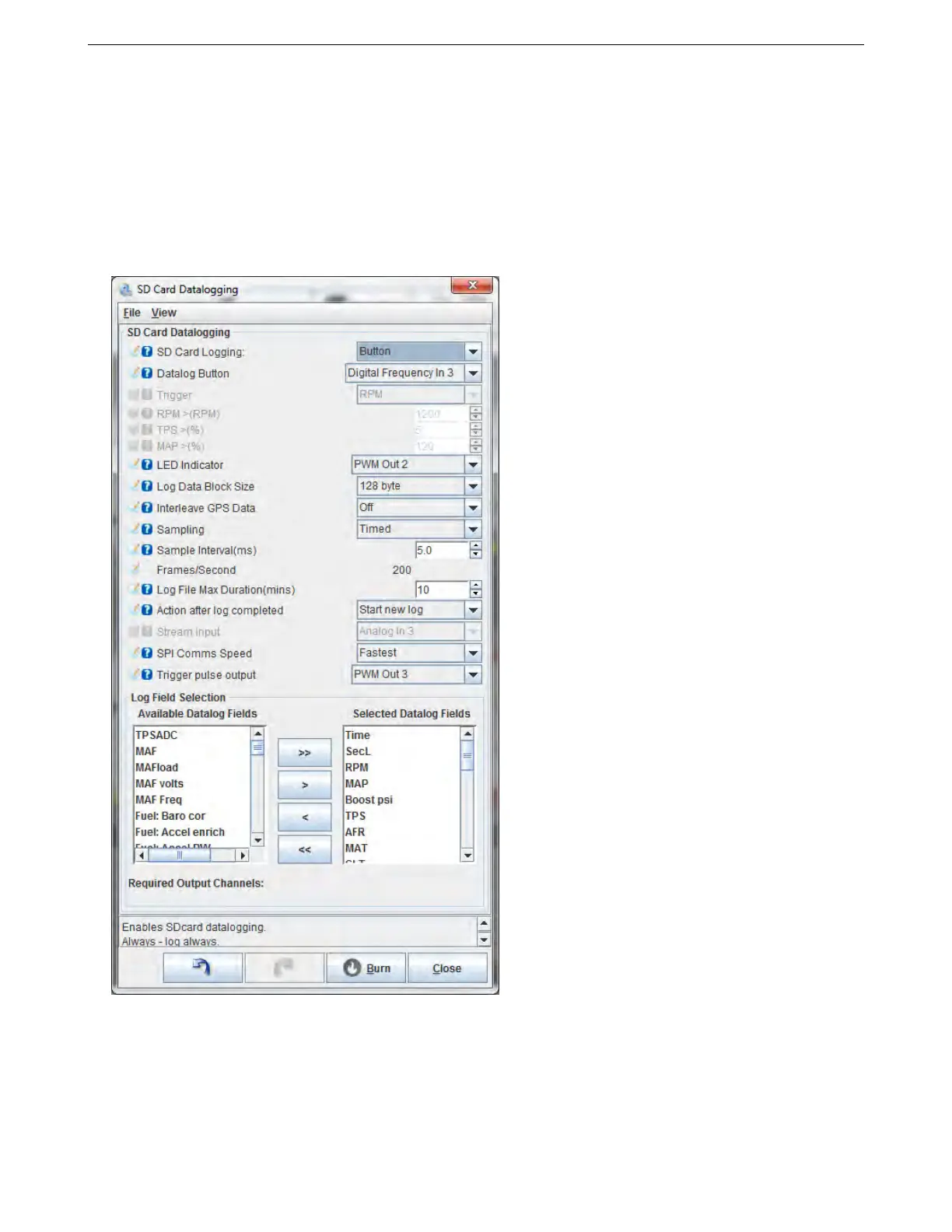
Selecting SD card datalogging from the menu brings up this screen:
• SD card logging
– Disabled - turns off the SD logging feature
– Insertion - Logs at any time the MS3Pro contains an SD card. We do not recommend inserting or
removing the card with the MS3Pro powered up.
– Button - logging is controlled by a push button
– Trigger - Logging is triggered by RPM or throttle position.
AMP EFI MS3Pro manual version 1.202, firmware 1.5.0, 4/21/2017 Page 281



 To Next Page