8.5 Communication issues 8 TROUBLESHOOTING AND DATA LOGGING
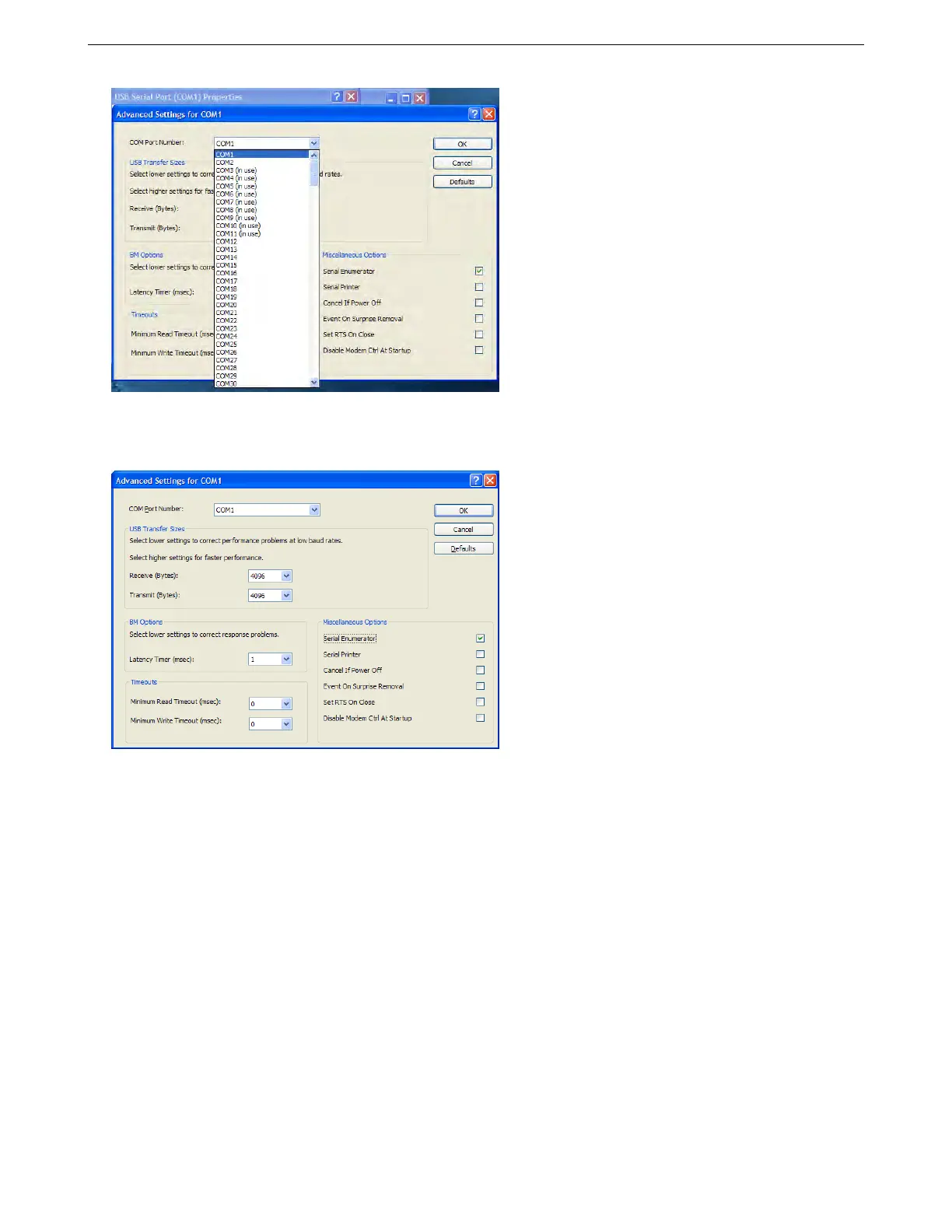
Ensure that the COM port number is 9 or less. If not, change it - TunerStudio can find higher numbered ports,
but it will take longer to detect an MS3Pro on a high numbered port. It is usually safe to ignore any Windows
warning about ports being in use unless you really do have a physical serial port or built-in modem. The port
number you select here is the one you need to use in TunerStudio.
While on this page reduce the Latency Timer. 1 is normally OK. The default value gives very slow serial.
Now [OK] all windows to close them and then close the Device Manager.
8.5.1.2 Linux drivers USB serial adapters are typically used as /dev/ttyUSB0. All recent Linux kernels include
support for the built-in FT232RL USB-serial adapter. You might want to use the lsusb command to check that the
adapter has been recognized. dmesg can be used to see what port number has been assigned.
8.5.1.3 MacOS drivers Install the latest MacOS driver from the link below:
FTDI virtual COM port drivers
Then plug in the cable and power on the MS3. Either use Autodetect in TunerStudio or check the /dev directory
for a port such as /dev/cu.usbserial-XXXXX .
8.5.2 Additional diagnostics
8.5.2.1 Portcheck The Port Check program is a small file, portcheck.exe, included for Windows. Port Check
scans the available COM ports and sends them commands that will cause a MS3Pro or other ECU to display its
signature. The example below shows it detecting an MS2 on COM port 1.
AMP EFI MS3Pro manual version 1.202, firmware 1.5.0, 4/21/2017 Page 300



 To Next Page