7.4 Startup / Idle 7 ADDITIONAL ITEMS: BEYOND BASIC FUEL AND IGNITION CONTROL
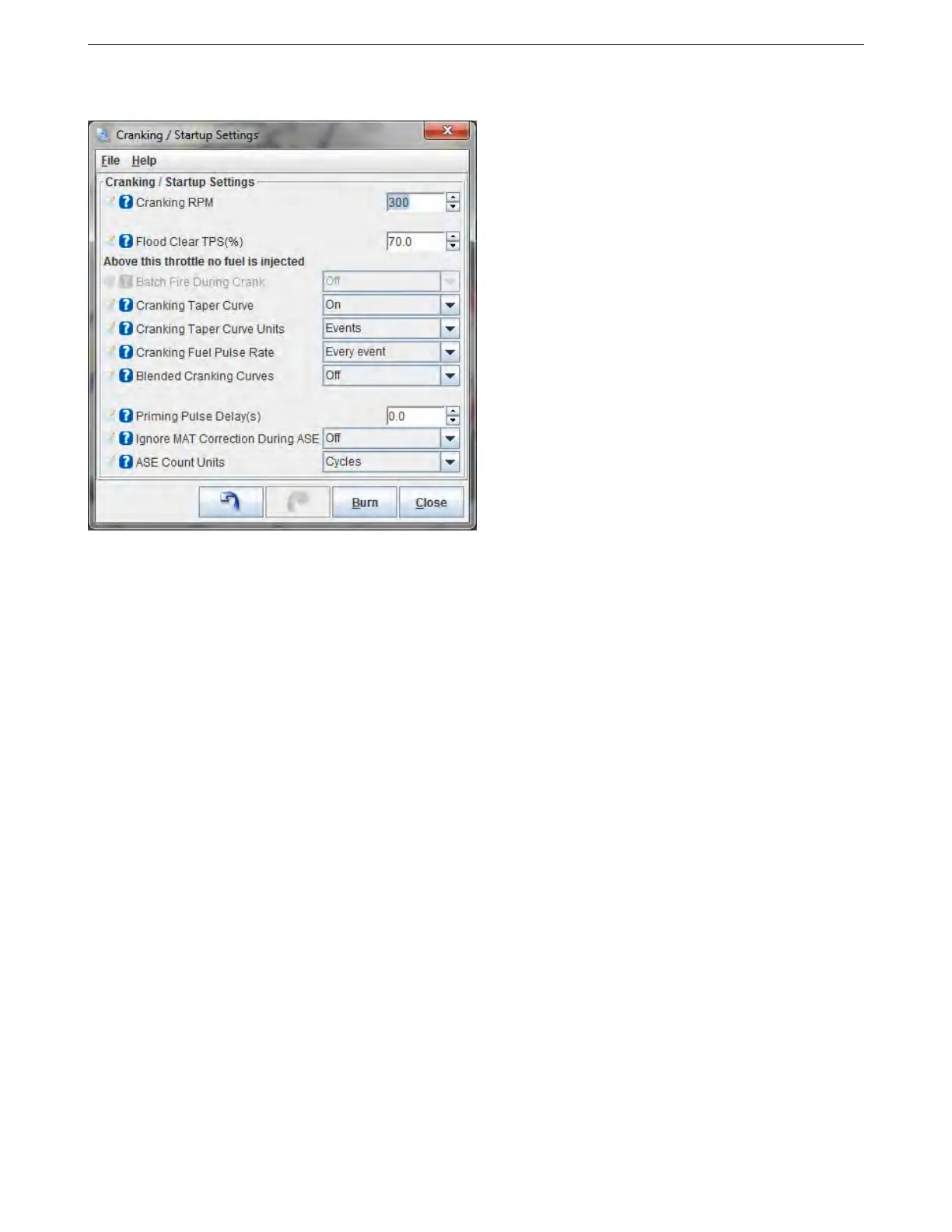
7.4.1 Cranking / startup settings
• Cranking RPM - On the initial start, the MS3Pro will run in batch fire on the cranking pulse width settings
until RPM rises above this threshold, or if the RPM falls below this threshold within 5 seconds of starting. Set
this value higher than the engine can reach while being just driven by the starter. The goal with this setting
is to set it to a point where it will know the engine is up and running once RPM goes over this value.
• Flood clear TPS - If the throttle position exceeds this value below cranking RPM, the MS3Pro will shut off
the injectors because it will take this as a signal to clear a flooded engine.
• Batch fire during crank - If set to on, the MS3Pro will fire all injectors every ignition event during cranking.
If set to off, the MS3Pro will use sequential injection during cranking as soon as it has established cylinder
identification. This setting is grayed out if the engine is set to batch fire as it will use batch firing on every
ignition event in this case. Using batch fire during cranking can allow more fuel to be injected in cold climates
- the maximum cranking pulse width is approximately 65 ms, so injecting fuel more often can allow for more
fuel during startup.
• Cranking taper curve - This curve allows for the ECU to vary the pulse width while cranking, generally used
to allow a large initial fuel shot that tapers off. This can make for easier startup but is a bit more complex to
tune.
• Cranking taper curve units - The taper curve can either use time or ignition events to change how it adjusts
fuel.
• Cranking fuel pulse rate - When using batch fired cranking, you can inject fuel every ignition event or every
other ignition event. Every other ignition event can give better hot starting behavior on engines with more
than 8 cylinders.
• Blended cranking curves - Allows using a blend curve to blend between two cranking pulse width tables.
This is most commonly used with flex fuel engines.
• Priming pulse delay - Allows you to delay the priming pulse instead of firing it as soon as the key is turned
on.
• Ignore MAT correction during ASE - This setting allows the MS3Pro to override the air temperature cor-
rection while afterstart enrichment is active. If this is turned on, MAT correction will be set to 100% until the
ASE time is complete. This is useful if the IAT sensor is in the intake manifold and absorbs heat from the
manifold.
AMP EFI MS3Pro manual version 1.202, firmware 1.5.0, 4/21/2017 Page 180



 To Next Page