6 TUNING THE MS3PRO
6 Tuning the MS3Pro
6.1 Getting started
OK, now that you have set up the basics of your tune file, it’s time to make sure everything works and try to start
the motor. First, make sure the ignition coils or ignition module do not get hot with the key on, ignition powered up,
and the engine not running. If the ignition components get hot, turn them off immediately. You probably have the
spark output setting backwards. Try switching this setting, click Burn, and turn the ECU off and back on again.
Confirm that the problem is fixed.
6.1.1 Using output test mode
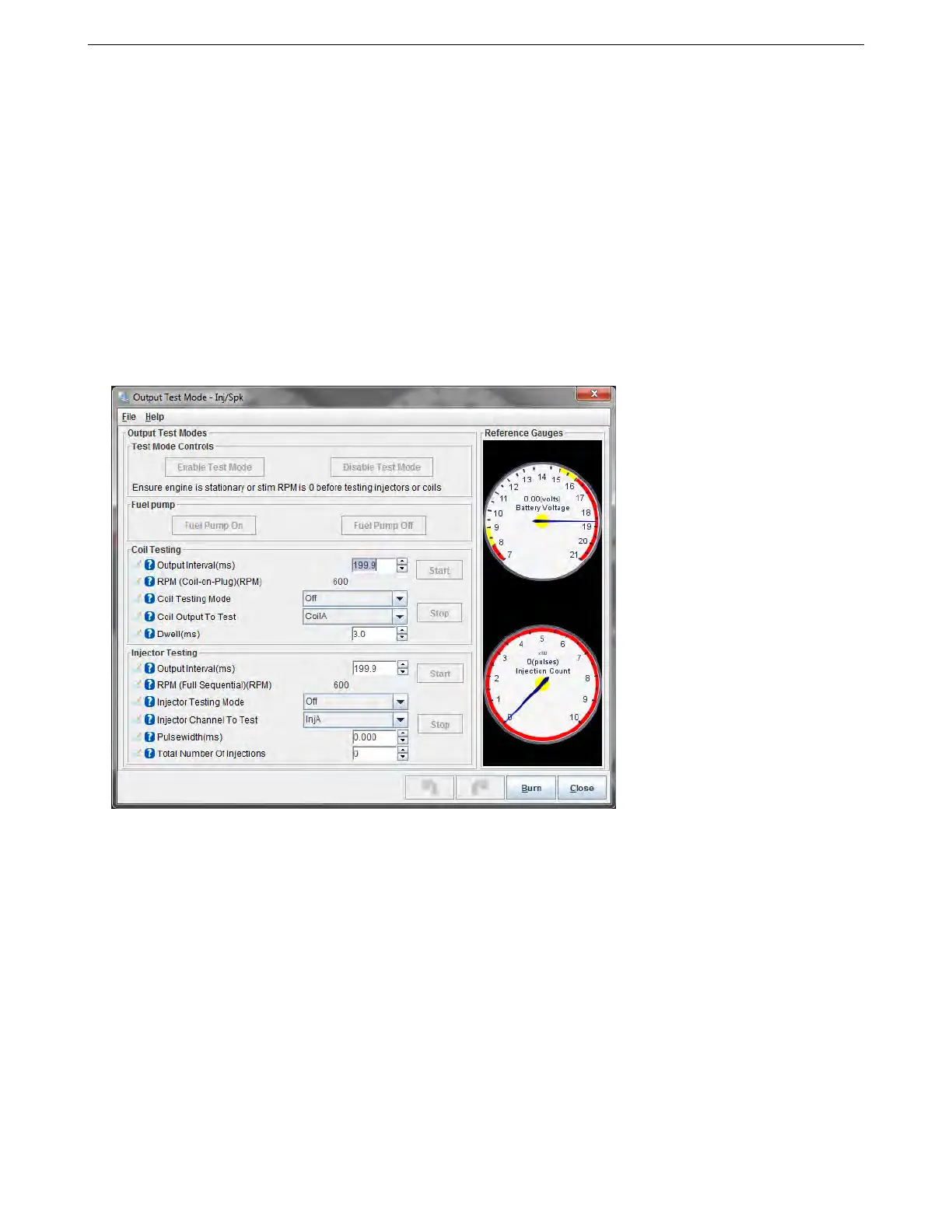
First, we’ll use Output Test Mode (select it under the CAN bus / Test Modes menu) to check the outputs. The test
mode allows direct control of the coils and injectors. We’ll cover its full use here, although some of the settings
won’t be used until the engine is up and running. Used by accident, this could cause flooding of the engine and
potential damage. Test mode should NOT be used on a running engine.
The Enable Test Mode button is locked out unless the RPM reading is zero. Click this button to enable test
mode, and when you are done, click the Disable Test Mode to go back to normal operation.
6.1.1.1 Injector test mode The injector test mode can be used both to confirm the injectors are wired correctly
and to use the MS3Pro as a controller for an injector test bench. If your injectors are fitted to the engine, you must
not run the test mode with fuel pressure or you will fill your engine with fuel! Remove the fuse from your fuel pump
and de-pressurize the line first. To enable injector testing:
• Select Injectors in the Test mode drop down.
• Choose your pulsewidth time in milliseconds. (To just make them click for this test, 3 to 5 ms is fine.)
• Choose which injector to test.
• Set Injector testing mode to One.
• If your injectors are powered via the fuel pump relay as is recommended, set the fuel pump to On.
AMP EFI MS3Pro manual version 1.202, firmware 1.5.0, 4/21/2017 Page 101



 To Next Page