8.2 Capturing data logs 8 TROUBLESHOOTING AND DATA LOGGING
8.2.3 Downloading SD data logs
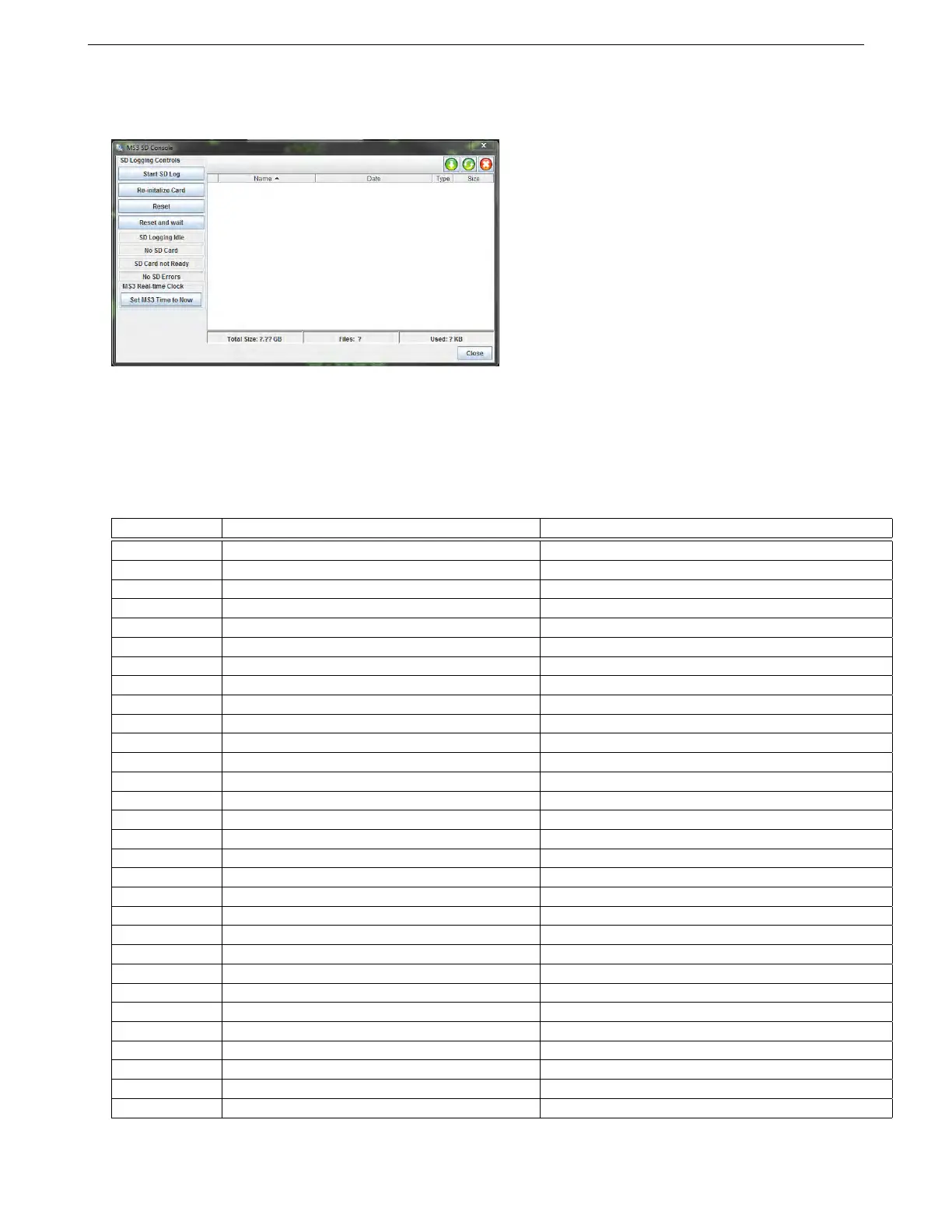
The Browse / Import SD Card option on the Data Logging menu brings up the following screen.
The screen shot above shows the menu without a MS3Pro connected. If you have data logs on the SD card,
they will appear in the list at the right hand side. Click the green “down arrow” button to save the selected logs to
your computer. The middle button will reload the list of files, and the red X will delete the selected files.
8.2.4 SD card error codes
You can view SD card error codes by right-clicking on a gauge and swapping it to an “SD error” gauge. Some error
codes are not used.
Error number Error name Notes
0 No error SD logger is working correctly.
1 Sending clock error Possible card fault. Try replacing SD card.
2 Idle error Possible card fault. Try replacing SD card.
3 Init error Possible card fault. Try replacing SD card.
4 Set block size Possible card fault. Try replacing SD card.
5 Request CSD The SD card being used is an unsupported type.
6 Error reading MBR Erase files and reformat SD card.
7 MBR end marker not found Erase files and reformat SD card.
8 No partition 1 defined Erase files and reformat SD card.
9 Error reading partition boot sector Possible card fault. Try replacing SD card.
10 Error reading directory Possible card fault. Try replacing SD card.
12 Error reading file allocation table (FAT) Possible card fault. Try replacing SD card.
13 Error reading FAT continuation sector Possible card fault. Try replacing SD card.
14 Error writing FAT Possible card fault. Try replacing SD card.
15 Error reading directory Possible card fault. Try replacing SD card.
16 Error writing directory Possible card fault. Try replacing SD card.
17 Error writing log sector Possible card fault. Try replacing SD card.
18 Unsupported FAT type (not FAT16) Erase files and reformat SD card.
20 SDHC detection error Try reformatting SD card.
21 VCA check pattern failed
22 VCA voltage rejected
23 Operation Condition Register (OCR) error 1 Possible hardware fault. Try replacing SD card.
24 OCR2 Possible hardware fault. Try replacing SD card.
25 OCR3 Possible hardware fault. Try replacing SD card.
26 OCR4 Possible hardware fault. Try replacing SD card.
28 Error processing CSD Try reducing data logging speed.
29 Write failed Possible card fault. Try replacing SD card.
30 Directory full Full SD card - delete data logs.
31 Can’t find space in FAT Full SD card - delete data logs.
32 Looks like VBR but not valid Erase files and reformat SD card.
AMP EFI MS3Pro manual version 1.202, firmware 1.5.0, 4/21/2017 Page 283



 To Next Page