7.1 Basic / Load Sections 7 ADDITIONAL ITEMS: BEYOND BASIC FUEL AND IGNITION CONTROL
The MS3Pro will need all these numbers to be entered correctly, as it calculates the required pulse width to hit
target air/fuel ratios, instead of using something along the lines of “send X pulse width at Y RPM and Z air flow
meter volts.”
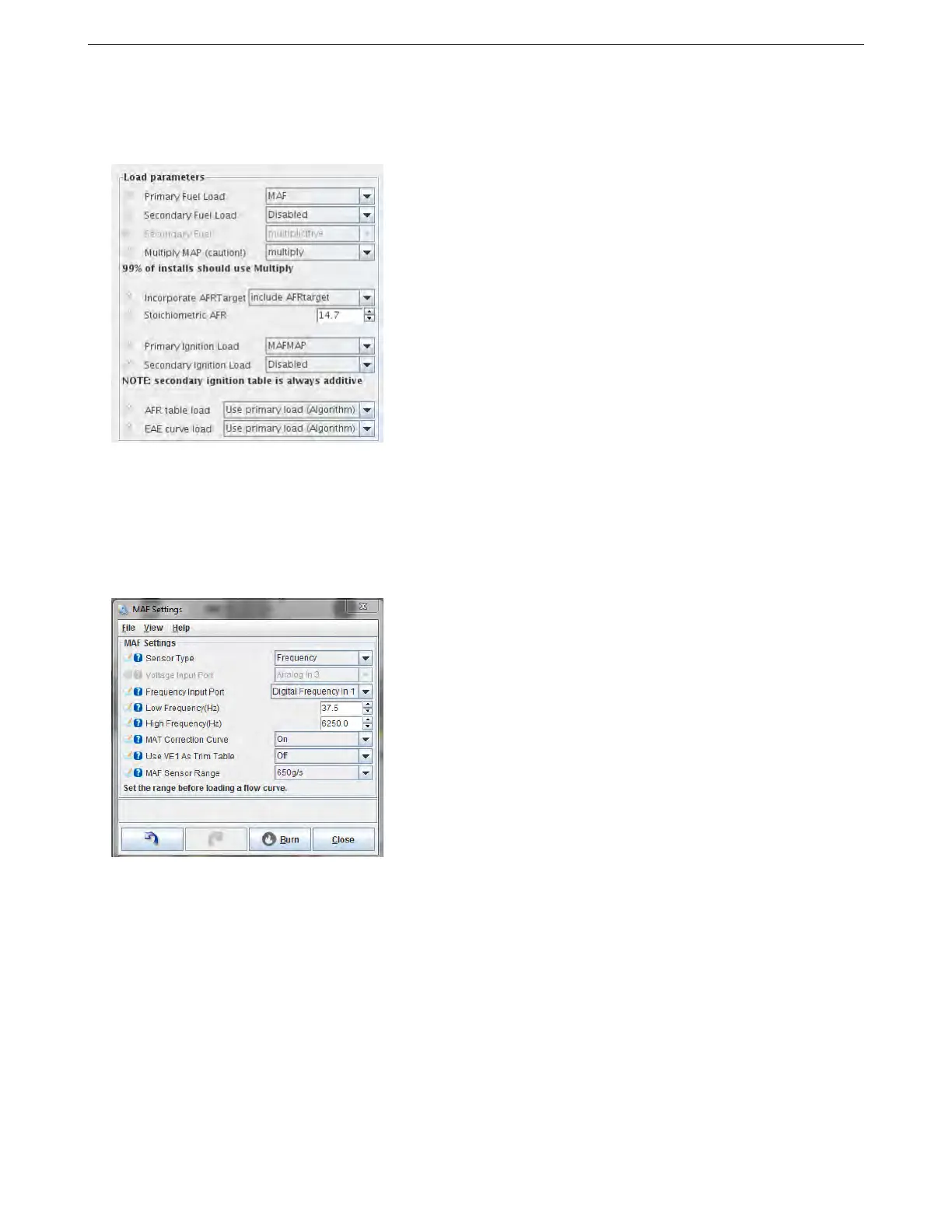
You will also need to set these settings in the General Settings page.
• Primary fuel load is set to MAF
• Incorporate AFR target is set to include AFR target
• Stoichiometric AFR is set to 14.7 for petrol/gasoline.
• Ignition load is set to MAF (If MAF is also being used for ignition control)
Now, you’re ready to set up the MAF options screen.
Note that you can configure the MAF sensor and datalog MAF without using MAF for fuel or ignition control.
This could be useful to ensure it is operating as expected on an existing install before switching to MAF. Your
Primary Fuel load would be set to something other than MAF.
• Sensor type - selects between 0-5V voltage input (e.g. most MAFs) or frequency input (e.g. GM)
• Voltage input port - selects the hardware input pin where the MAF is connected. (See wiring section above.)
Or "off" to disable MAF readings.
• Frequency input port selects from four possible frequency input pins. (See wiring section above.)
– Low frequency - the frequency the MAF outputs to indicate least air flow.
– High frequency - the frequency the MAF outputs to indicate greatest air flow.
• MAT correction curve - optionally enables a trim curve based on MAT sensor input.
• Use VE1 as trim table - optionally enables VE table 1 as a trim table. Fill the table with 100% to begin with.
AMP EFI MS3Pro manual version 1.202, firmware 1.5.0, 4/21/2017 Page 146



 To Next Page