6-4 Calibration Menus VNA View Menus
6-22 PN: 10580-00289 Rev. K Vector Network Analyzer MG
Interpolation
This feature is used by all Anritsu VNA Masters and by the S412E LMR Master.
You can set your instrument to interpolate the calibration coefficients of a Standard mode
calibration. After performing a Standard calibration, you can turn Interpolation On and then
change the frequency range (smaller and anywhere within the calibrated range) or increase
the number of data points. You cannot increase the frequency range beyond the range that
was used during calibration. The soft key is “Interpolation On Off” on page 6-19.
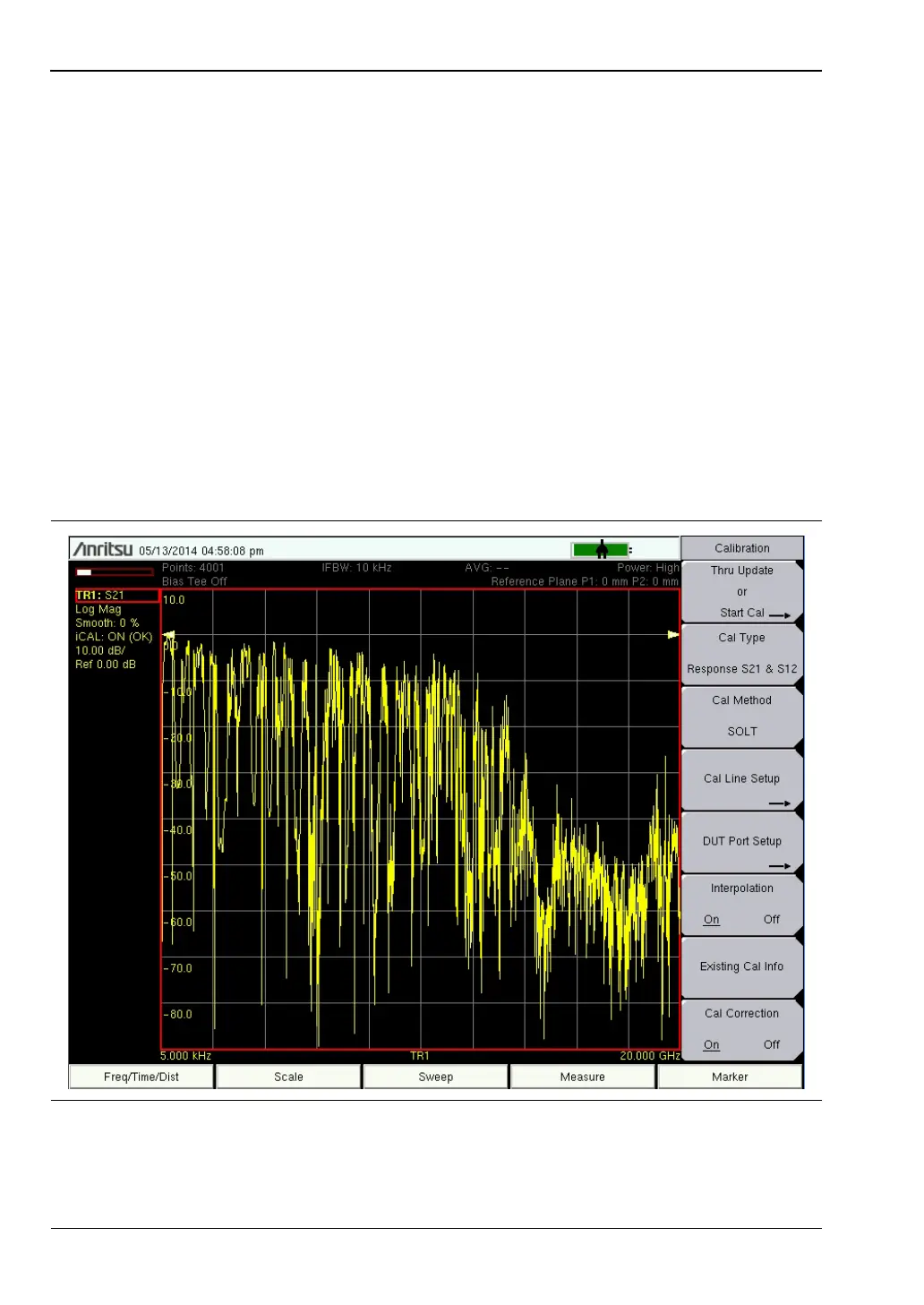
In the example shown in Figure 6-20, a calibration was performed from 5 kHz to 20 GHz
using 4001 points. With Interpolation On, a measurement was made by zooming in on a
desired frequency range (410 MHz to 435 MHz), as shown in Figure 6-21. The trace in
Figure 6-21 shows the use of the full 4001 points within this much narrower frequency range.
With Interpolation Off, the instrument would use only the number of points that were
calibrated within this frequency band, which would be a much smaller number of points.
In Cal Type Flex mode, interpolation is always on. In this mode, the calibration uses the full
frequency range and the maximum number of points that are available in the instrument.
This provides the maximum flexibility for measurements without requiring another
calibration.
Figure 6-20. Calibration at 5 kHz to 20 GHz Using 4001 Points













 To Next Page