Chapter 6 Displaying Images in the Viewer 159
II
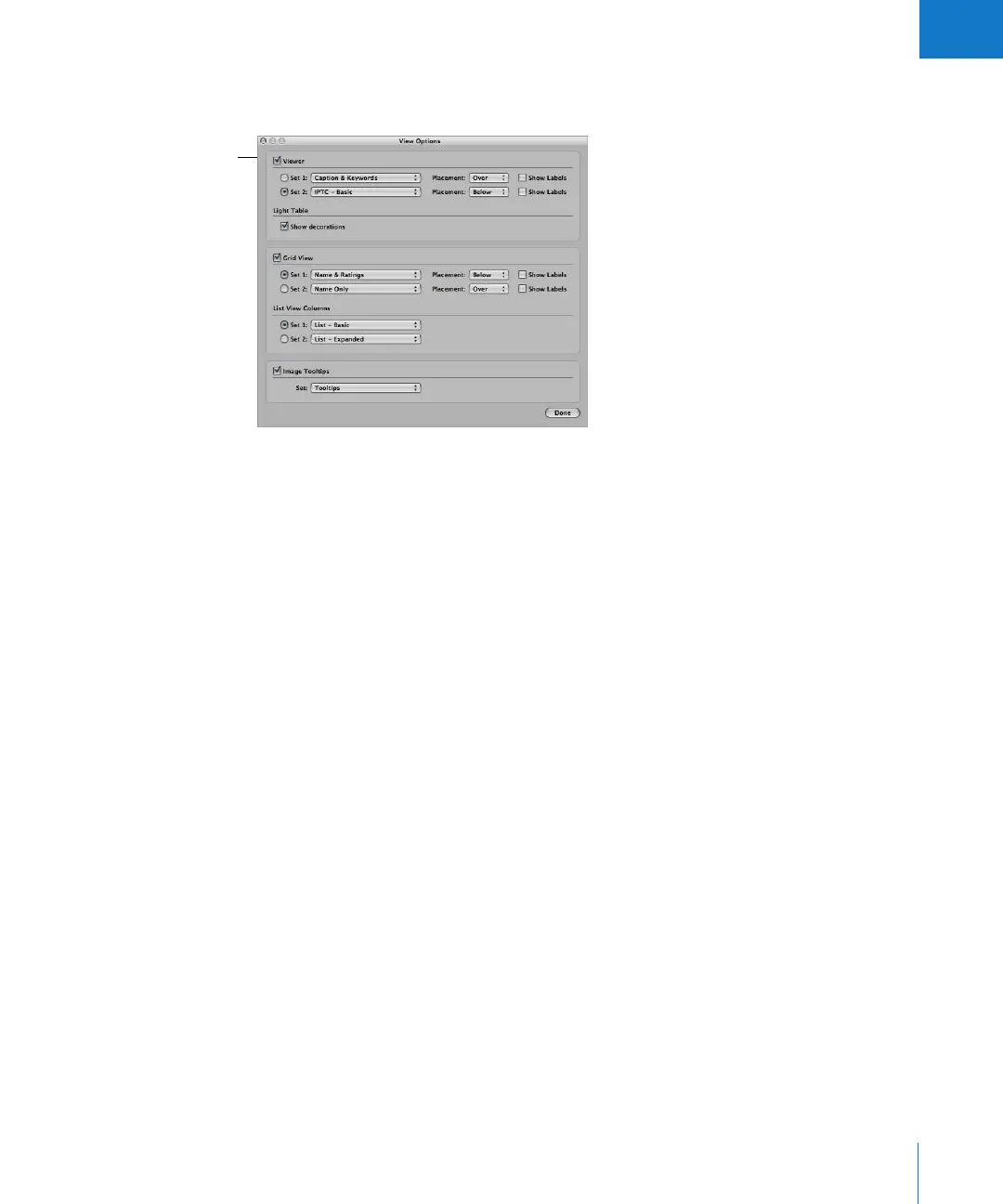
To set the display of metadata shown with images in the Viewer:
1 Choose View > View Options (or press Command-J).
2 Select the Viewer checkbox.
3 Choose the metadata views you want to use from the Set 1 and Set 2 pop-up menus.
4 Choose the location where you want the metadata displayed from the Placement
pop-up menus.
You can choose whether you want the metadata to appear over the bottom edge of
the image or below the image.
5 Click the Set 1 or Set 2 button to select the metadata view you want displayed.
6 Click Done.
To turn the display of metadata on or off in the Viewer:
m Press Y.
To switch metadata views in the Viewer:
m Press Shift-Y.
For more information about using metadata, see Chapter 11, “Working with Metadata,”
on page 225.
The View Options
window lets you choose
how you want to
view images.





 To Next Page