Chapter 15 Exporting Your Images 293
III
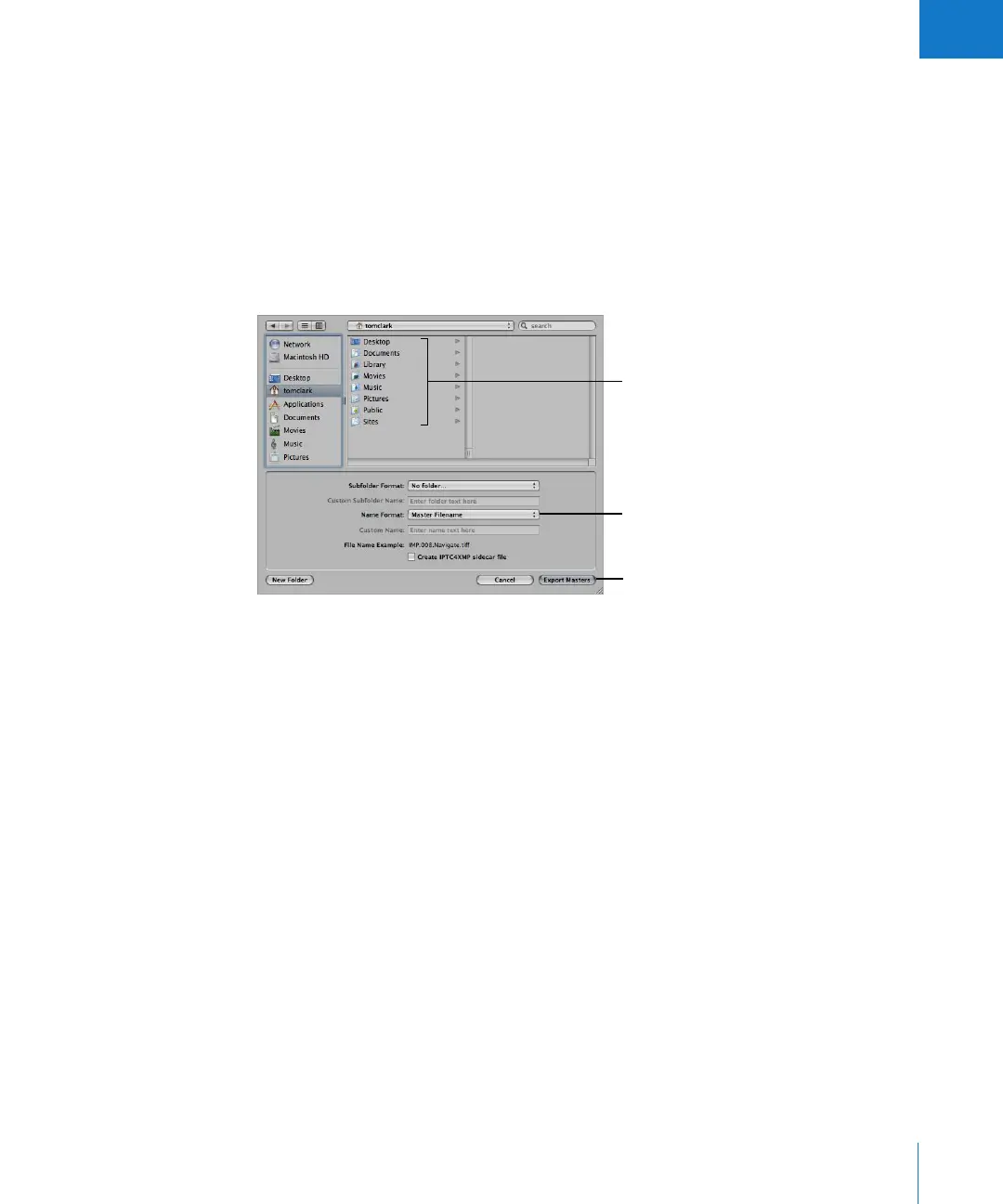
Exporting Copies of Digital Master Files
When you export master files, duplicates of the files that were imported from your
camera or other source are created; no adjustments, file modifications, or any other
changes are exported with the file.
To export copies of digital master files:
1 Select an image or images in the Browser.
2 Choose File > Export > Export Masters (or press Command-Shift-S).
3 Navigate to the location where you want the exported files placed.
4 Do one of the following:
 Choose “No folder” from the Subfolder Format pop-up menu to specify that the files
be stored as separate individual files in the selected folder.
 To specify that Aperture create and store your files in a hierarchy of subfolders with
specific folder names, choose a folder preset from the Subfolder Format pop-up
menu. For more information about specifying folders to hold your exported images,
see “Exporting Master Files into Folders in the Finder” on page 294.
 Enter a custom folder name in the Custom Subfolder Name field.
5 Choose a name format for your master files from the Name Format pop-up menu.
For more information about selecting and setting up filenaming formats, see “Creating
Custom Name Formats” on page 107. Aperture shows an example of the selected name
format in the dialog.
6 To export the digital master file with an XMP sidecar file that contains the image’s IPTC
metadata, select the “Create IPTC4XMP sidecar file” checkbox.
7 When you’re ready to export your files, click Export Masters.
Copies of the digital master files for the selected images are exported to the location
you specified.
Choose a location for the
exported files.
Choose a name format for your
master files here.
Click this button to export files.





 To Next Page