Chapter 3 Working with Aperture Projects 73
I
What Are Versions?
Once you have digital master files on your hard disk, you can review and make
adjustments to your images. For example, you can change the exposure, contrast, or
saturation, or add information to an image, such as the photographer’s name, event,
and location. To work with images, Aperture creates a “version” of each master file that
includes your adjustments and embedded information, and leaves the master file
unchanged. A version refers to the master file on your hard disk, but it is not the master
file itself. Versions store only the thumbnail image, adjustments, and embedded
information. A full image file is not created until you are ready to print or export, saving
valuable storage space on your hard disk.
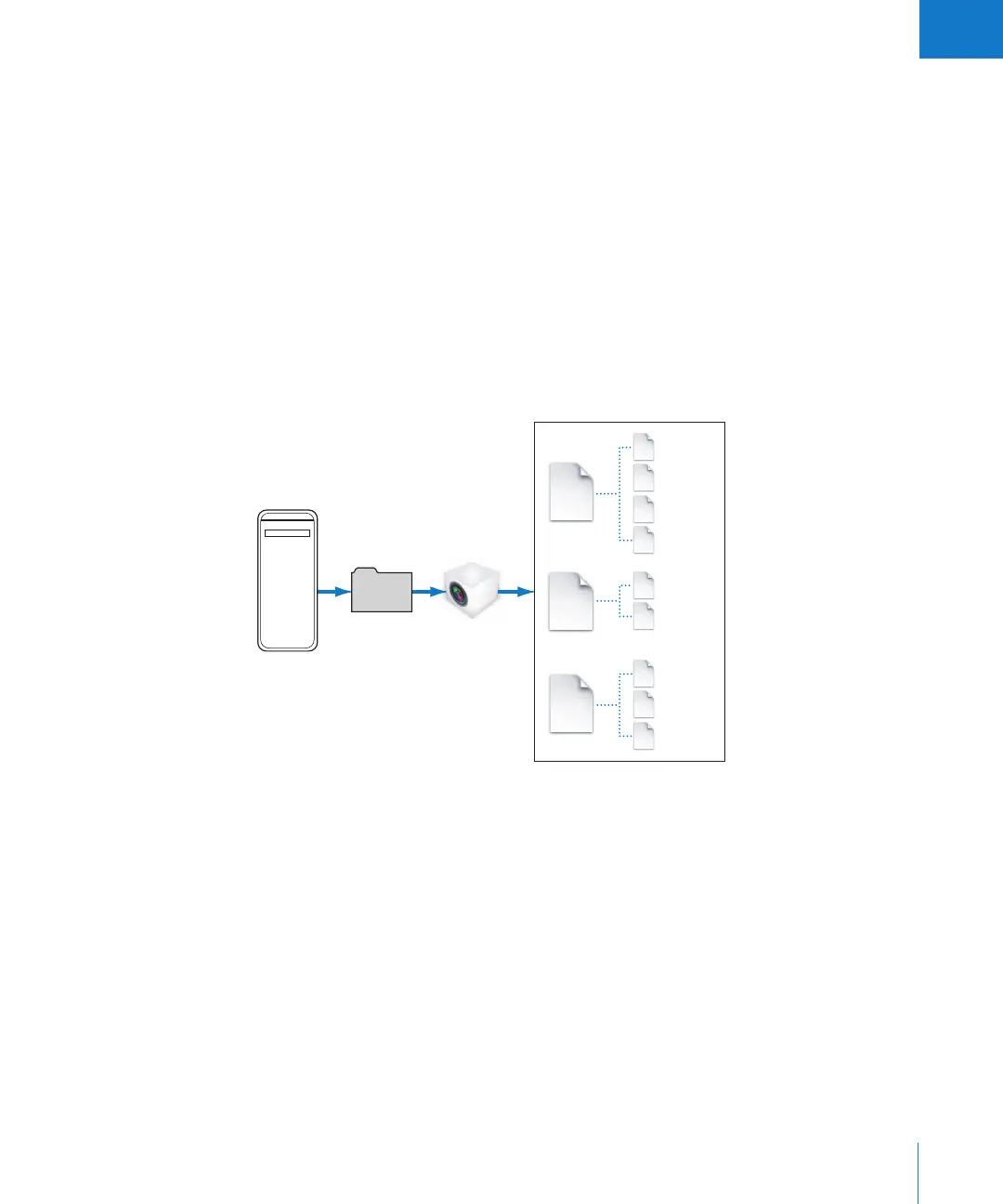
In many cases, your workflow may call for different renderings of the same image. For
example, a client may request a color as well as a black-and-white version of the same
head shot. You can create multiple versions of the same image in Aperture at any time.
When you create a version, several things occur:
 Aperture reads the original master file on disk and displays it on the screen.
 As you make adjustments or add information to the image, Aperture displays the
image with your changes to the version, but the original master file is never changed.
Pictures
folder
Computer
Aperture
Library file
3A
3B
3C
2A
2B
Versions
from
Master 1
Master
Versions
from
Master 2
Master
Versions
from
Master 3
Master
1A
1
1B
1C
1D
2
3





 To Next Page