228 Part II Photo Editing
Displaying Metadata with Your Images
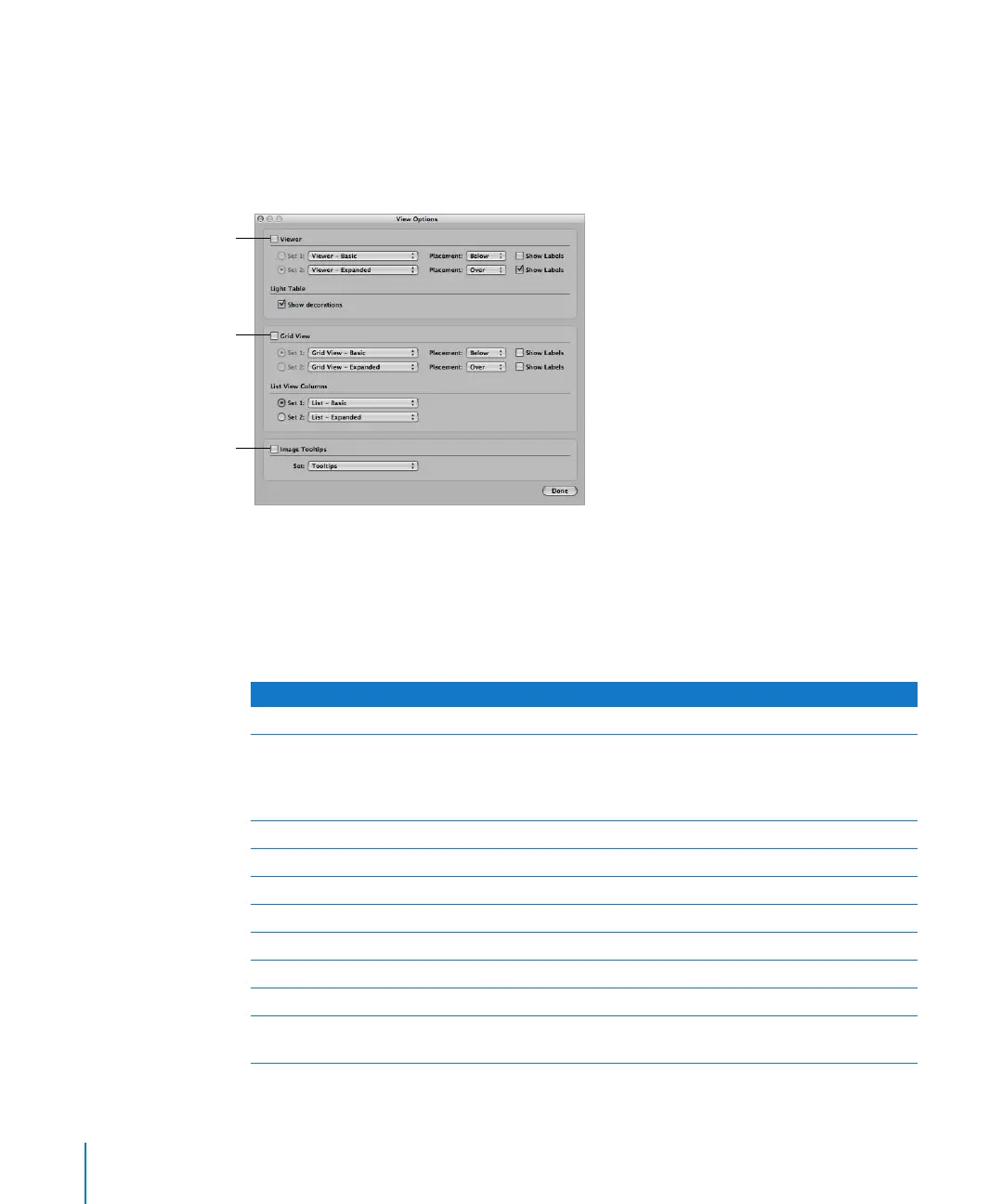
You use the View Options window to specify the metadata shown with images in the
Viewer and Browser, as well as the metadata that appears in image tooltips. For the
Viewer and Browser, you can choose a metadata view to display and choose an
alternate that you can quickly switch to by pressing a keyboard shortcut.
You can also choose whether the information should appear on or below the image
using the Placement pop-up menus.
Some metadata views are specifically designed for displaying information in the Viewer,
the Browser in grid view or list view, or in image tooltips. The following table lists the
metadata views that you can choose and the information that each view displays.
Select this checkbox to
turn on the display of
metadata in the Viewer.
Select this checkbox to
turn on the display of
metadata in the Browser.
Select this checkbox to
turn on the display of
image tooltips.
Metadata view name Information displayed
All IPTC Lists all IPTC fields
General Rating, badges, caption, version name, image date, aperture,
shutter speed, exposure bias, ISO speed rating, focal length
(35mm), focal length, pixel size, filename, file size, credit, copyright
notice, object name, camera model, master location, and keywords
Name Only Version name
Caption Only Caption
Name & Rating Version name, rating, and badges
Name & Caption Version name and caption
Ratings Rating and badges
Caption & Keywords Version name, caption, and keywords
Caption & Credits Version name, byline, credit, caption, and copyright notice
File Info Version name, filename, file size, pixel size, color model, image date,
and badges





 To Next Page