92 Part I Interface and Acquisition
Importing All Images from a Camera or Card Reader
You can import all the image files located on your camera or card reader into
Aperture at once.
To import all the images from a camera or card reader into Aperture:
1 Connect your camera or card reader to your computer.
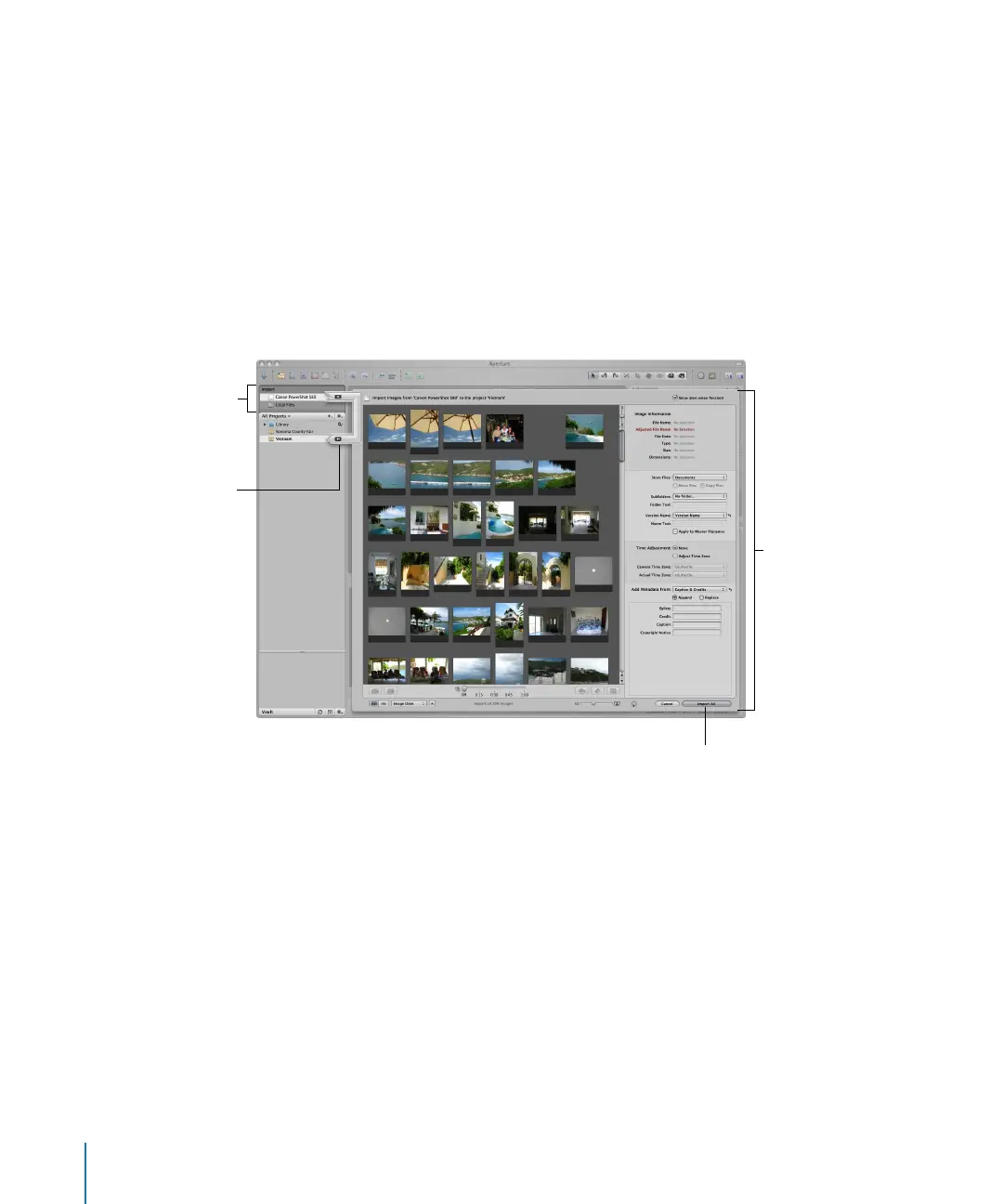
The Import panel and Import dialog appear, showing the images on the camera or card.
Note: If iPhoto opens when you connect your camera or card reader, quit iPhoto and
then, in Aperture, choose Aperture > Preferences. Choose Aperture from the “When a
camera is connected” pop-up menu. Disconnect and reconnect your camera to have
Aperture open the Import dialog.
Import dialog
Import arrow
Import panel
Import button





 To Next Page