226 Part II Photo Editing
An Overview of Metadata, Metadata Views,
and Metadata Presets
You can display different combinations of metadata with your images in the Viewer
and Browser, as well as in Full Screen mode. Aperture provides many metadata views
that represent specific combinations of information that you can display. For example,
you can choose a basic metadata view that shows an image’s version name and
caption. Or, you can choose an expanded metadata view that displays an image’s
rating, badges, aperture setting, shutter speed, exposure bias, focal length, caption,
keywords, version name, ISO speed rating, file size, and master image file location. You
can also create your own metadata views.
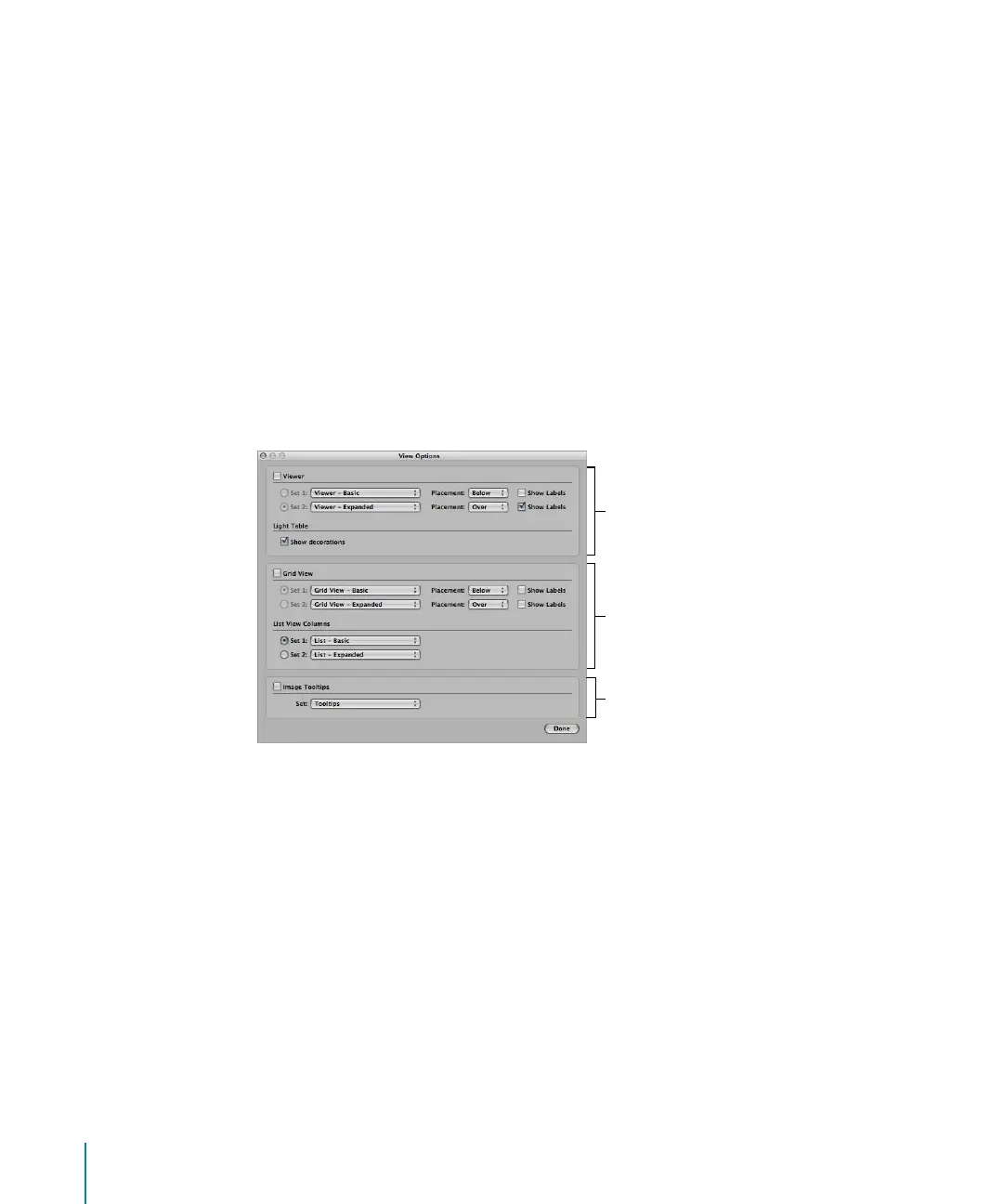
You choose the metadata view you want in the View Options window. You can choose
different metadata views for the Viewer, the Browser in grid view, and the Browser in
list view. You can also display metadata with labels that help identify the types of
metadata being displayed.
When you position the pointer over an image, Aperture can display information about
it in a pop-up text box called an image tooltip. You can turn the display of image
tooltips on or off in the View Options window. Tooltips can also display whether an
image is a managed image file or a referenced image file. You can choose a metadata
view to specify the combination of metadata that appears in image tooltips.
Browser metadata
display settings
Viewer metadata
display settings
Image tooltip settings




 To Next Page