54 Part I Interface and Acquisition
Book Layout Editor
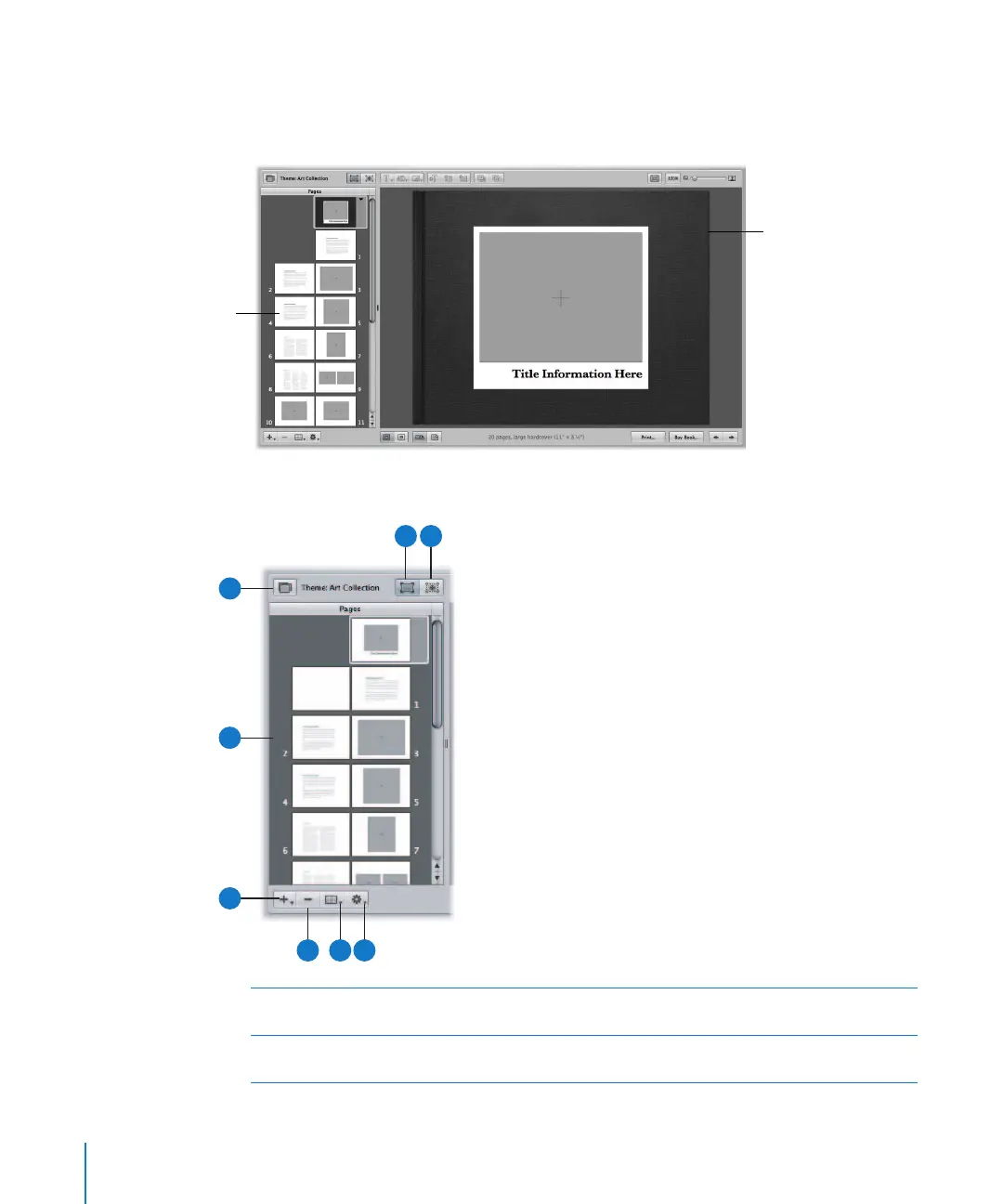
When you create a new book album, the Book Layout Editor appears. In it, you can
create a variety of printed books to showcase your images.
Pages Panel Area
Design each page in
the Book Layout Editor.
Select a page to edit in
the Pages panel.
A
Add Pages
pop-up menu
Choose to add one or several pages to your book from this
pop-up menu.
B
Pages panel Select an individual book page in the Pages panel to view, or
rearrange your book pages.
C
B
A
G
H
D
E
F





 To Next Page