216 Part II Photo Editing
Creating a Keyword Preset Group
You can create new keyword preset groups when you need them.
To create a keyword preset group and assign keywords to it:
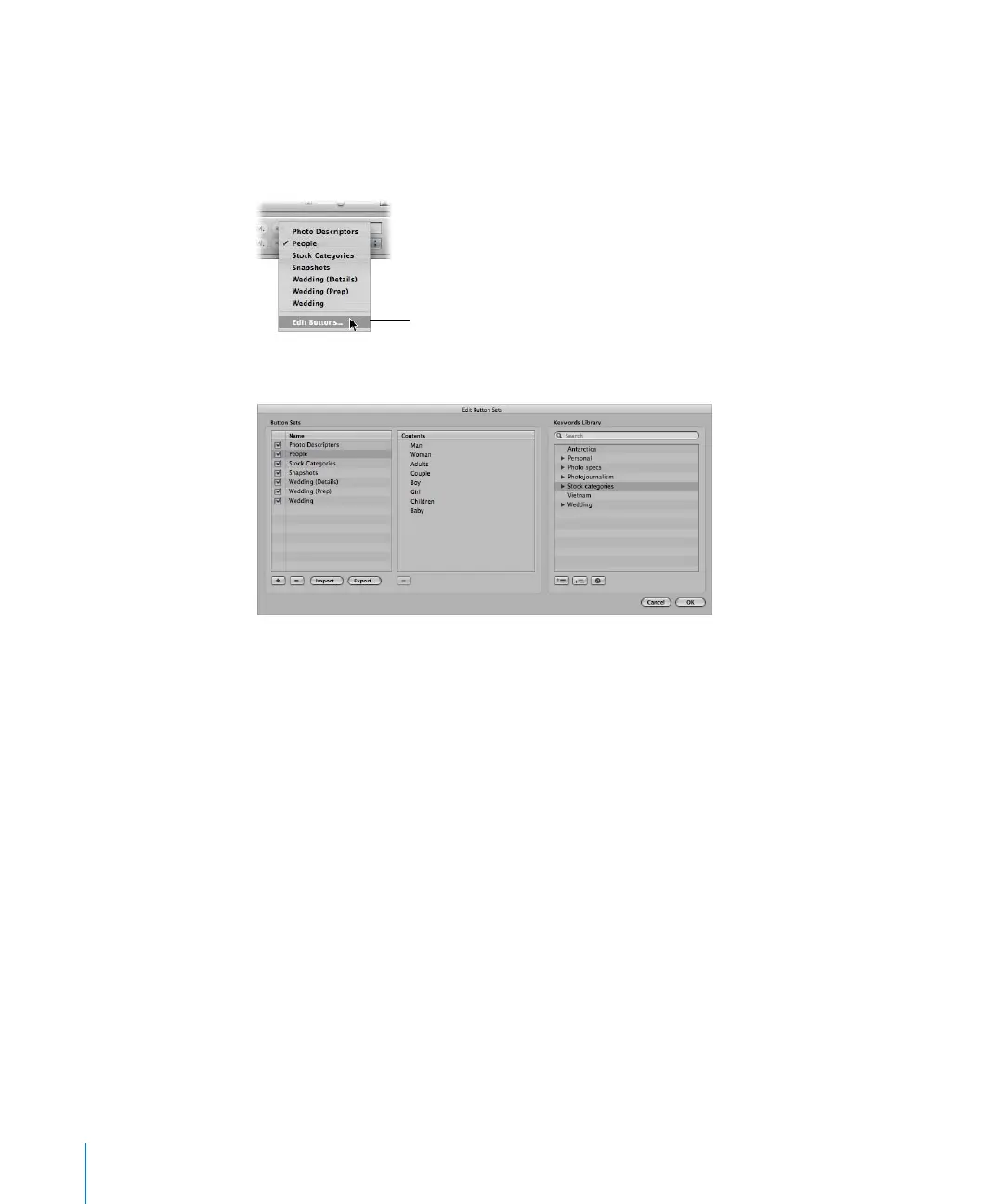
1 In the control bar, choose Edit Buttons from the Keyword Preset Group pop-up menu.
The Edit Button Sets window appears.
The Name column on the left lists the keyword preset groups that already exist. When
you select a keyword preset group in this column, the keywords included in the group
appear in the center Contents column. You add or remove keywords by adding them to
or removing them from the Contents column. The Keywords Library column provides a
list of the existing keywords in your keyword library. You can drag keywords from this
list into the Contents column. You can also add keywords and keyword groups to your
keyword library using the controls below the Keywords Library column.
Choose Edit Buttons to add a
new keyword preset group.





 To Next Page