370 Part III Distribution and Backup
Viewing Pages
As you work on a book, you can select and view particular pages, and you can change
your view of the pages. You can display your pages laid out singly or side by side, and
you can enlarge or reduce your view of book pages.
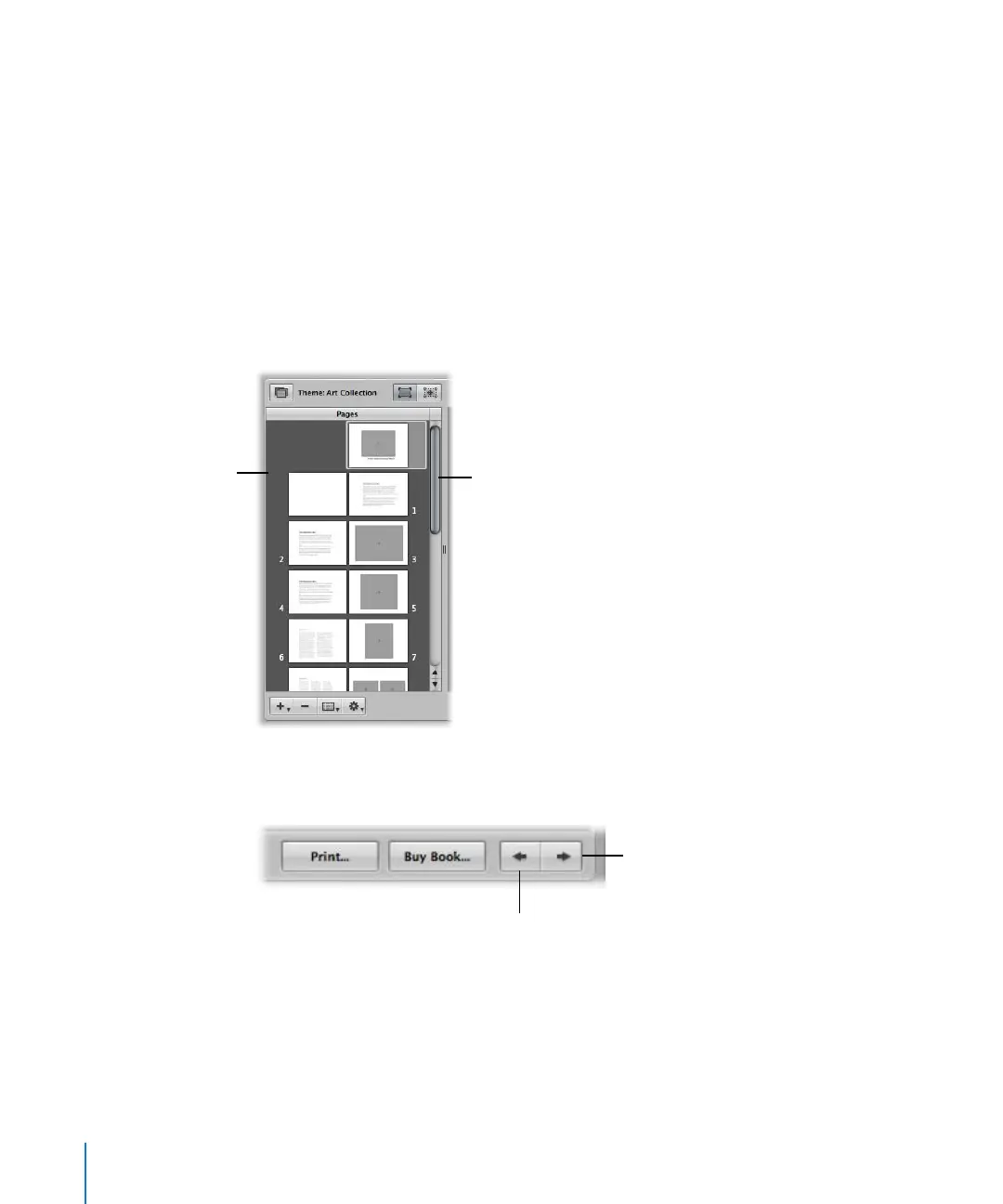
Navigating to Book Pages
You can navigate to pages in your book by scrolling, pressing the arrow keys, or
clicking the Previous Page and Next Page buttons.
To view a particular page in a book:
m Use the scroll bar in the Pages panel to scroll to the page you want, then click the page
to select it.
You can also quickly scroll through your pages by pressing the arrow keys or clicking
the Previous Page and Next Page buttons.
Click to select the
page you want in
the Pages panel.
Use the scroll bar to
scroll through the pages
in your book.
Previous Page button
Next Page button





 To Next Page