Chapter 9 Rating Images 193
II
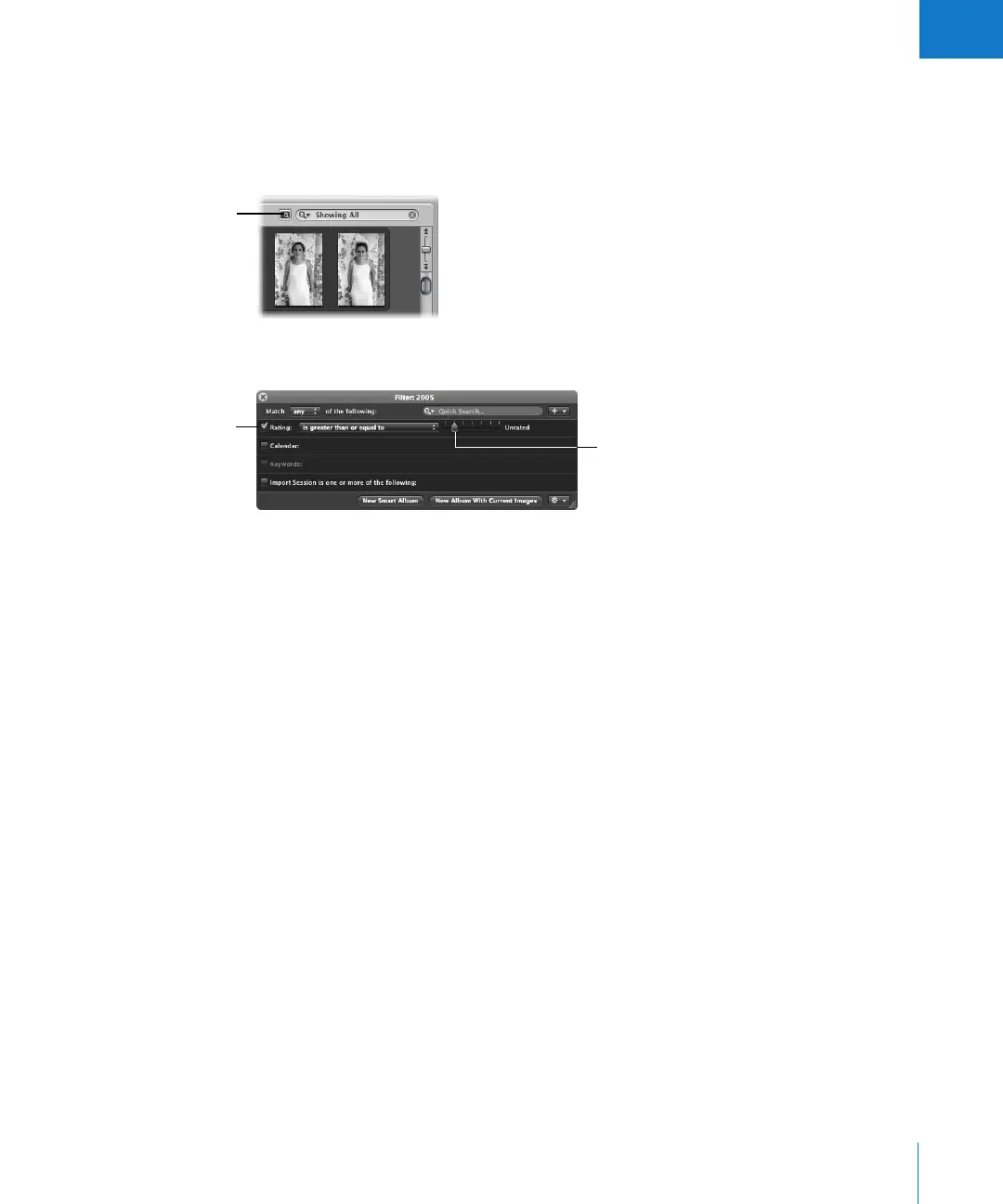
To sort images by rating:
1 Show the Query HUD by doing one of the following:
 Choose Edit > Find (or press Command-F).
 In the Browser, click the Query HUD button next to the search field.
2 Select the Rating checkbox.
3 Choose an option from the Rating pop-up menu.
4 Drag the Rating slider to specify a rating.
The Browser instantly displays only images that meet the specified rating criteria.
To view all images again:
m Deselect the Rating checkbox in the Query HUD (or press Control-6).
To view all images that are unrated or better:
m Press Control–grave accent (`).
To view rejected images only:
m Press Control-8.
Query HUD button
in the Browser
Make sure this checkbox
is selected, then choose
an option from the
pop-up menu.
Set the slider to a rating.





 To Next Page