230 Part II Photo Editing
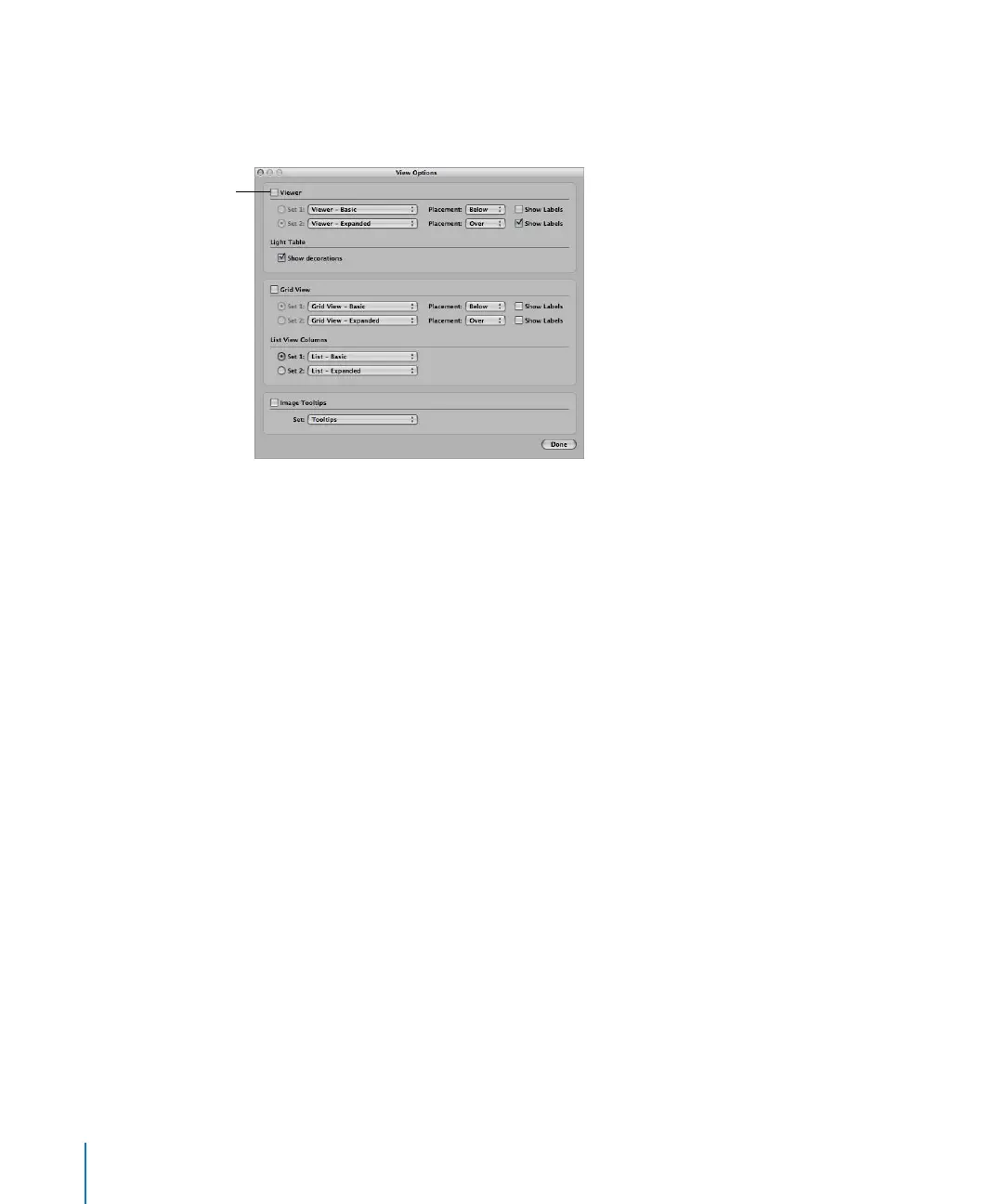
To set the display of metadata in the Viewer:
1 Choose View > View Options (or press Command-J).
2 Select the Viewer checkbox.
3 Choose the metadata view you want from the Set 1 pop-up menu. Choose an alternate
metadata view from the Set 2 pop-up menu.
4 Choose where you want the metadata displayed in relation to the image from the
Placement pop-up menus.
5 To include labels with metadata items, select the Show Labels checkbox.
6 Click the Set 1 or Set 2 button to specify the set you want to use.
7 Click Done.
To set the display of metadata in the Browser in grid view:
1 Choose View > View Options (or press Command-J).
2 Select the Grid View checkbox.
3 In the Grid View area, choose the metadata view you want from the Set 1 pop-up
menu. Choose an alternate metadata view from the Set 2 pop-up menu.
4 Choose where you want the metadata displayed in relation to the image from the
Placement pop-up menus.
5 To include labels with metadata items, select the Show Labels checkbox.
6 Click the Set 1 or Set 2 button to specify the set you want to use.
7 Click Done.
When you choose a metadata view for the Browser in list view, the metadata view
determines the number of columns that appear. Each metadata item in the metadata
view becomes a list view column.
Select this checkbox to
turn on the display of
metadata in the Viewer.





 To Next Page