Chapter 15 Exporting Your Images 295
III
To create a folder name format:
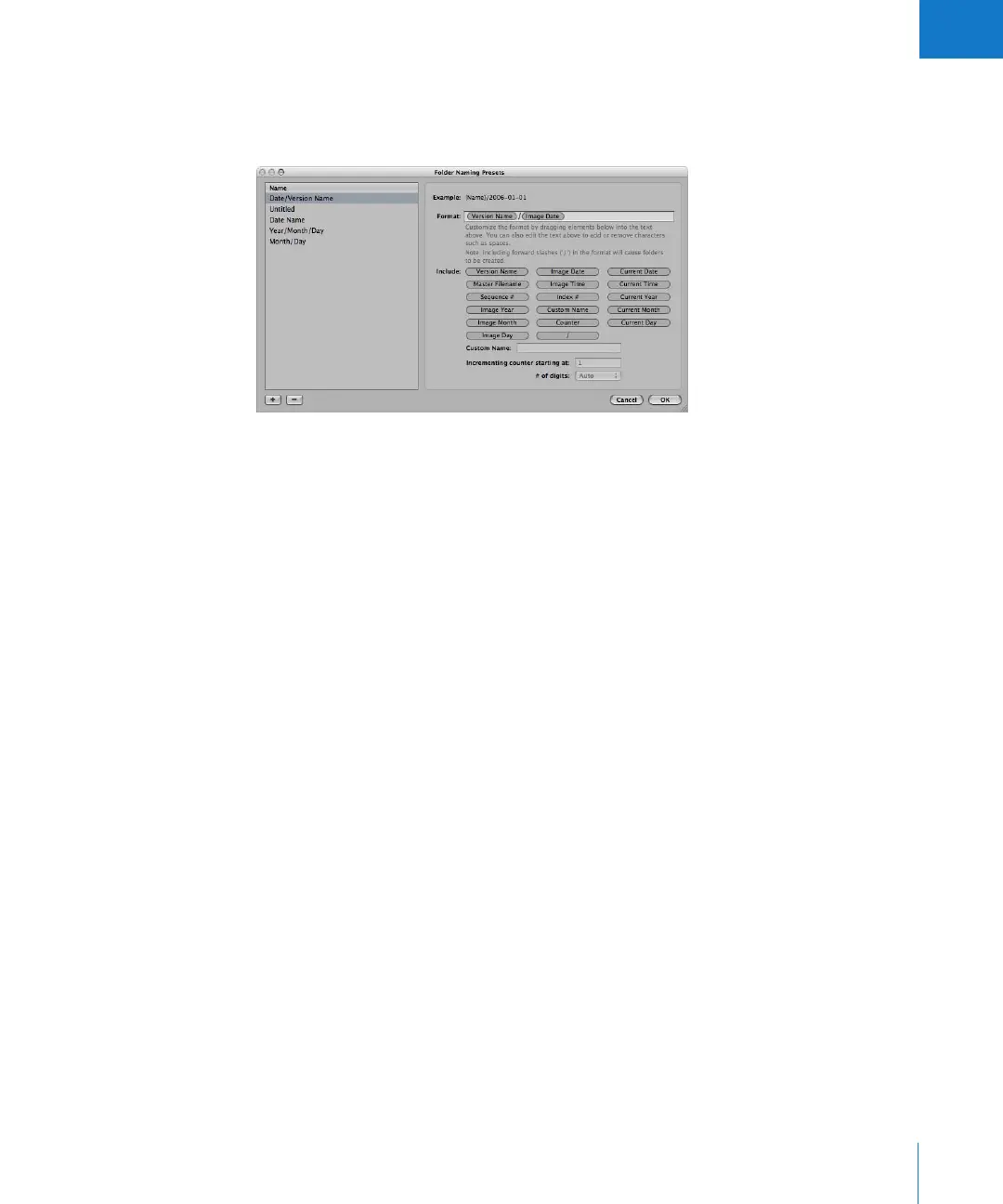
1 In the Export dialog, choose Edit from the Subfolder Format pop-up menu.
The Folder Naming Presets dialog appears.
2 Click the Add (+) button to create a new folder name format, or select the preset folder
name format you want to change.
3 Drag the name elements you want into the Format field in the order you want them.
4 Drag a forward slash between the elements where you want subfolders created.
5 Enter a custom name in the Custom Name field, if you want.
6 Click OK.
Your new folder name format now appears in the Subfolder Format pop-up menu.
When using a counter in your folder name format, you can specify the starting number
and the number of digits, from one to six digits, that appear in the counter. When you
use a folder name format with a counter, make sure to reset the initial starting number, if
necessary. Otherwise, on the next export Aperture will continue numbering the folders
containing the exported images starting from the last number of the previous export.
To reset the starting number of a counter in a folder name format:
m In the Folder Naming Presets dialog, type 0 (zero) in the “Incrementing counter starting
at” field.





 To Next Page