302 Part III Distribution and Backup
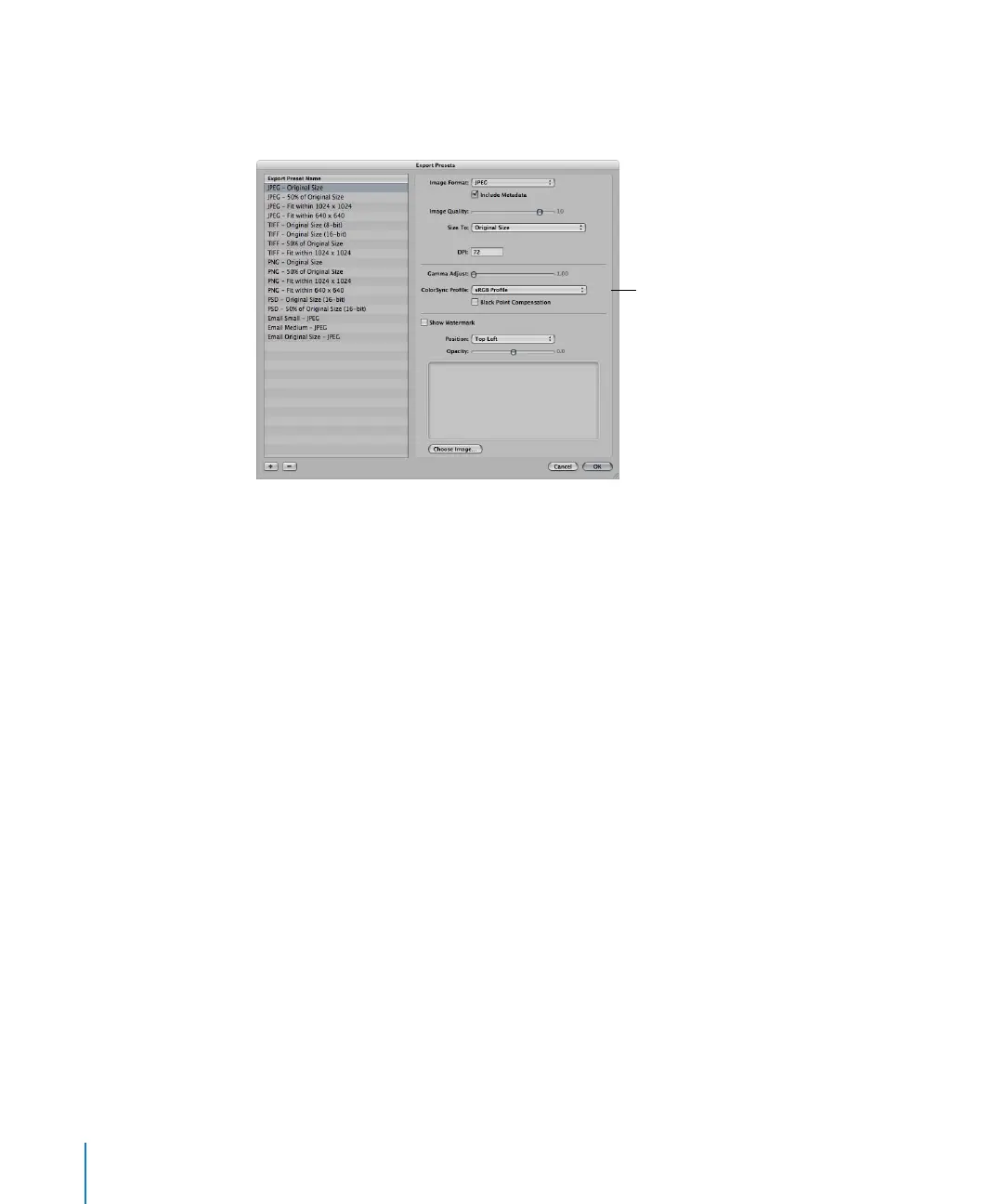
To adjust images at export, you create a new export preset in the Export Presets dialog,
and then adjust the Image Quality, Gamma Adjust, ColorSync Profile, and Black Point
Compensation settings as appropriate.
Gamma adjustments applied at export are applied on top of gamma adjustments
previously applied to image versions. Before exporting, verify that you are not doubling
any gamma adjustments previously applied to your images.
When you export, select the preset that includes the adjustments you want to make. For
information about creating export presets, see “Working with Export Presets” on page 306.
To adjust images at export:
1 Select the image or images you want to export.
2 Choose File > Export > Export Version (or press Command-Shift-E).
3 Navigate to the location where you want the exported images placed.
4 Choose Edit from the Export Preset pop-up menu.
The Export Presets dialog appears.
5 Select an export preset and specify any adjustment options you want.
6 Click OK.
7 Choose a name format from the Export Name Format pop-up menu.
8 Click Export.
Your files are exported with the adjustments you specified.
Use these options to
adjust images when they
are exported.





 To Next Page