46 Part I
Interface and Acquisition
Import and Project Buttons
Email and Slideshow Buttons
A
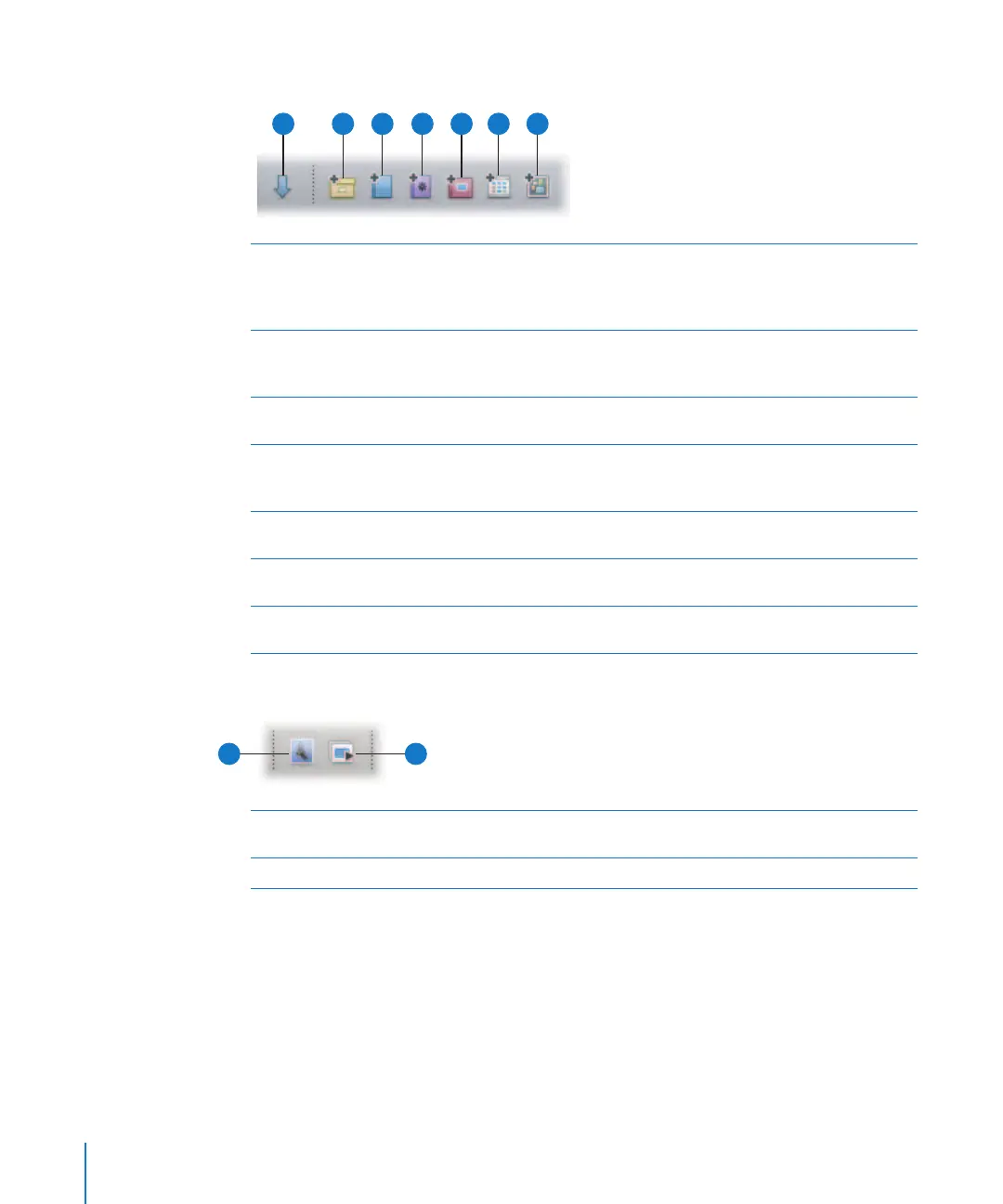
Import Panel
Click this button to show or hide the Import panel. When you
select either the camera, a memory card, or a mounted drive, the
Import dialog appears. For more information, see “Import Panel” on
page 52.
B
New Project
Click this button to create a new project. You will have the option
to create an empty project, a project with any images you’ve
selected, or a project with all the images in the Browser.
C
New Album
Click this button to create a new album containing your current
image selection.
D
New Smart Album
Click this button to create a new Smart Album. For more
information, see Chapter 13, “Grouping Images with Smart Albums,”
on page 267.
E
New Book Album
Click this button to create a new book album. For more
information, see Chapter 19, “Creating Books,” on page 357.
F
New Web Gallery Album
Click this button to create a new web gallery album. For more
information, see Chapter 18, “Creating Webpages,” on page 333.
G
New Light Table Album
Click this button to create a new Light Table album. For more
information, see Chapter 17, “Using the Light Table,” on page 323.
B
C
D
A
E
F
G
A
Email
Click this button to open your email program and attach
selected images.
B
Slideshow
Click this button to initiate a slideshow of the selected images.
A
B





 To Next Page