Chapter 2 The Aperture Interface 51
I
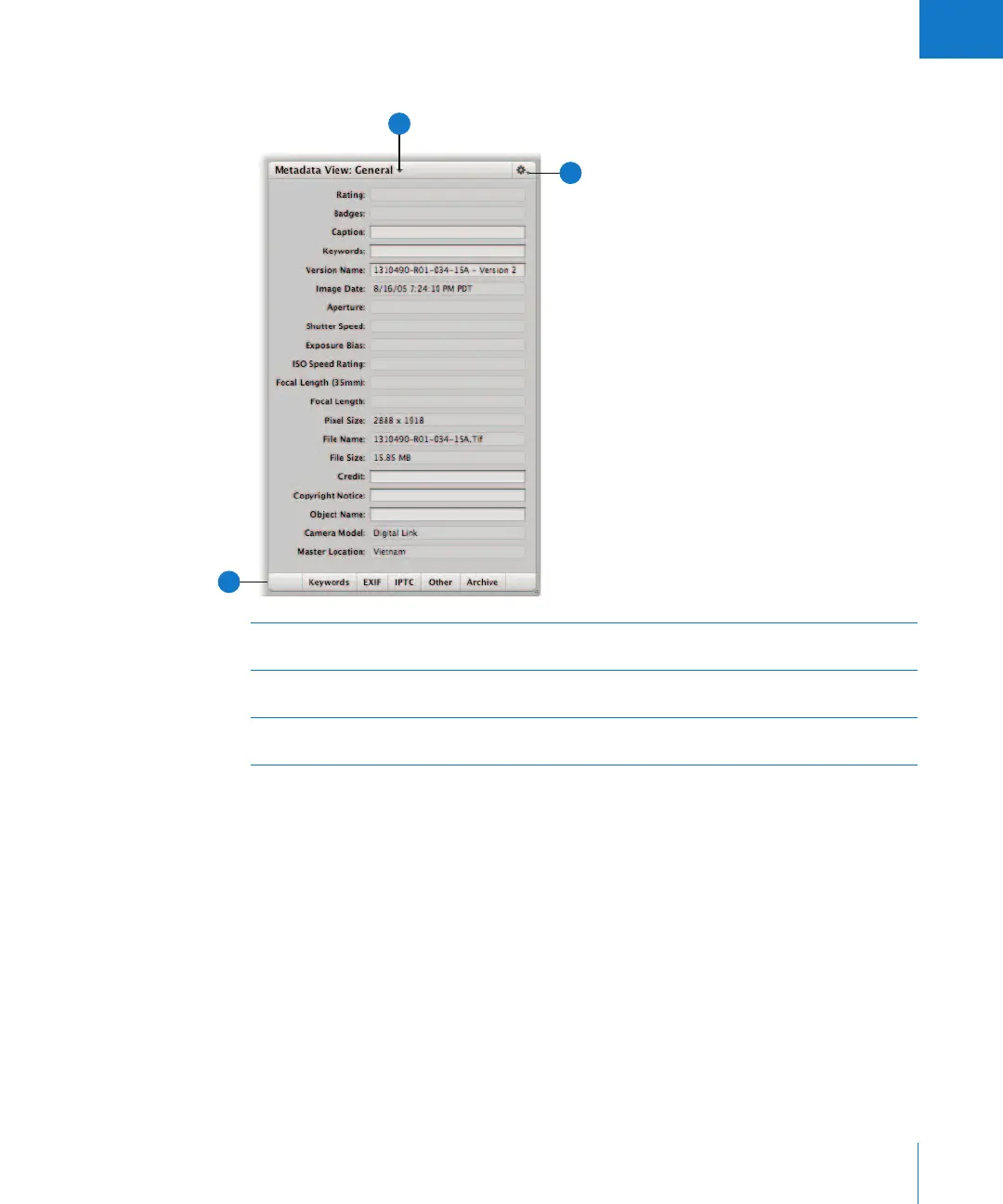
m Choose Window > Show Metadata (or press Control-D).
A
Metadata display
buttons
Click a button to select the type of metadata to display.
B
Metadata View
pop-up menu
Choose the metadata view being displayed from this pop-up menu.
C
Metadata Action
pop-up menu
Choose options for editing and arranging your metadata views and
for creating metadata presets from this pop-up menu.
A
C
B





 To Next Page