3.2.3 Configuring the Measurement Numbering Method
You can configure how measurement numbering is performed.
[Measurement start No.] [Continue from previous batch] Assigns serial measurement numbers
through batches.
[Initialize for every batch] Resets the measurement numbering at the
beginning of each batch.
[Measurement No.] [Assign to samples] Assigns measurement numbers to samples.
[Assign to ports] Assigns measurement numbers to all of the
ports regardless of whether the ports have
samples or not.
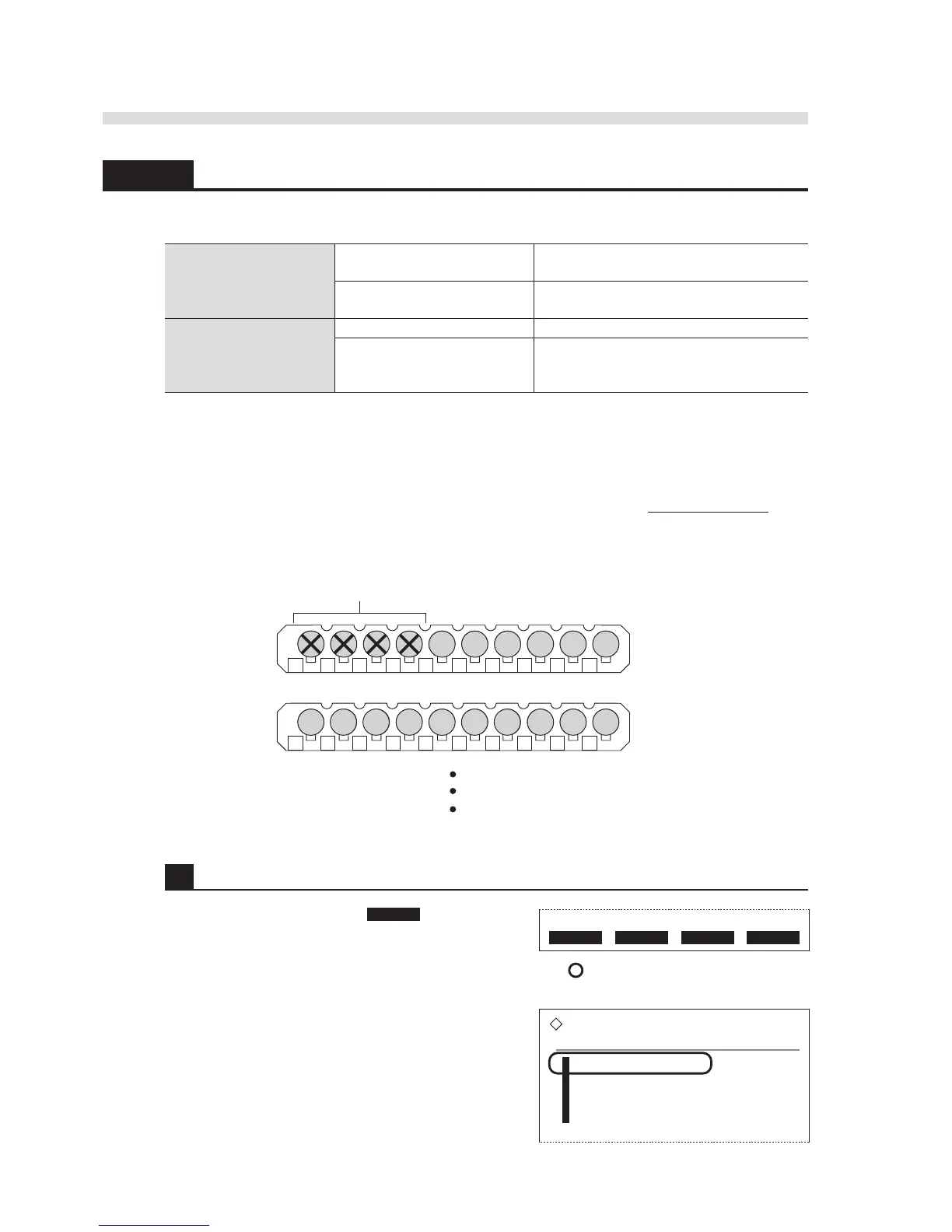
IMPORTANT: When [Measurement No.] is set to [Assign to ports], the instrument skips
one or more samples from the beginning of a batch depending on the set measurement
start number. This takes place because measurement numbering is made so that the
ones place of the port number matches that of the measurement number. For example,
when the measurement start number is set to “5”, the instrument skips ports 1 to 4 and
measures samples from port 5.
1 Access the setup screen.
1 On the standby screen, press Menu to go to the
[Main menu] screen.
2 Press 1 to go to the [Parameter settings] screen.
0015 0016 0017 0018 0019 0020
1 2 3 4 5 6 7 8 9 10
0024 0025 0026 0027 0028 00290021 0022 0023 0030
1 2 3 4 5 6 7 8 9 10
Skipped
1st rack
2nd rack
When [Measurement No.] is set to "5":



 To Next Page