5-58
Chapter 5. Functions
Operation type Setting Direct action Reverse action
Loop diagnosis 1 20
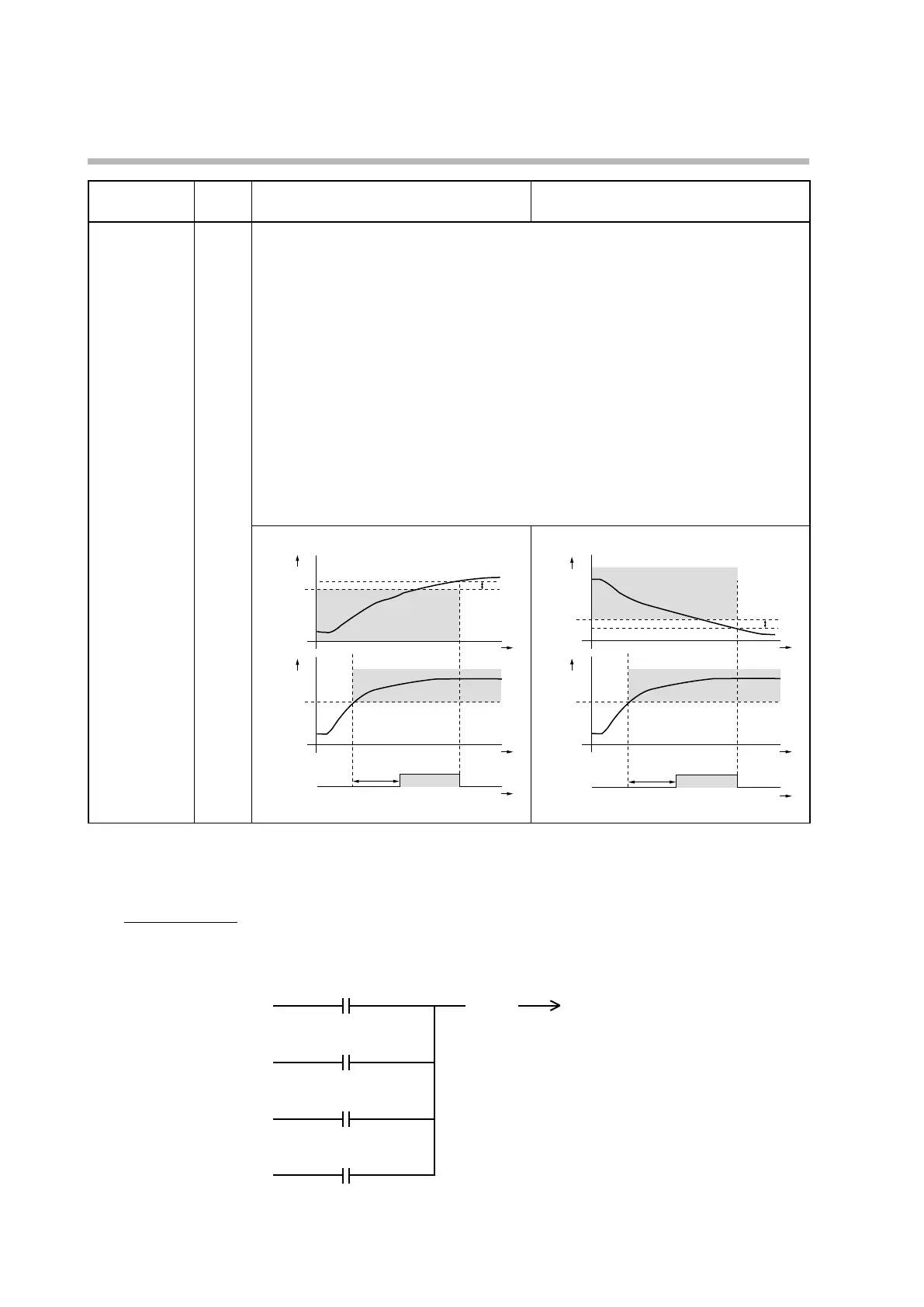
Turns on if the PV does not change according to the increase or decrease of the MV.
Use this setting to detect a failure of the actuator, etc.
zSettings
• Main setting: MV
• Sub-setting: PV
• ON delay time: diagnosis time
zOperation specifications
Turns ON if the PV set for the sub-setting (condition 1) is not reached within the diagnosis
time (ON delay time)(condition 3) even though the MV greater than the main setting is
retained (condition 2).
zNote
To set the ON delay time, the user level (C79) should be set to “Advanced configuration.”
The ON delay time is set to 0.0 s when the product is shipped.
For heating control
If cond. 1 & 2 are met, ON delay starts
Sub-
setting
Main
Time
Cond. 3
ON delay time
Area meeting
cond. 1
Area meeting cond. 2
Time
Time
PV
MV
EV
ON
For cooling control
If cond. 1 & 2 are met, ON delay starts
Sub-
setting
Main
Time
Cond. 3
ON delay time
Area meeting cond. 1
Area meeting cond. 2
Time
Time
PV
MV
EV
ON
*2. If the event type is burnout/overcurrent or short circuit of heater 1 or 2, there is no event detection from the time the
power is turned on until the CT input current is measured for the first time. During this period, the internal event output
is OFF regardless of the direct/reverse setting for the event. To prevent a reverse-acting event’s output from turning OFF
at power-on, set as follows.
Example of settings
Select the direct action for the event of burnout/overcurrent or short circuit of heater 1/2, and set the output
operation polarity of the terminal (event terminal or control output terminal) that outputs the event to “reverse” in the
DO assignment bank.
Reverse
Normally open (0)
Normally open (0)
Normally open (0)



 To Next Page