5-93
Chapter 5. Functions
5 - 13 Display on the Console and Key Operation
What is displayed on the console and the use of the keys can be customized.
Key operation mode
There are two key operation modes, standard and special, which can be selected by
the setting below.
2 - 2 Key Operation (p.2-2) (for details about the two modes)
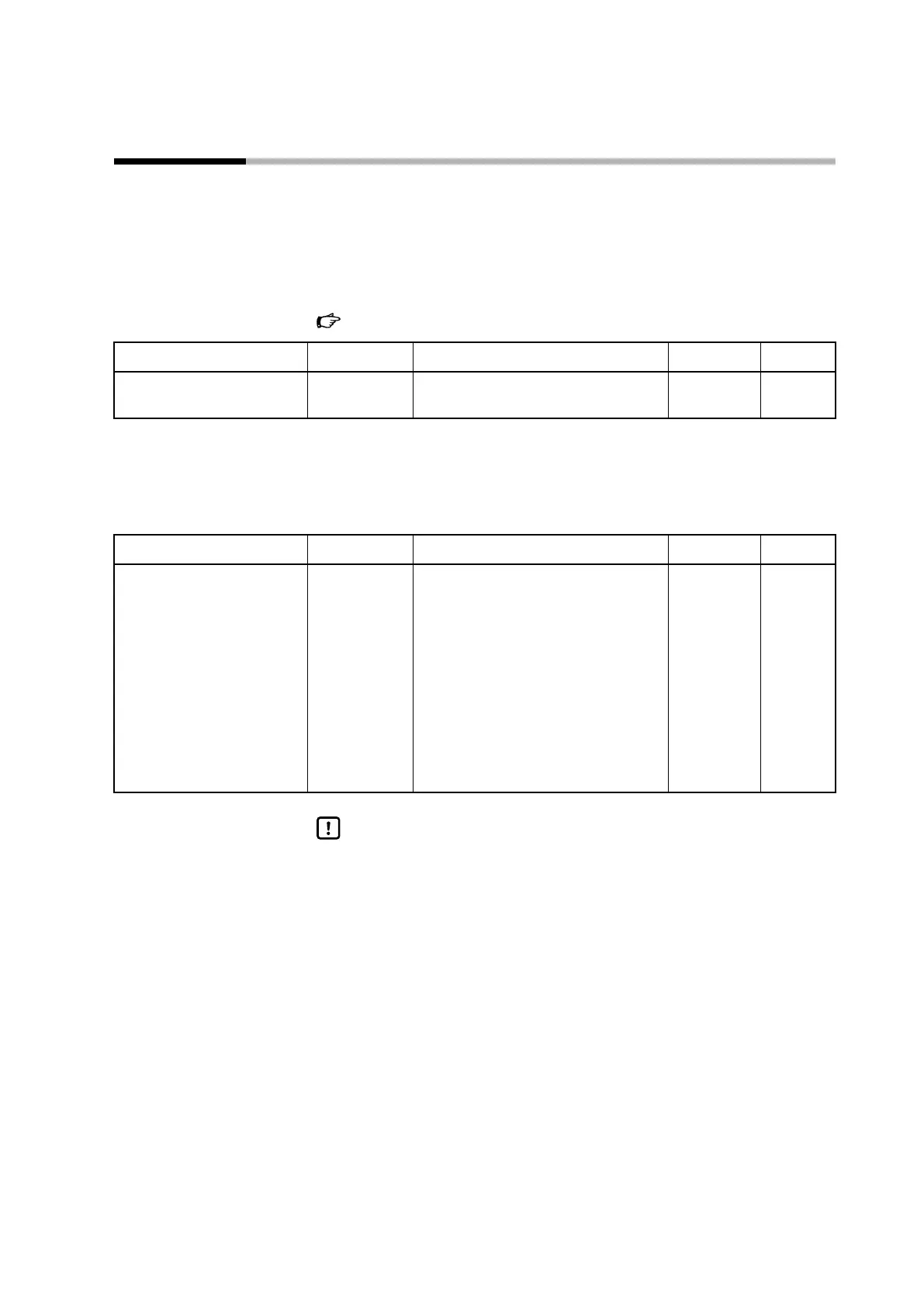
Item (bank) Display Description Initial value User level
Key operation mode
(setup bank)
C 71
0: Standard
1: Special
0 Advanced
[MODE] key function
The switching operation of the [MODE] key can be selected. Switching occurs when
the key is pressed for 1 second or longer while the operation display is shown.
Item (bank) Display Description Initial value User level
[MODE] key function
(setup bank)
C 72
0: Invalid
1: AUTO/MANUAL selection
2: RUN/READY selection
3: AT stop/start
4: LSP group selection
5: Release all DO latches
6: Invalid
7: User-defined bit 1
8: Invalid
1 Simple,
standard,
advanced
Handling Precautions
• If CtrL (control method) is set to 0 (ON/OFF control), the AUTO/MANUAL
selection setting is invalid.
• If CtrL (control method) is set to 0 (ON/OFF control), or if the PV high/low
limit alarm is triggered, the AT stop/start setting is invalid.
• If C30 (LSP system group) is set to 1, the LSP group selection setting is
invalid.



 To Next Page