5-88
Chapter 5. Functions
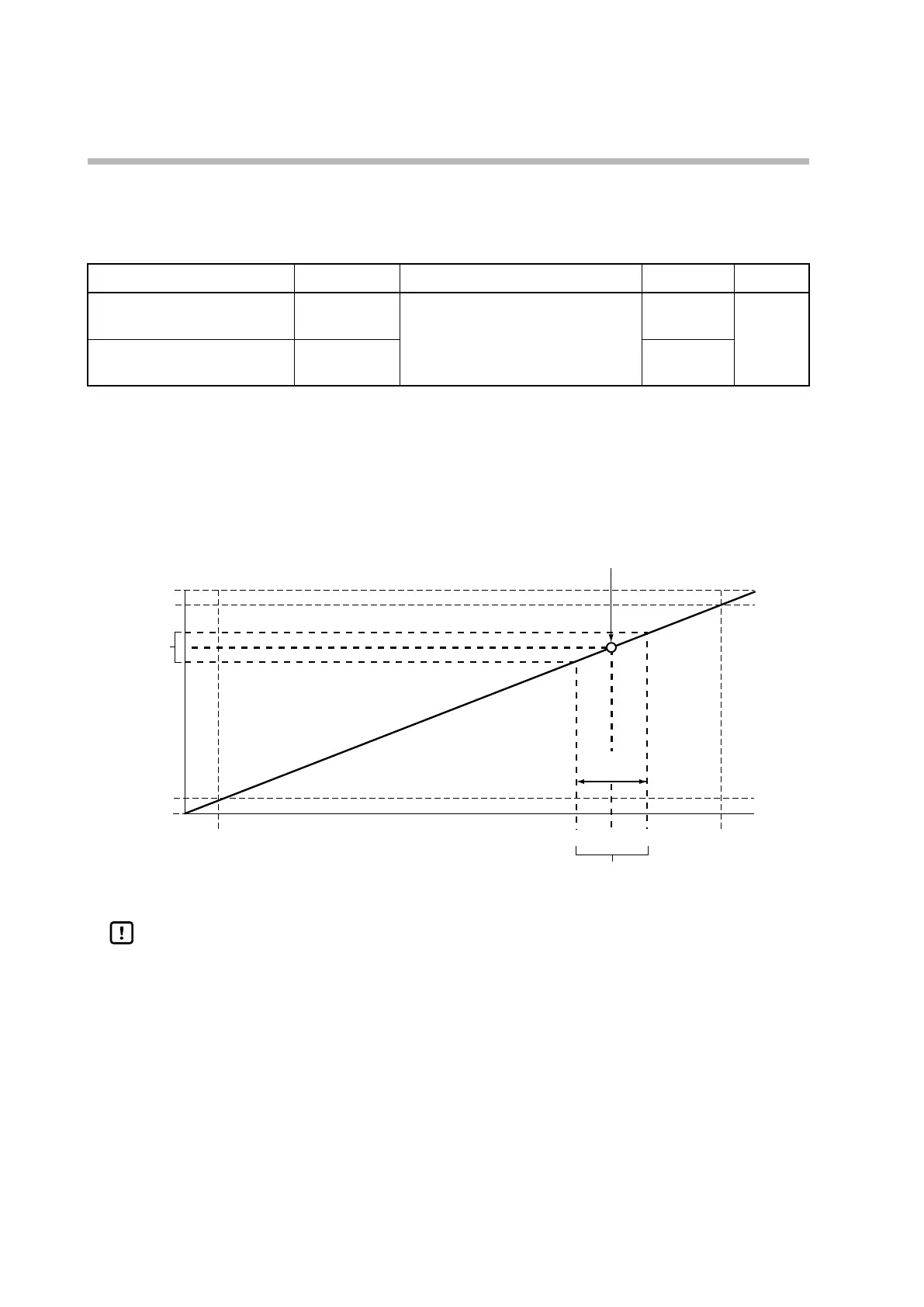
MV scaling width
If the output type is set to either SP + MV or PV + MV, the output can be made
continuous by adding the change in the MV to the SP or PV.
Item (bank) Display Description Initial value User level
Control output 1 MV scaling width
(setup bank)
C 46
0 to 9999
The number of decimal places and the
unit are the same as the PV.
200 Simple,
standard,
advanced
Control output 2 MV scaling width
(setup bank)
C 51
200
• These items are displayed and the settings can be changed if the output type of
control output 1 or 2 is set to SP + MV or PV + MV.
• The value calculated by the following expression is output according to the output
scaling low and high limit settings.
SP + MV: (MV − 50.0) / 100.0 × MV scaling width + SP
PV + MV: (MV − 50.0) / 100.0 × MV scaling width + PV
0
−10
Scaling low limit
When the output type is SP + MV
Scaling high limit
0 % 50 % 100 %
Input
110
100
Change in
to the MV
Change in the MV
Output (%)
MV
scaling width
Handling Precautions
• This function is used when the continuous output from the C1M is connected
to the remote SP (RSP) input of another controller for the purpose of cascade
control in which the C1M operates as the master and another controller
operates as a slave. Set the width of the RSP that changes in conjunction with
the change in the MV (0−100 %) of the C1M as the MV scaling width.



 To Next Page