5-33
Chapter 5. Functions
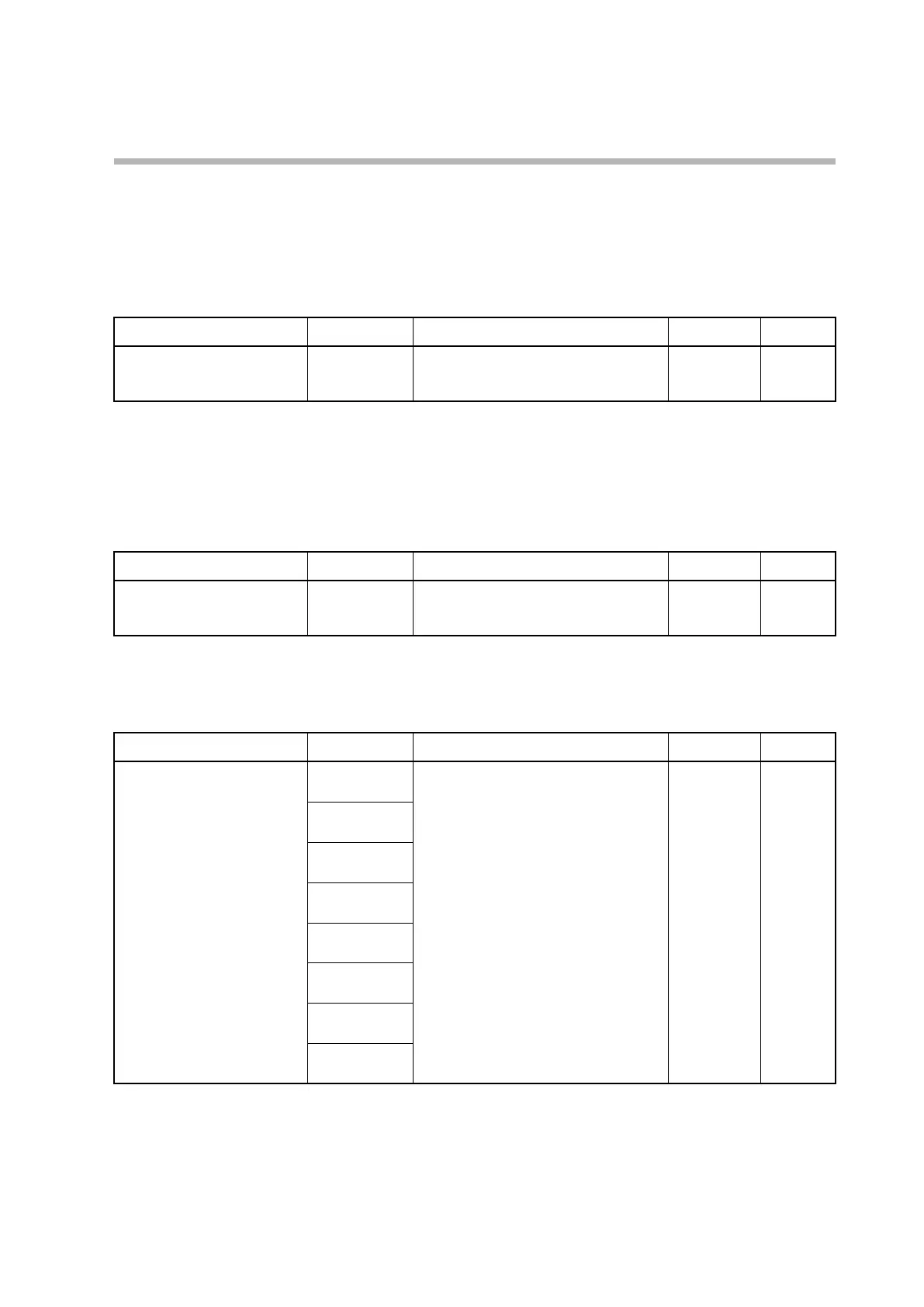
Specifying the SP using operation settings
The SP for the LSP group (LSP1 to 8) that is being used can be specified.
During an SP ramp, the SP that is displayed will be different from the LSP group SP,
but when the setting is being changed using the keys, the value specified for the LSP
group will be displayed.
Item (bank) Display Description Initial value User level
SP
(operation settings)
PV is shown
on the upper
display.
SP low limit to high limit 0 U Simple,
standard,
advanced
• If “Bit 1: SP display” of C74 (PV/SP display setup) is set to 1 (enabled), this item is
displayed and the setting can be changed.
Number of LSP groups
The number of LSP groups to be used can be specified.
Item (bank) Display Description Initial value User level
LSP system group
(setup bank)
C 30
1 to 8 1 Simple,
standard,
advanced
LSP1 to 8
The SP for up to eight LSP groups can be specified individually.
Item (bank) Display Description Initial value User level
SP
(SP bank)
SP-1
SP low limit to high limit 0U Simple,
standard,
advanced
SP-2
SP-3
SP-4
SP-5
SP-6
SP-7
SP-8
• SPs for as many LSP groups as are specified by C30 (LSP system group) are
displayed for setting.



 To Next Page