2-6
Chapter 2. Outline of Functions
How to set data
(1) Press [PARA] until the desired item is displayed.
Display transitions and the use of [PARA] are described on pages 2-3 and
2-5.
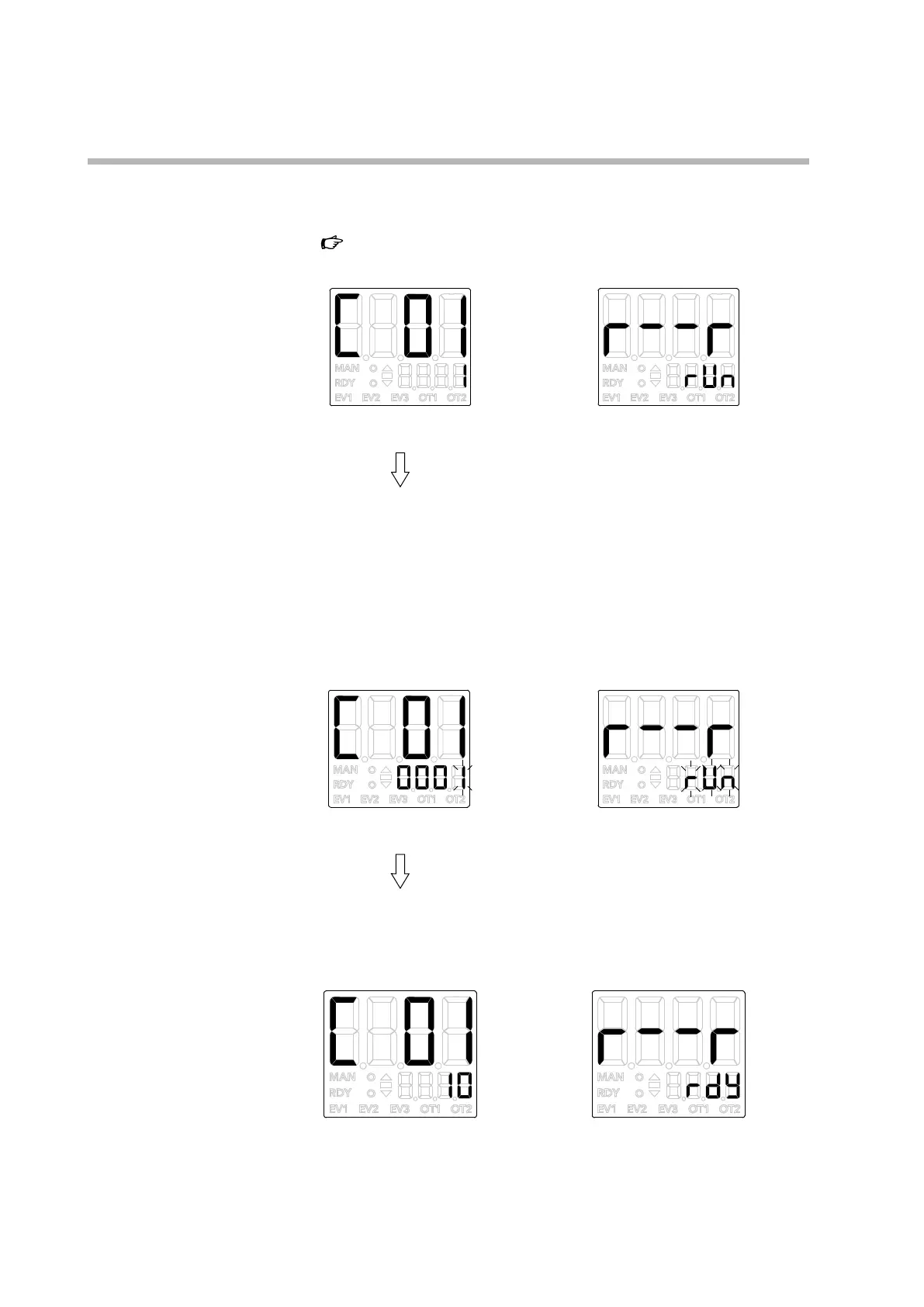
When configuring C01 (PV input
range type) in the setup bank
When switching between RUN
and READY by the r--r parameter
(2) Press [<], [∨], or [∧].
>>
If the lower display shows numbers, the value in the 1st digit will start
flashing (blinking). If it shows characters, they will all start flashing.
For numbers, the flashing digit can be shifted and the flashing value can be
incremented/decremented using [<], [∨], and [∧].
For characters, the entire flashing expression can be changed using [∨] and
[∧].
The 1st digit of 0001 is
flashing
rUn is flashing
(3) Release the key and wait.
>>
The new value stops flashing after 2 seconds and is now set.



 To Next Page