2-3
Chapter 2. Outline of Functions
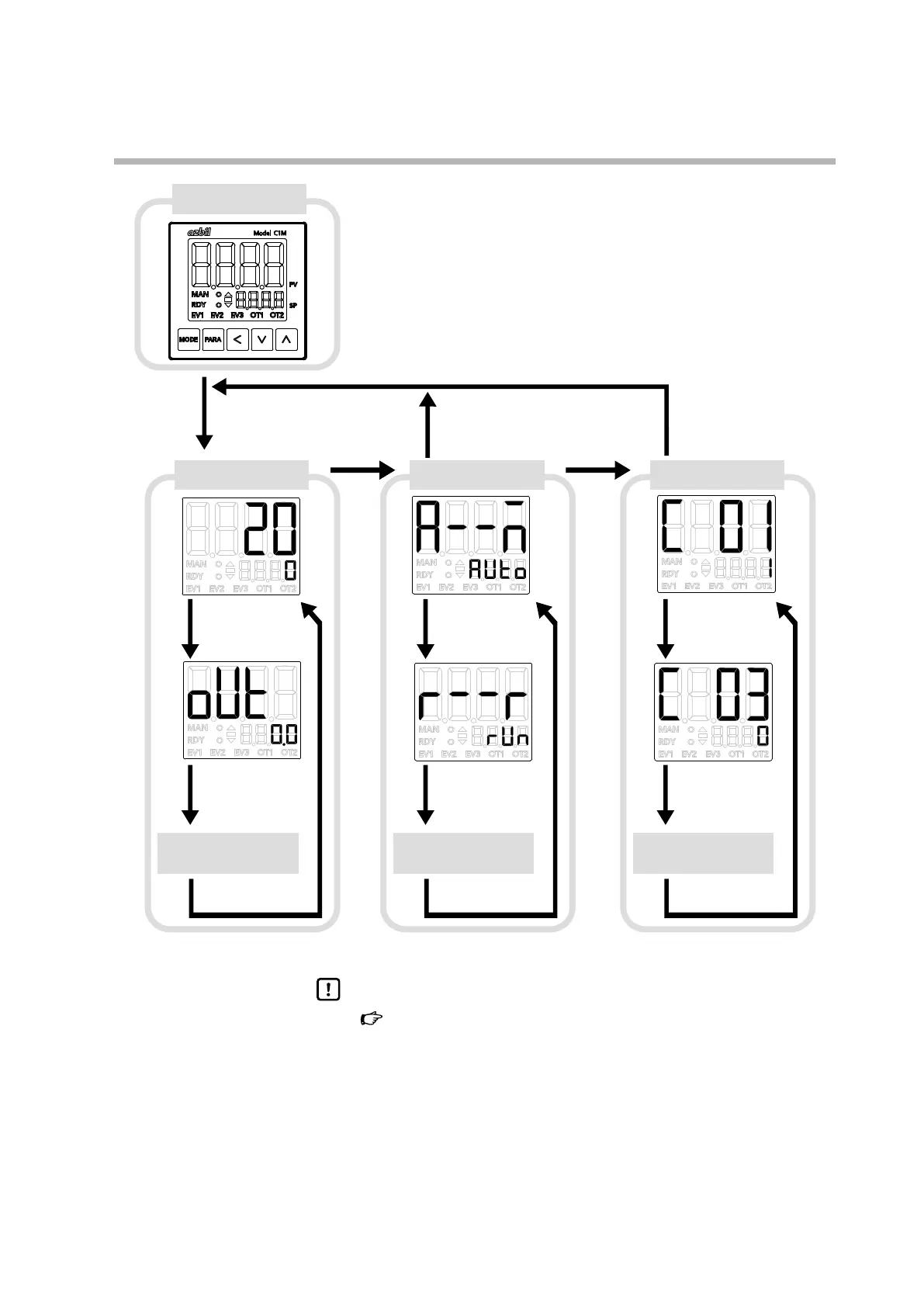
Display at power-on
Operation settings Parameter settings
Setup bank, etc., settings
Other displays/settings
(press [PARA] repeatedly)
2-second press of
[PARA]
2-second press of
[PARA]
2-second press of [PARA]
Press [PARA]
Press [PARA]
Press [PARA]
Press [PARA]
Press [MODE]
Press [MODE]
Press [PARA]
Press [PARA]
Press [PARA]
Press [PARA]
Press [PARA]
PV/SP display
If no key press for 3 min
If no key press for 3 min
After power-on:
all on
all off
sequential on and off
operation display
(sequence takes about 9 s)
MV display
Other settings
(press [PARA] repeatedly)
AUTO/MANUAL
switch
RUN/READY switch
Other settings
(press [PARA] repeatedly)
Set PV input
range type
Set reference junction
compensation
The displays and settings shown in this figure are illustrative examples. They may differ depending on the model and settings.
Handling Precautions
•
6 - 1 Operation Settings (p.6-1)
6 - 2 Parameter Settings (p.6-3)
6 - 3 Setup Bank, etc., Settings (p.6-19)
(for details on operation settings, parameter settings, and setup
bank settings, etc.)
• If [<] is pressed while holding down [PARA], various displays/settings can
be navigated in reverse order. However, the keys can be used together
this way only for a maximum of 2 seconds.



 To Next Page