5-28
Chapter 5. Functions
5 - 4 AT (Automatic Tuning) Function
Use the AT function if:
• You want to set CtrL (control method) to 1 (PID control) and set PID constants automatically.
• The rise of PV is slow or the overshoot is large.
AT function is available if CtrL (control method) is set to 1 (PID control).
How to start AT
(1) Check that the PV input and the actuators (heater power, etc.) are ready for
control.
(2) Check that the RDY mode indicator is off, which indicates that the device is
in RUN mode. If the RDY mode indicator is on and the device is in READY
mode, change the mode to RUN.
(3) Check that the MAN mode indicator is off, which indicates that the device is in
AUTO mode. If the MAN mode indicator is on and the device is in MANUAL
mode, change the mode to AUTO.
(4) Set At (AT stop/start) in the mode bank to At.On (AT start).
How to stop AT
AT ends automatically. To stop AT while it is running, set At (AT stop/start) in the
mode bank to At.OF (AT stop).
AT can also be stopped by changing the mode to READY or MANUAL.
z
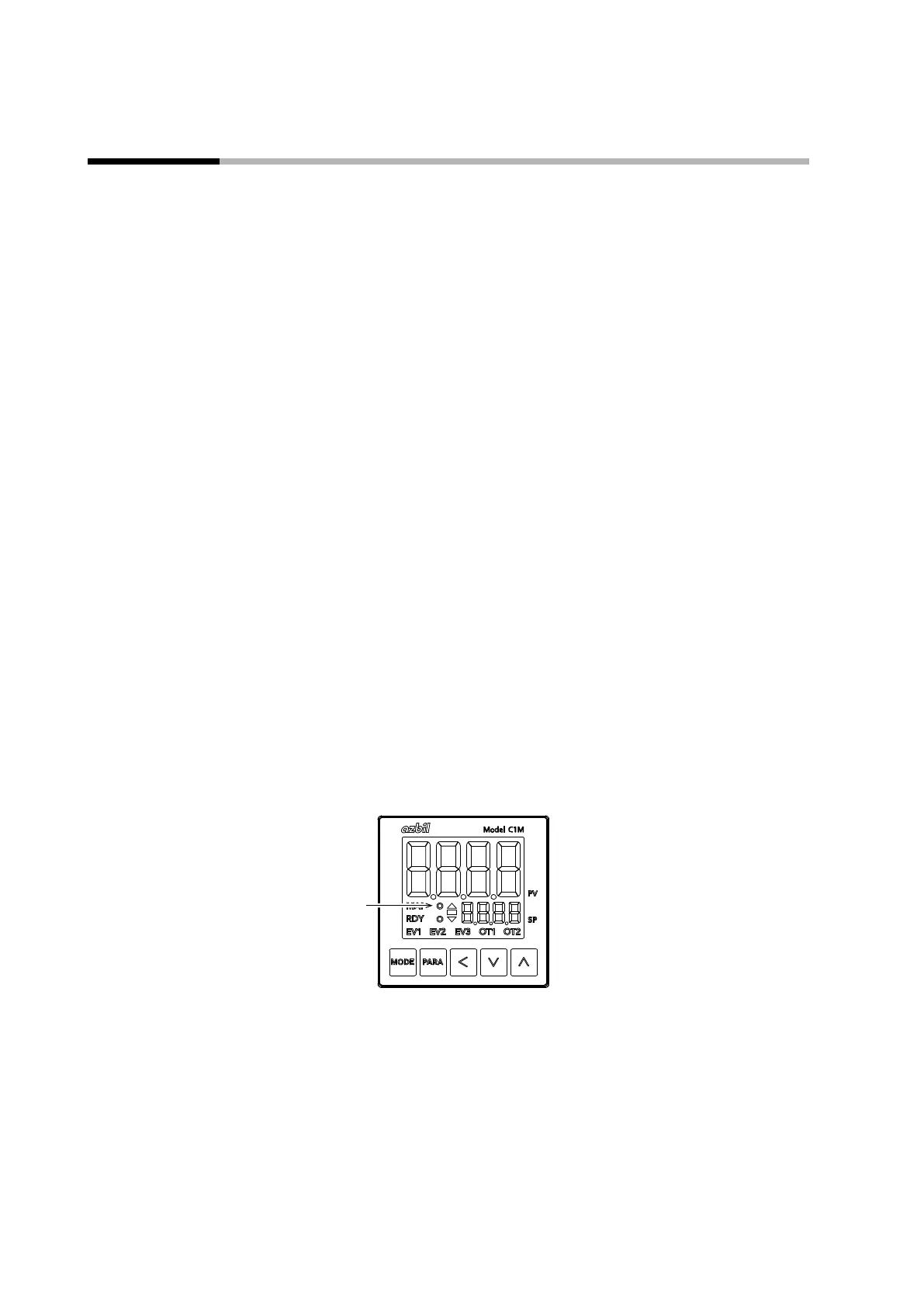
Display while AT is running
During AT, the AT indicator flashes. When AT and the calculation of PID constants
are done, the AT indicator turns off.



 To Next Page