9-10
Chapter 9. PLC Link Communication Function
9 - 3 PLC Link Setup
To set up PLC link communication, use the SLP-C1F Smart Loader Package.
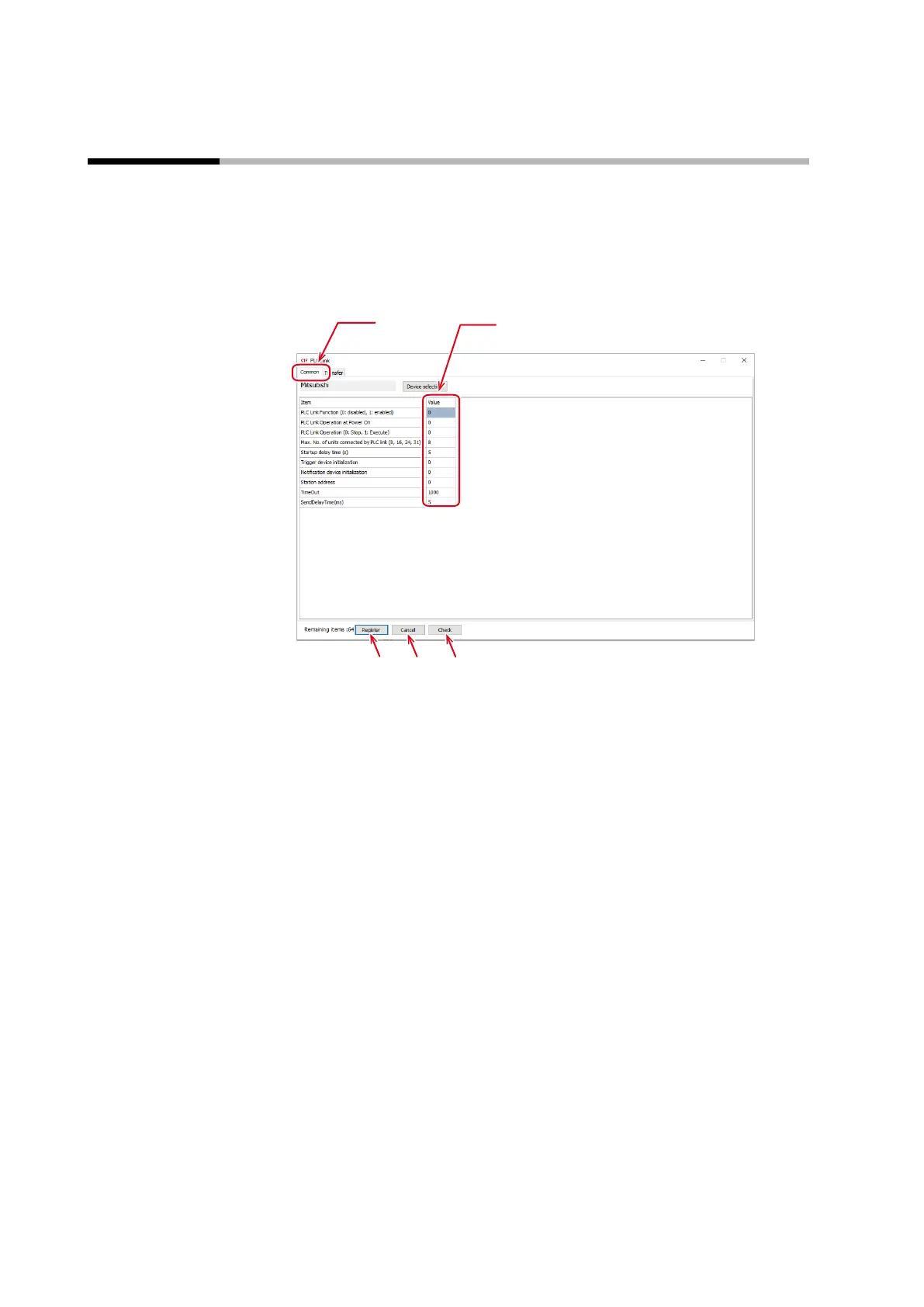
Open the setup screen of the SLP-C1F and click the [PLC Link] button to open the [PLC Link] window.
The method of setup is described below, illustrated by the SLP-C1F screen.
Common settings
(1) Select the [Common] tab to configure the PLC connection settings common to
transfer 1 to 4.
(2) Enter a value for each item.
(3) Click the [Register] button to enable the configured PLC link settings.
Note that registration only rewrites the settings in the PC memory. After
registration, the settings must be written, along with other parameters, to the
controller or be saved in a PC file.
(4) Click the [Cancel] button to discard the configured PLC link settings.
(5) Click the [Check] button to check that all the transfer setting addresses have
been defined.



 To Next Page