5-8
Chapter 5. Functions
PV range low/high limit
If the PV input type is DC voltage/current, scaling of the PV input can be specified.
Item (bank) Display Description Initial value User level
PV range low limit
(setup bank)
C 05
If the PV input type is DC voltage/current:
−1999 to +9999 (no decimal point)
−199.9 to +999.9 (1 digit after the decimal point)
−19.99 to +99.99 (2 digits after the decimal point)
−1.999 to +9.999 (3 digits after the decimal point)
If the PV input type is thermocouple or RTD:
the low and high limits of the specified PV input
range
0 Simple,
standard,
advanced
PV range high limit
(setup bank)
C 06
1000
• If the PV input type is thermocouple or RTD, this item is displayed but the setting
cannot be changed.
• If the PV input type is DC voltage/current, this item is displayed and the setting
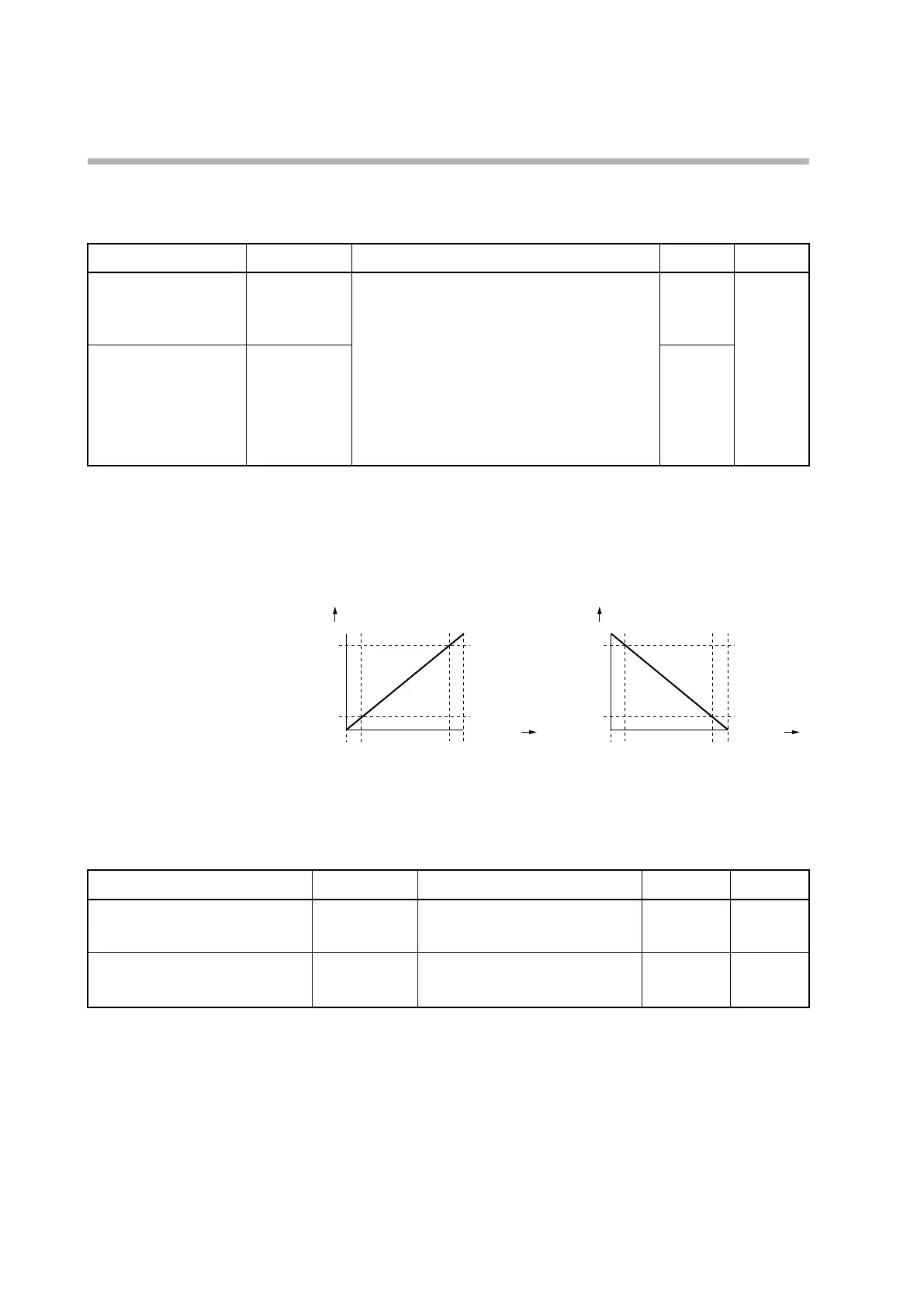
can be changed. The following figures show the relationship between the PV
input and the PV according to the range low and high limit settings.
PV
−10 0 100 110
Input (%)
Low limit
Low limit < high limit Low limit > high limit
High limit
PV
−10 0
100
110
Input (%)
Low limit
High limit
PV ratio and PV bias
The PV ratio and PV bias can be set to compensate the PV.
Item (bank) Display Description Initial value User level
PV ratio
(parameter bank)
RA
0.001 to 9.999 1.000 Standard,
advanced
PV bias
(parameter bank)
BI
−1999 to +9999 U
0 U Simple,
standard,
advanced
• Details of PV ratio/bias calculation
When the input is PV
in
, the result is PV
out
, the PV ratio is RA, and the PV bias BI,
the formula will be:
PV
out
= (PV
in
× RA) + BI



 To Next Page