2-5
Chapter 2. Outline of Functions
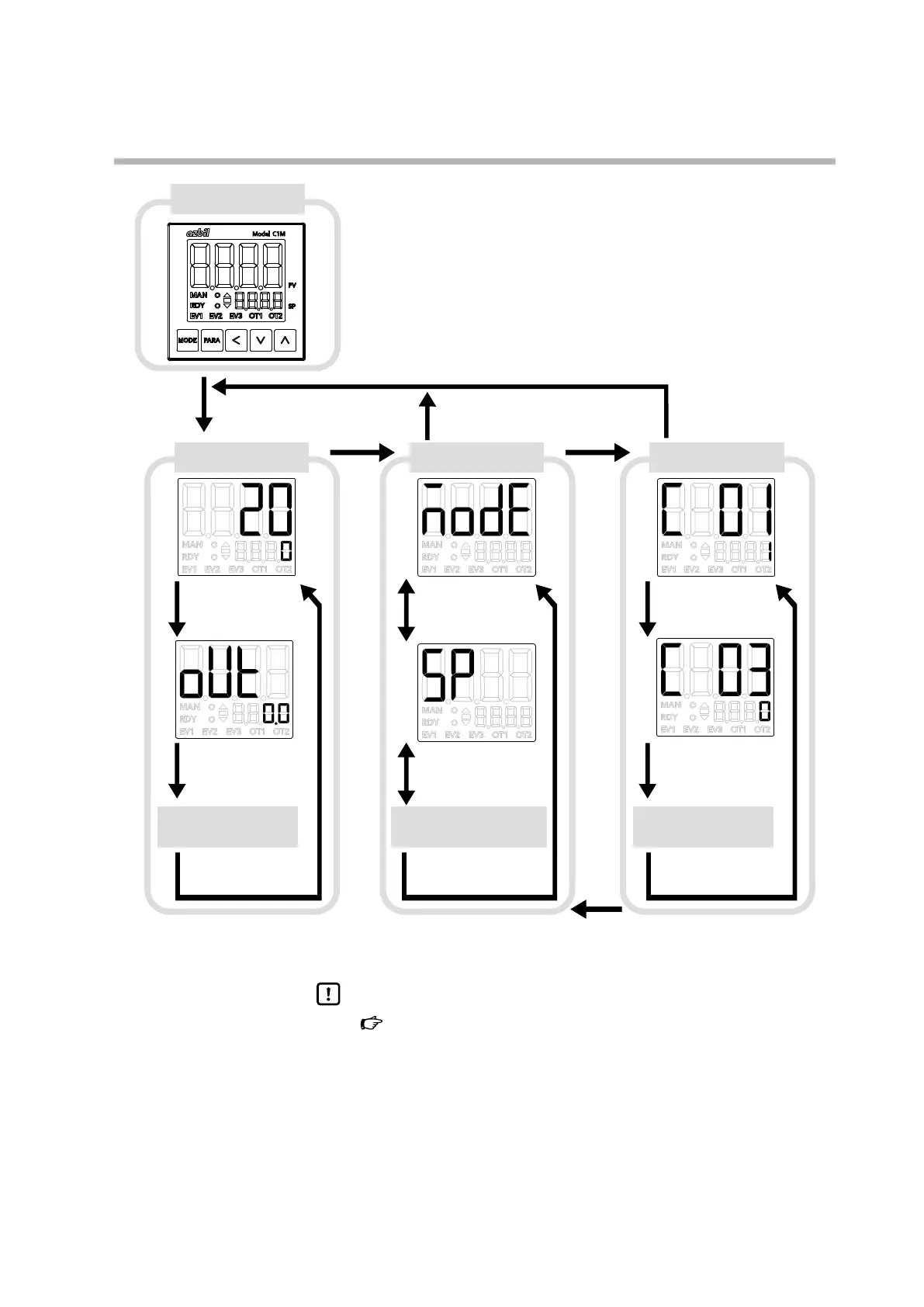
Display at power-on
Operation settings Bank selection display Bank setting display
Other displays/settings
(press [PARA] repeatedly)
PV/SP display
If no key press for 3 min
If no key press for 3 min
Power-on
all on
all off
sequential on and off
operation display
(sequence takes about 9 s)
MV display
Other banks
(press [PARA], [V], [V] repeatedly)
Select the mode bank
Select the SP bank
Other settings
(press [PARA] repeatedly)
Set PV input range type
Set reference junction
compensation.
The display and setting shown in this figure are examples for explanation. They may differ depending on the model and settings.
2-second press of
[PARA]
2-second press of [PARA]
Press [MODE] Press [<]
Press [
∨] or [∧]
Press [
∨] or [∧]
Press [
∨] or [∧]
Press [PARA]
Press [PARA]
Press [PARA]
Press [PARA]
Press [PARA]Press [PARA]
Press [PARA]
Press [PARA]
Press [PARA]
Press [MODE]
Handling Precautions
•
6 - 1 Operation Settings (p.6-1)
6 - 2 Parameter Settings (p.6-3)
6 - 3 Setup Bank, etc., Settings (p.6-19)
(for details on operation settings, bank selection, items in banks)
The sections above describe the banks to which the settings belong.
• When operation settings and other items are displayed, if [<] is pressed
while holding down [PARA], various displays/settings can be navigated in
reverse order. However, the keys can be used together this way only for a
maximum of 2 seconds.
原原原原原原
原原原原原原



 To Next Page