5-102
Chapter 5. Functions
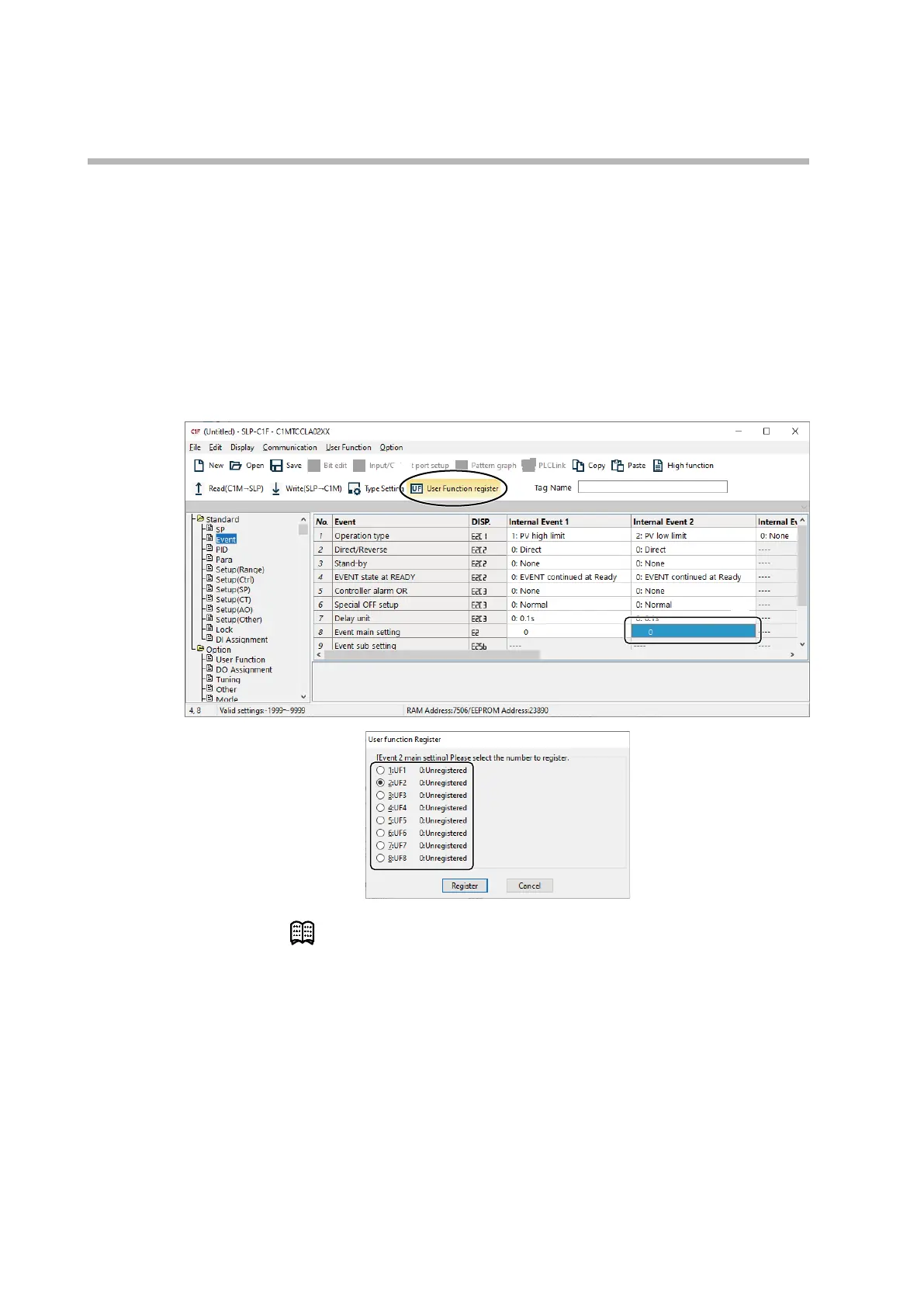
2. If you find a parameter to set for a user-defined function during configuration
In this case, use the procedure below.
(1) Place the cursor on the parameter you want to register.
(2) Click the [User Function Register] icon.
>>
The [User Function register] dialog box is displayed.
(3) Click the radio button for the UF No. to which the parameter should be
registered, and then click [Register].
>>
The parameter is now registered.
(3)
(2)
(1)
Note
• The registered parameters can be checked by selecting [User function] under
[Option].



 To Next Page