12-5
Chapter 12. Calibration and Inspection
z
Current output calibration
(1) Select the [Analog Output Calibration] tab.
(2) Select the channel to calibrate.
Control output 1 is indicated as “OUT1” and control output 2 is “OUT2.”
(3) Select [Zero] in the [Zero/Span] field.
Both zero and span should be calibrated for one channel. Therefore, after
selecting a channel, first calibrate zero and then span.
(4) Press [Read].
(5) The zero calibration current is output to the output terminal of the selected
channel.
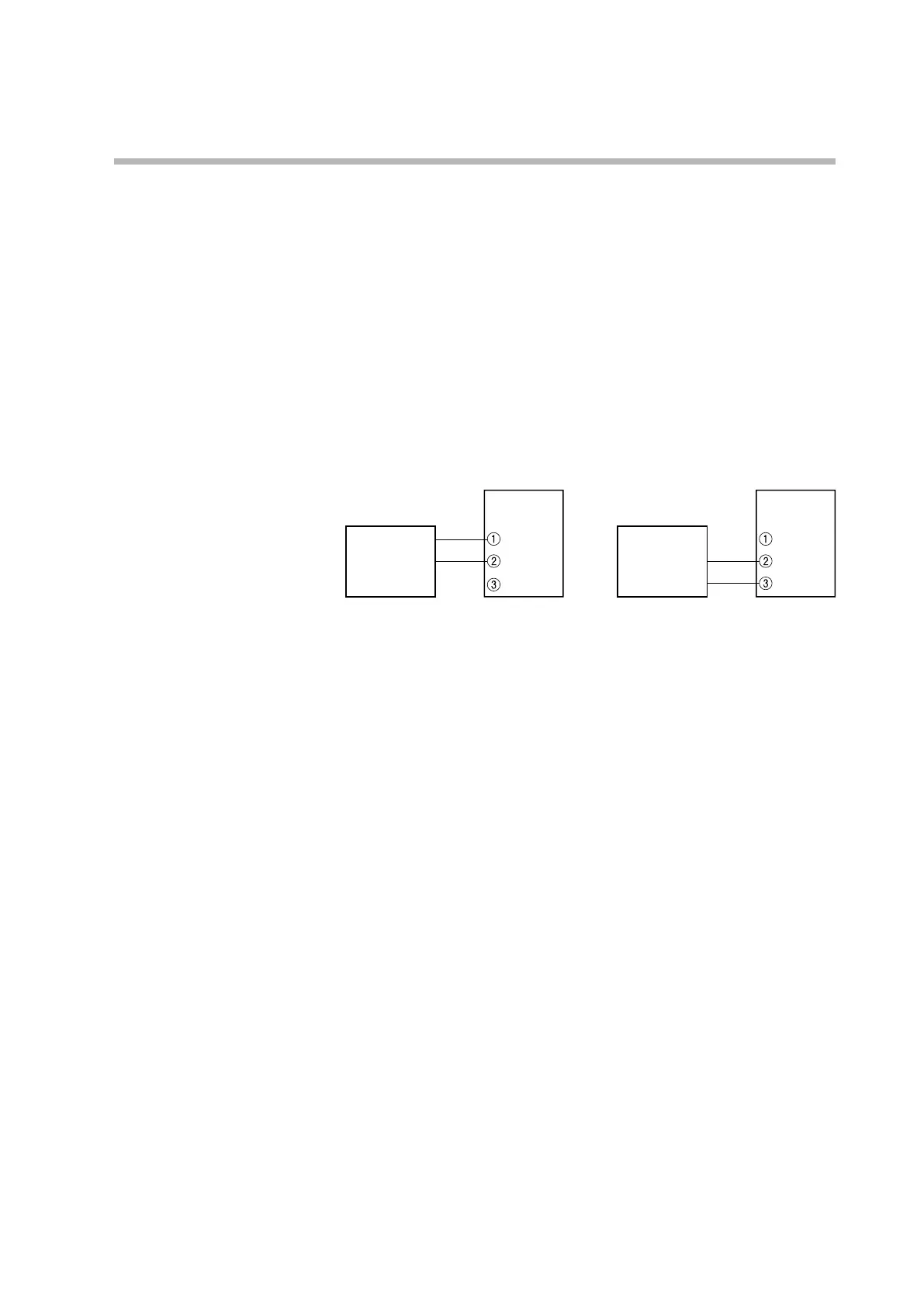
Keep this state for 30 seconds or longer. The figures below illustrate how to
connect the measuring instrument.
Ammeter
Model C1M
−
+
Ammeter
Control output 2
Model C1M
−
+
(6) Check the current indicated by the ammeter to the 3rd digit after the decimal
point, enter it in [Adjustment value], and press [Write].
(7) Select [Span] in the [Zero/Span] field.
(8) Press [Read].
(9) The span calibration current is output to the output terminal of the selected
channel.
Keep this state for 30 seconds or longer.
(10) Check the current indicated by the ammeter to the 3rd digit after the decimal
point, enter it in [Adjustment value], and press [Write].
(11) If there are other channels to calibrate, return to step 4.



 To Next Page