3-5
Chapter 3. Installation
z
Standard mounting
For normal mounting (not waterproof/dustproof), skip step 1 of the above
procedure and use step 2 and the rest of the procedure.
Handling Precautions
• To secure the bracket to the panel, tighten the screws of the supplied
mounting bracket until the bracket can no longer move, and then further
tighten each screw by only half a turn. Excessive tightening of the screws
may deform the case.
z
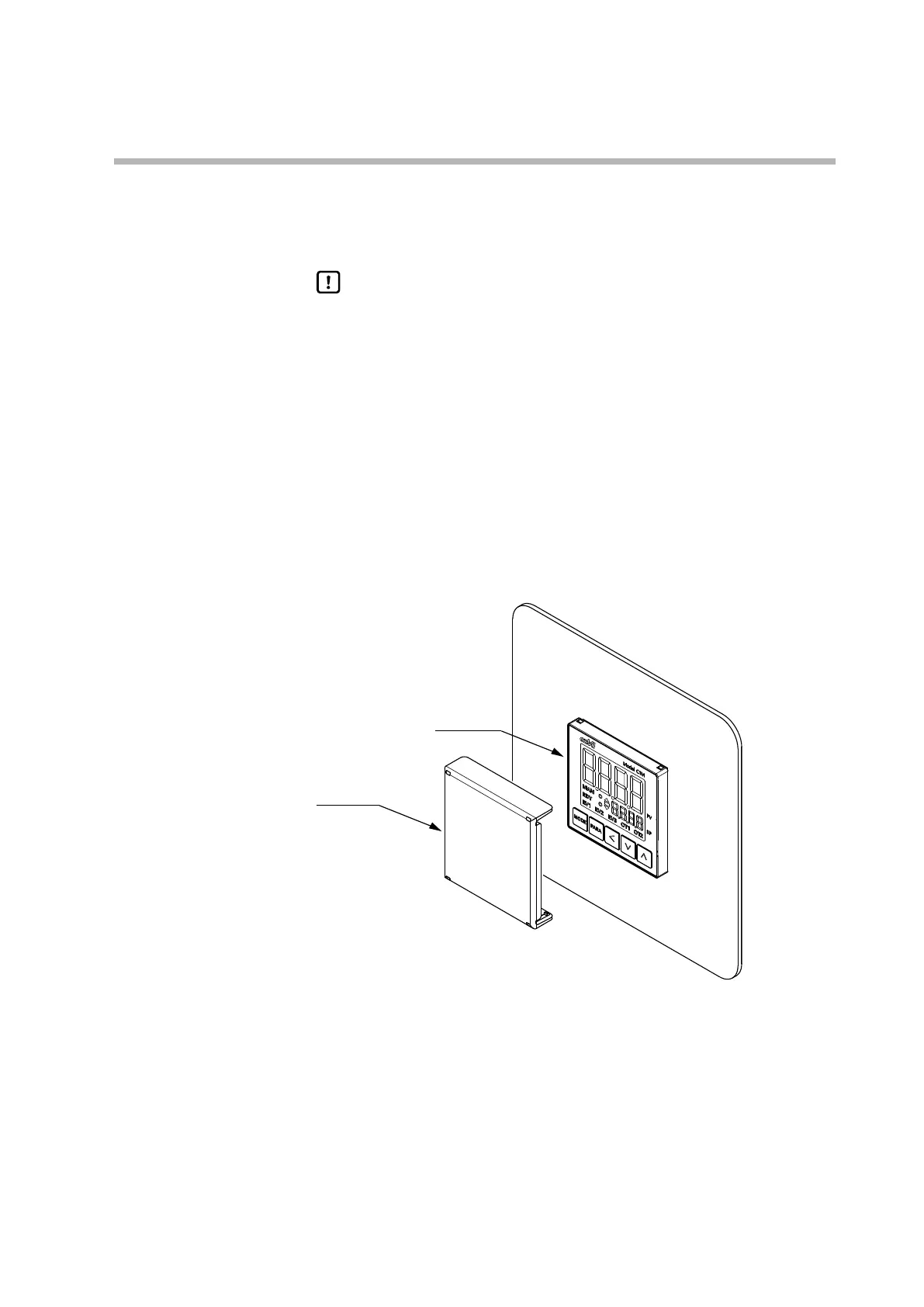
Attaching the hard cover
The separately sold hard cover can be attached to the console.
It is useful for preventing accidental changing of the settings and to protect a device
that is installed in a poor installation environment. The display can be viewed with
the cover on.
To use the keys, remove the cover.
Items required: hard cover, part No. 84515988-001 (sold separately)
Model C1M
(1) Mount the C1M in a panel as shown in the figure above.
(2) Set the two protrusions on the top of the hard cover into the two dents on the
top of the C1M.
(3) Push the bottom of the hard cover onto the C1M until it clicks into place.



 To Next Page