SERIAL LINKS 153
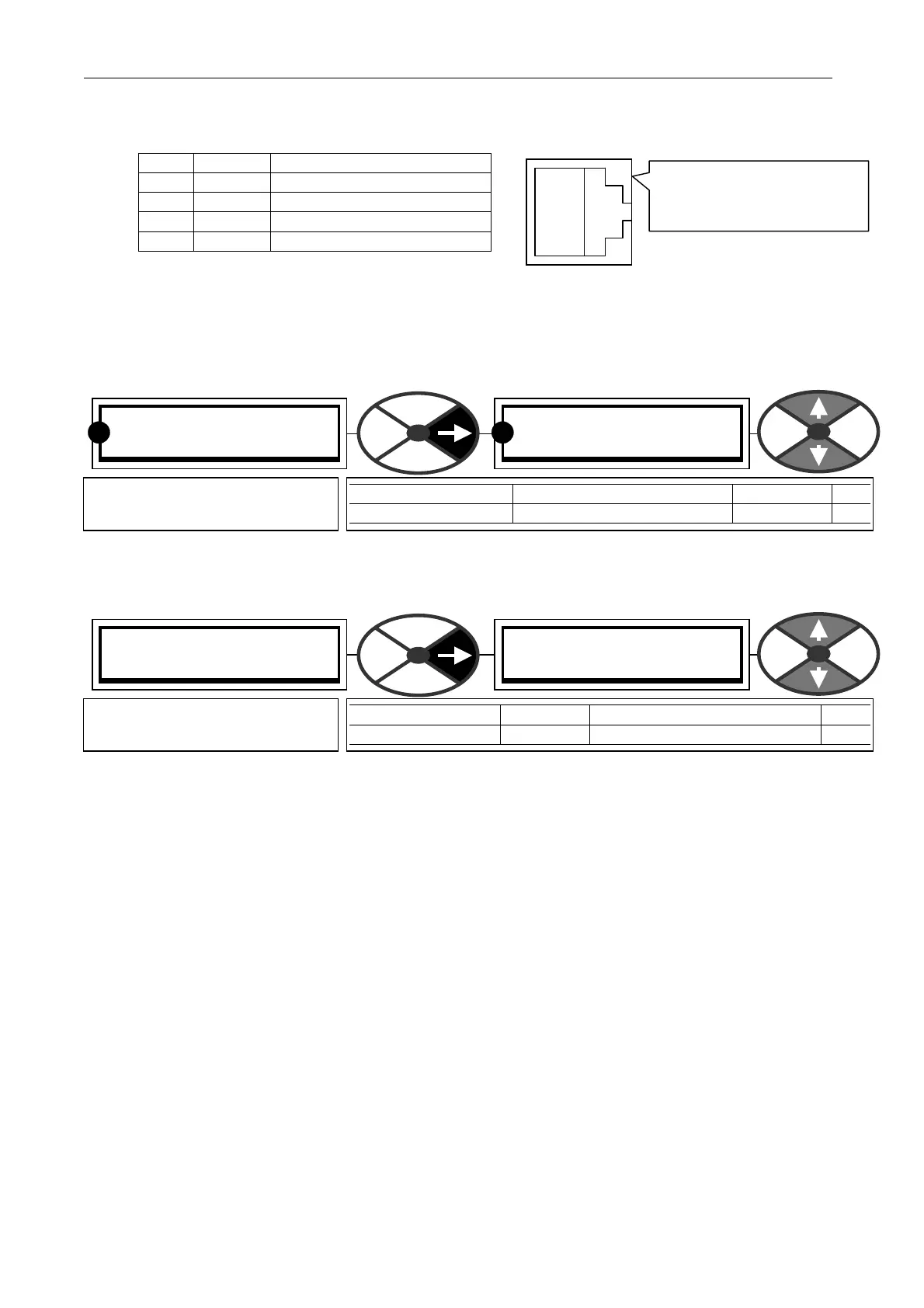
RS232 PORT1 socket
located just above the
centre terminal block.
10.1.1 RS2 32 PORT1 / Connection pinouts
The socket is type FC C68 4 way.
pin function D pin
W 0V D5
X + 24V not connected
Y transmit D2
Z receive D3
(Unit to host, 9 way female D type part no. LA102 595) (Unit to unit 2 metre cable part number LA102596),
See 10.2.3.2 PARA METER EXCHANGE / Drive to drive for connection details)
Warning the 24V supply on pin 2 may damage your PC or other instrument. If in doubt do not connect it.
The PL/X1 transmit must be connected to the PL/X2 receive, and the PL/X1 rec eive to the PL/X2 transmit.
10.1.2 RS232 PORT 1 / Port1 Baud rate PIN 187
The standard baud rates available are 300 600 1,200 2,400 4,8 00 9,600 19,200 34,800 and 57,600.
Note. This is not subject to PASSWORD control. See 11.2 DISPLAY FUN CTIONS / PASSW ORD CO NTROL.
10.1.3 RS232 PORT 1 / Port1 function PIN 188
0) PARA M EX CH SELECT, 1) REF EXCHAN GE M ASTER, 2) REF EX CH A NGE SLA VE, 3) ASCII C OMMS
If PARA M EXCH SELECT is selected, proceed to the PARAMETER EX CH A NGE sub-menu.
If master or slave ref EX CHAN GE is selected, proceed to the REFERENCE EX CH A NGE sub-menu.
ASCII C OMMS is selected to implement a full duplex A NSI communications protocol for use with a host
computer or the PL PILO T configuration tool. Please refer to SERIAL C OMMS MA NU AL for specification.
Note. This is not subject to PASSWORD control. See 11.2 DISPLAY FUN CTIONS / PASSW ORD CO NTROL.
10.1.4 How to use USB ports
Note. Some computers may not be fitted with an RS232 C O M port. Instead they will possess a USB port.
In this case it is necessary to fit a USB - RS232 convertor (Eg. Single in line convertor type USB to serial
male D9, or multiport type Belkin F5U120uPC). These are supplied with the required driver utilities soft w are
which needs to be installed on the computer first.
After installation of the driver soft w are, right click on the ‘My Computer’ icon and select Properties /
DeviceManager / Ports to find the port allocated to the convertor. (COM1, COM2, C OM3, or C O M4.).
Then you must use the nominated USB port allocation when setti ng up Hyperterminal or PL PILOT.
To select the COM port within PL PILOT go to the 'Options' menu in the top task bar. It will offer C OM1,
COM2, C O M3, or CO M4. It may need its baud rate setting to 19,200 in the 'Setup CO M Port' option.
Note. When using USB to RS232 converters always boot up the PC with the converter already plugged into
the PC so that it gets properly initialised.
W
X
Y
Z
RS232 PORT1 3
187)PORT1 B AUD RA TE
187)PORT1 B AUD RA TE
9600
PARA METER RANGE DEF AULT PIN
PORT 1 BAUD RA TE 1 of 9 standard baud rates 9600 18 7
Sets the baud rate of port1 to
suit the host.
RR
RS232 PORT1 3
188)PORT1 FUNCTION
188)PORT1 FUNCTION
PARA M EX CH SELECT
PARA METER RA NGE DEF A ULT PIN
PORT 1 FUN CTION 4 modes PARA METER EXCH SELEC T 188
Sets the function of port1.



 To Next Page