Chapter 5: Routine Operational Procedures
5/25
Operators & Maintenance Manual GENIUS Compact Version UK 0.1 © BESTnv
BESTnv Industrial Research BV, Marinus van Meelweg 20, 5657 EN, EINDHOVEN, THE NETHERLANDS
General tel. +31 (40) 292 2622 - Service tel. +31 (40) 292 2620 - Fax. +31 (40) 292 2633 - Email: service.BESTnv@bestnv.com
Expert user level:
In this user level the user can adjust a number of settings before taking an actual frame grab.
This can also be done during production, but is usually done when there is no production to prevent
too much loss of good product.
(This procedure is a lot more extensive and is especially useful when creating a new product
program or adapting an existing program for a new product.)
- 1. Put a number of typical product objects (good + bad product) on the belt.
- If possible put the product and defect objects in a logical order or grouping:
(E.g. from left to right, starting with light coloured good product and end with black bad product,
or put all the good product in one group, and all the typical defects in another group.)
- Make sure the threshold is set high enough so the frame grabber will be triggered by the
objects on the belt (sometimes a small black object is added to trigger the frame grab).
- 2. Select the fi rst device (button will turn blue).
- 3. Press the “New frame grab” button.
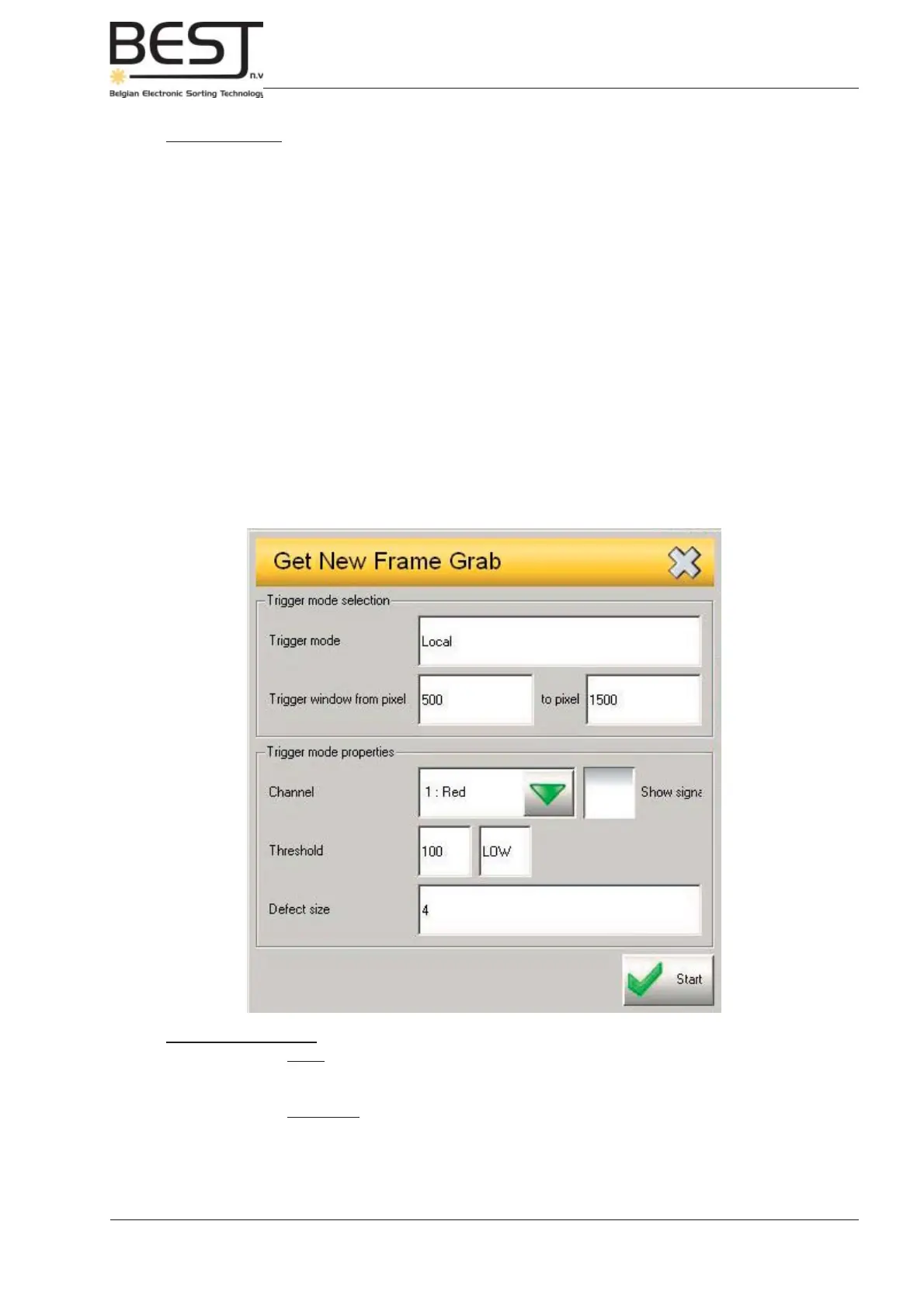
A pop-up screen will appear (see picture below).
In general the settings on this pop-up screen do not have to be changed and can be kept as
they have been set by BESTnv’s installation engineer.
Frame Grab settings
Trigger mode: - Local: means that the frame grab will be taken when the frame grab is triggered (in
other words, when something passes the detection zone that exceeds the threshold
for this device).
- Immediate: (default setting for operator level) Frame grab is taken immediately,
whether something is passing the detection zone or not!
Trigger window: - Allows the user to set the zone in which the grab will be taken. In this case from
pixel 500 up to pixel 1500 (since a camera has 2048 pixels this is +/- in the middle of
the belt).



 To Next Page