5/26
Chapter 5: Routine Operational Procedures
Operators & Maintenance Manual GENIUS Compact Version UK 0.1 © BESTnv
BESTnv Industrial Research BV, Marinus van Meelweg 20, 5657 EN, EINDHOVEN, THE NETHERLANDS
General tel. +31 (40) 292 2622 - Service tel. +31 (40) 292 2620 - Fax. +31 (40) 292 2633 - Email: service.BESTnv@bestnv.com
Channel: - Pick the channel that gives the most contrast
Threshold: - The threshold value should not be too high, so as not to detect the transport belt,
but not too low in order to detect an object to trigger the frame grab.
- Usually the Threshold is set to Low
Defect Size: - This value is usually quite low. The defect size fi lter prevents the detection of very
small spots that do not represent a real defect.
- 4. Press the “Start” button to initiate the Frame grab and start the belt. The moment the product
passes the detection zone a frame grab image will be taken. A small pop-up screen will indicate how
long the process will take.
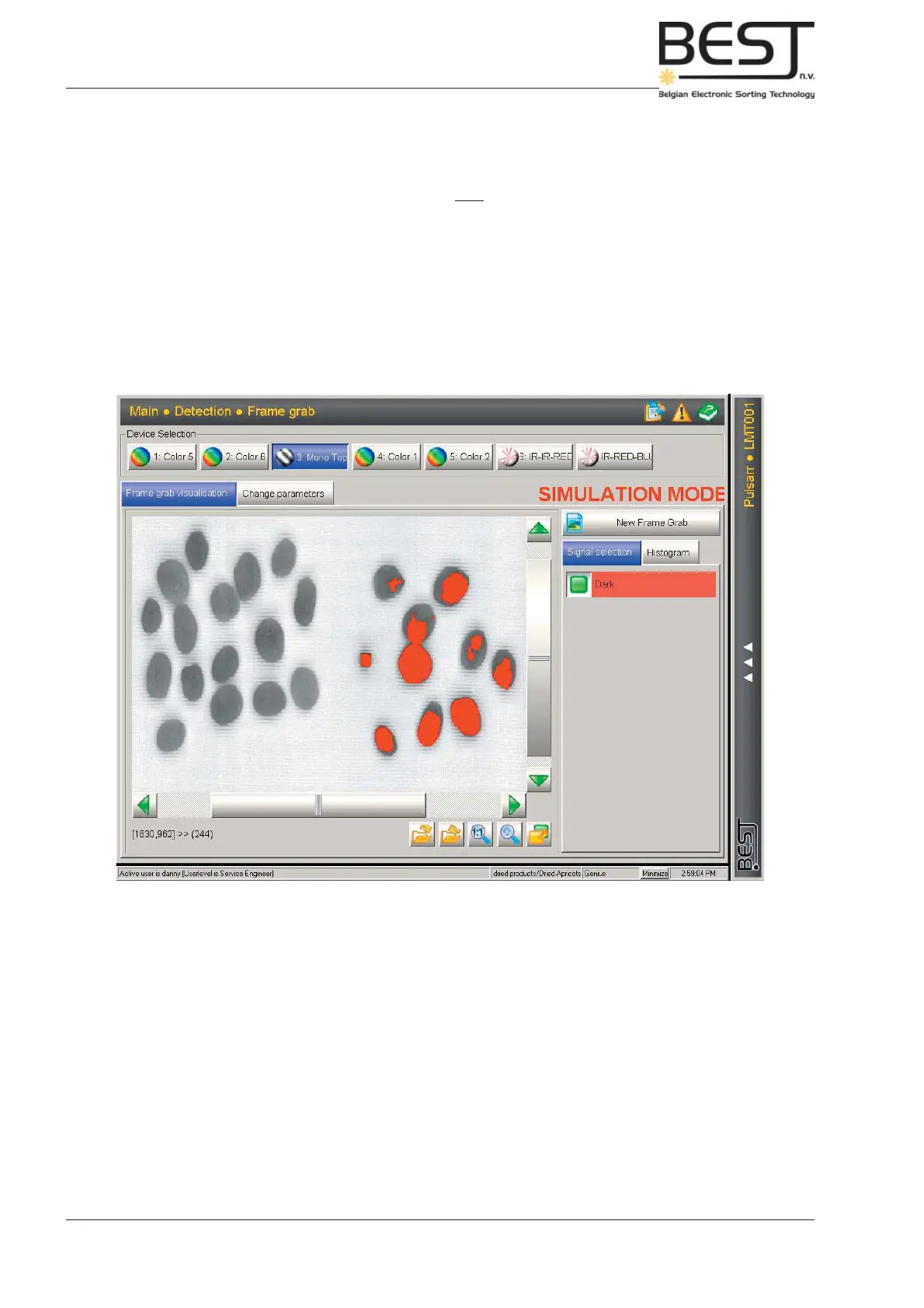
- The Frame grab image of the product fl ow/product examples will be shown in the centre
screen (see picture).
Depending on the product and the previous settings it is possible some (or all) defects,
good product and/or even belt are detected (tagged with a threshold colour).



 To Next Page