Chapter 5: Routine Operational Procedures
5/27
Operators & Maintenance Manual GENIUS Compact Version UK 0.1 © BESTnv
BESTnv Industrial Research BV, Marinus van Meelweg 20, 5657 EN, EINDHOVEN, THE NETHERLANDS
General tel. +31 (40) 292 2622 - Service tel. +31 (40) 292 2620 - Fax. +31 (40) 292 2633 - Email: service.BESTnv@bestnv.com
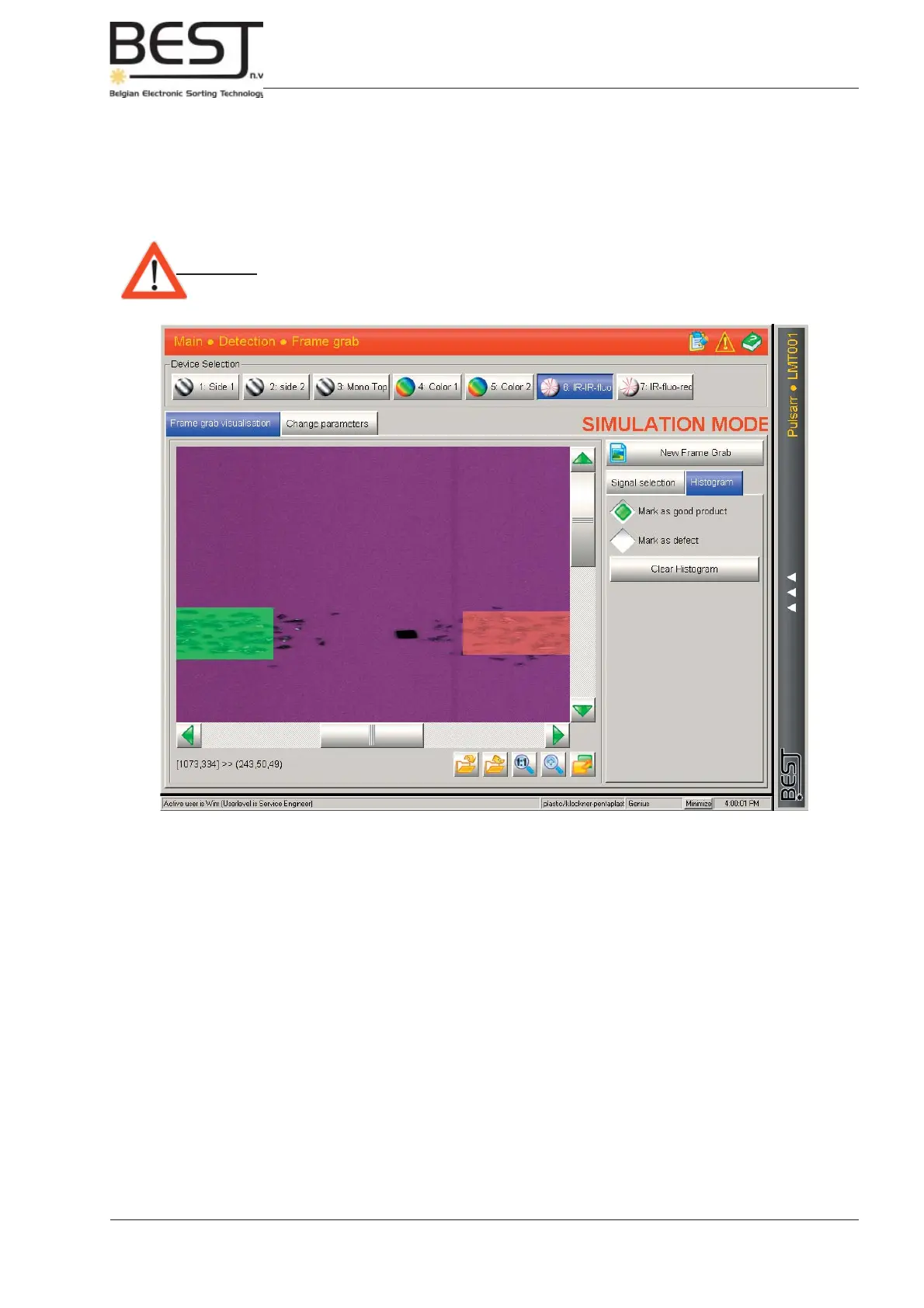
- 5. Press the Histogram button to the right of the screen (see picture below).
- Activate the “mark as good product” function and indicate (by drawing a green rectangle) a
number of examples of good product on the screen.
- Activate the “mark as bad product” function and indicate (by drawing a red rectangle) a
number of examples of bad product/defects on the screen.
- If you made a mistake, just press the “Clear Histogram” button and start over.
Attention: - Try to avoid overlap between good and bad product. When marking the good
product it is especially important not to accidentally include any defect
objects or spots.
- 6. Next the Threshold fi lters can be set or changed.



 To Next Page