5/28
Chapter 5: Routine Operational Procedures
Operators & Maintenance Manual GENIUS Compact Version UK 0.1 © BESTnv
BESTnv Industrial Research BV, Marinus van Meelweg 20, 5657 EN, EINDHOVEN, THE NETHERLANDS
General tel. +31 (40) 292 2622 - Service tel. +31 (40) 292 2620 - Fax. +31 (40) 292 2633 - Email: service.BESTnv@bestnv.com
11. - Changing/Setting Threshold fi lters
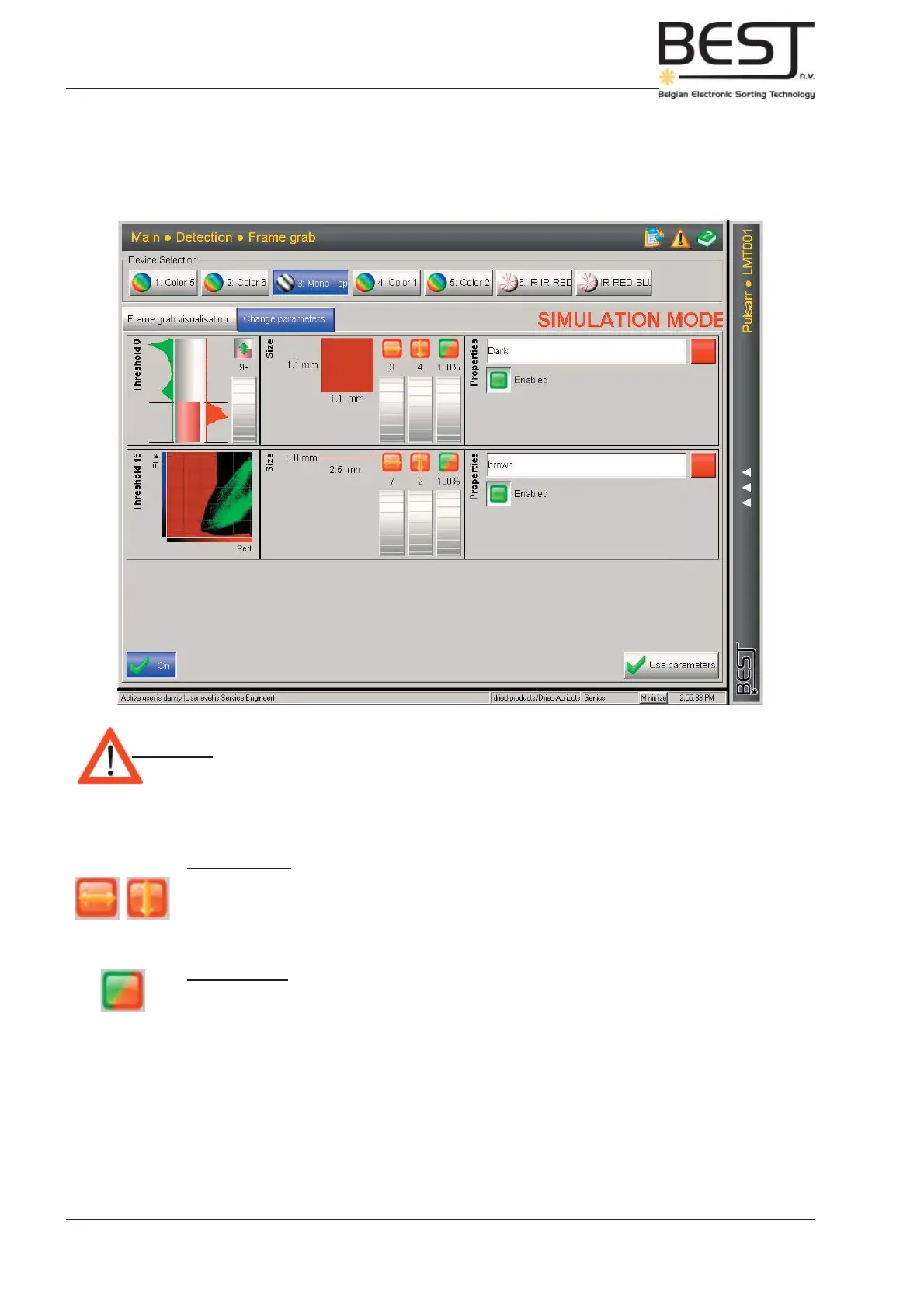
- 1. Press the “Change parameters” tab above the centre screen.
The centre screen will now show the Threshold fi lter(s) for the selected device (see picture).
Attention: - None of the changes made in this menu will have any effect on the sorting
process as long as the “Use parameters” button is not pressed!
- 2. Setting the 2D Defect Size and Defect Density (Fill rate) percentage.
- 2D Defect Size
In general it is advisable to set the Defect width and Defect length in such a way that the 2D
defect dimensions form a square. Usually +/- 1 x 1 mm for smaller products and larger dimensions
for bigger products or for specifi c defects (see picture above).
(Remember! To see the actual dimensions the belt must be running)
- Defect Density
This is usually simply left at 100%, but in certain specifi c cases it may be lowered to allow for
small spots (see chapter 3: Theory).



 To Next Page