2
Canceling a Reserved Job
2-9
Checking Job and Device Status
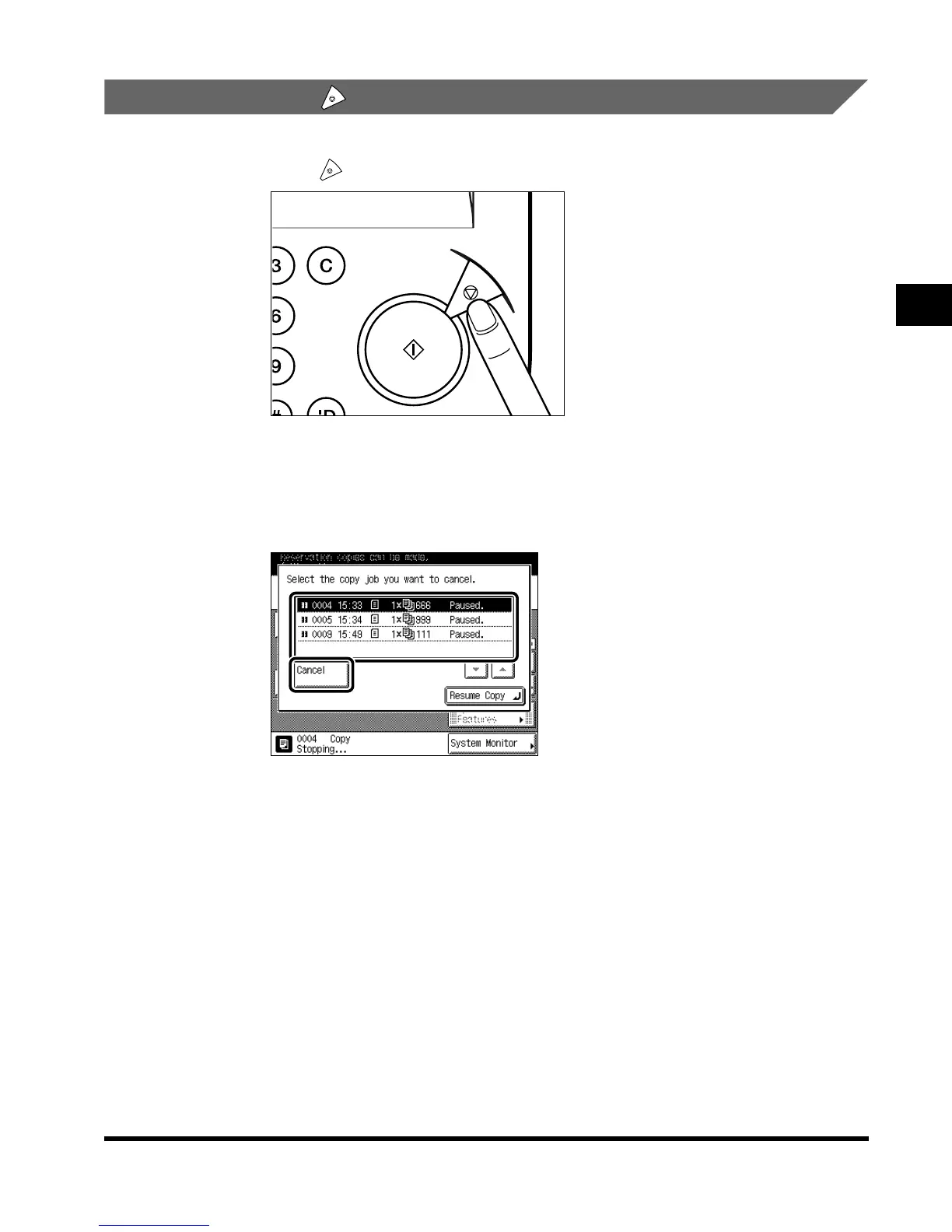
Canceling with (Stop)
1
Press (Stop).
When canceling a job which is being printed, press “Cancel” on the touch panel display
which appears during printing.
2
Select the job to be canceled from the list, and press “Cancel.”
V
You cannot select multiple documents and cancel them all at once.
When canceling multiple documents, select and cancel one document at a time.
To restart printing, press “Resume Copy.”
The selected job is canceled.
Clear
Start
Stop
E1L_US_U_.book-INDEX Page 9 Wednesday, May 23, 2001 11:40 PM












 To Next Page