7
Envelope Feeder Attachment-B1
7-17
Handling Options
•
The main unit and the Envelope Feeder Attachment are set so that COM10 envelopes can be
loaded without any adjustment. The guide sizes can be changed so that the following envelopes can
be loaded. Using envelopes other than these can result in paper jams, dirty prints and the inside of
the machine becoming dirty.
- COM10: Mailwell No.553
- Monarch: Mailwell No.582
- DL: Mailwell/Schneidersöne No.11345
-Yougata 4: Uzumaki Y-401
•
If you wish to use ISO-C5 or ISO-B5 envelopes, contact your service representative.
NOTE
•
To use envelopes other than COM10, refer to ‘Adjusting the Envelope Feeder Attachment to Hold a
Different Type of Envelope,’ on p. 7-23.
•
Only the upper most cassette can be used as the envelope cassette.
•
The allowable envelope sizes are as follows:
- COM10: 4-1/8" x 9-1/2" (104.7 x 241.3mm)
- Monarch: 3-7/8" x 7-1/2" (98.4 x 190.5mm)
- DL: 4-3/8" x 8-5/8" (110 x 220mm)
- ISO-C5: 6-3/8" x 9" (162 x 229mm)
- ISO-B5: 6-7/8" x 9-7/8" (176 x 250mm)
-Yougata 4: 4-1/8" x 9-1/4" (105 x 235mm)
Before Loading the Envelopes
This section explains what you should do before loading envelopes into the drawer.
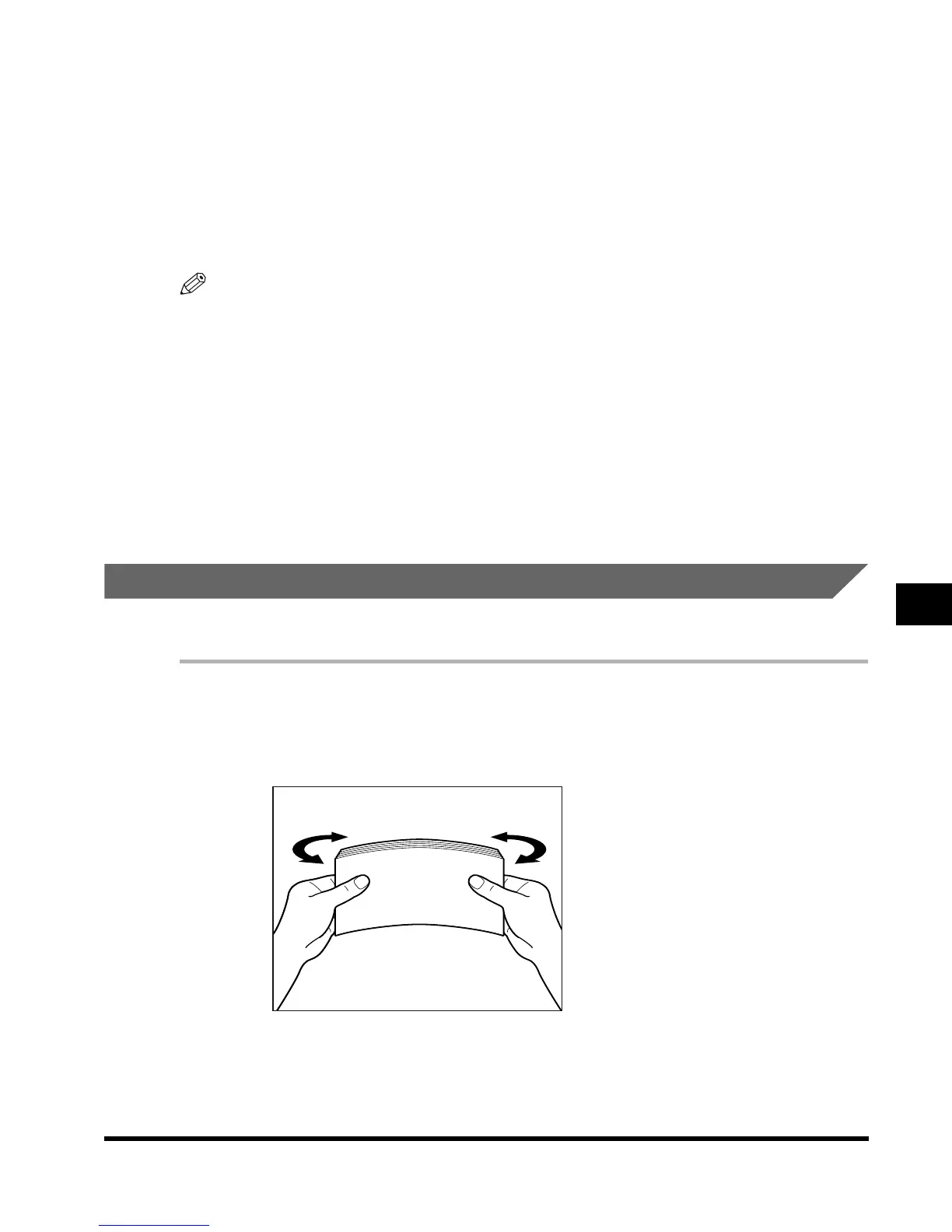
1
Take five or so envelopes, and loosen them as shown. Then stack
them together.
Repeat this step five times.
E1L_US_U_.book-INDEX Page 17 Wednesday, May 23, 2001 11:40 PM












 To Next Page