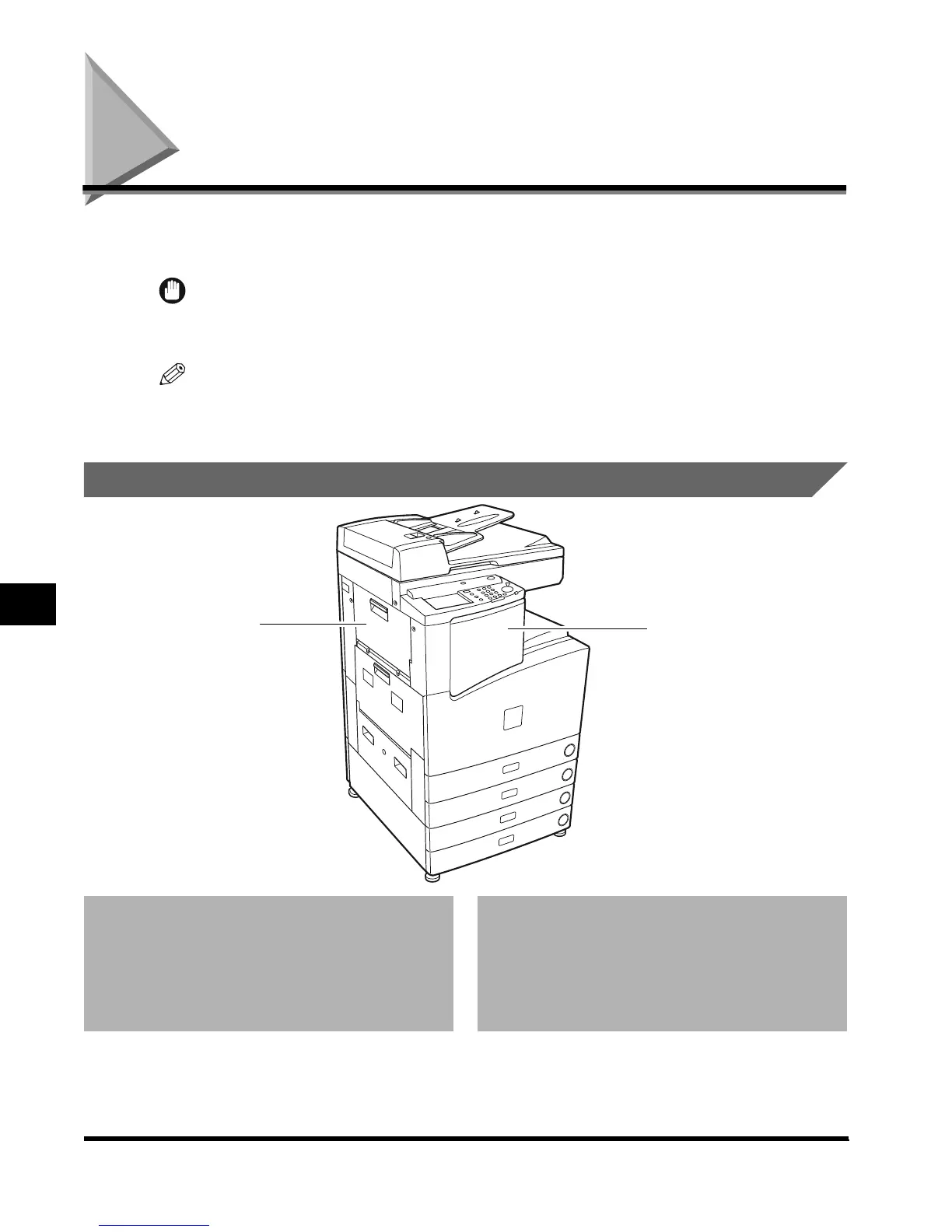
Finisher-J1
7-34
Handling Options
7
Finisher-J1
The Finisher-J1 is equipped with the following functions: Collate, Group, Offset, and Staple
modes. (See ‘Finishing Functions,’ on p. 7-35.)
IMPORTANT
•
When the machine is operating in the Transparency Interleaving mode, the Collate, Group, or Staple
mode cannot be set.
NOTE
•
When feeding large-size paper, such as 11" x 17", LGL, or LTRR, pull out the auxiliary tray.
Parts and Their Functions
1 Front cover
Open this cover to replace the staple case in the
stapler unit, or when a staple jam occurs.
(See ‘Replacing the Staple Case in the Stapler
Unit,’ on p. 7-40, ‘Removing Jammed Staples
from the Stapler Unit,’ on p. 7-43.)
2 Upper left cover
Open to remove jammed copy paper.
(See ‘Clearing Paper Jams in the Finisher-J1,’ on
p. 7-37.)
2
1
E1L_US_U_.book-INDEX Page 34 Wednesday, May 23, 2001 11:40 PM












 To Next Page