3
Setting Specifications That Are Common to Each Function (Common Settings)
3-29
Selecting and Storing Settings to Suit your Needs
Returning the Common Settings to Their Defaults
With this function you can return the common settings to their defaults (initial settings).
1
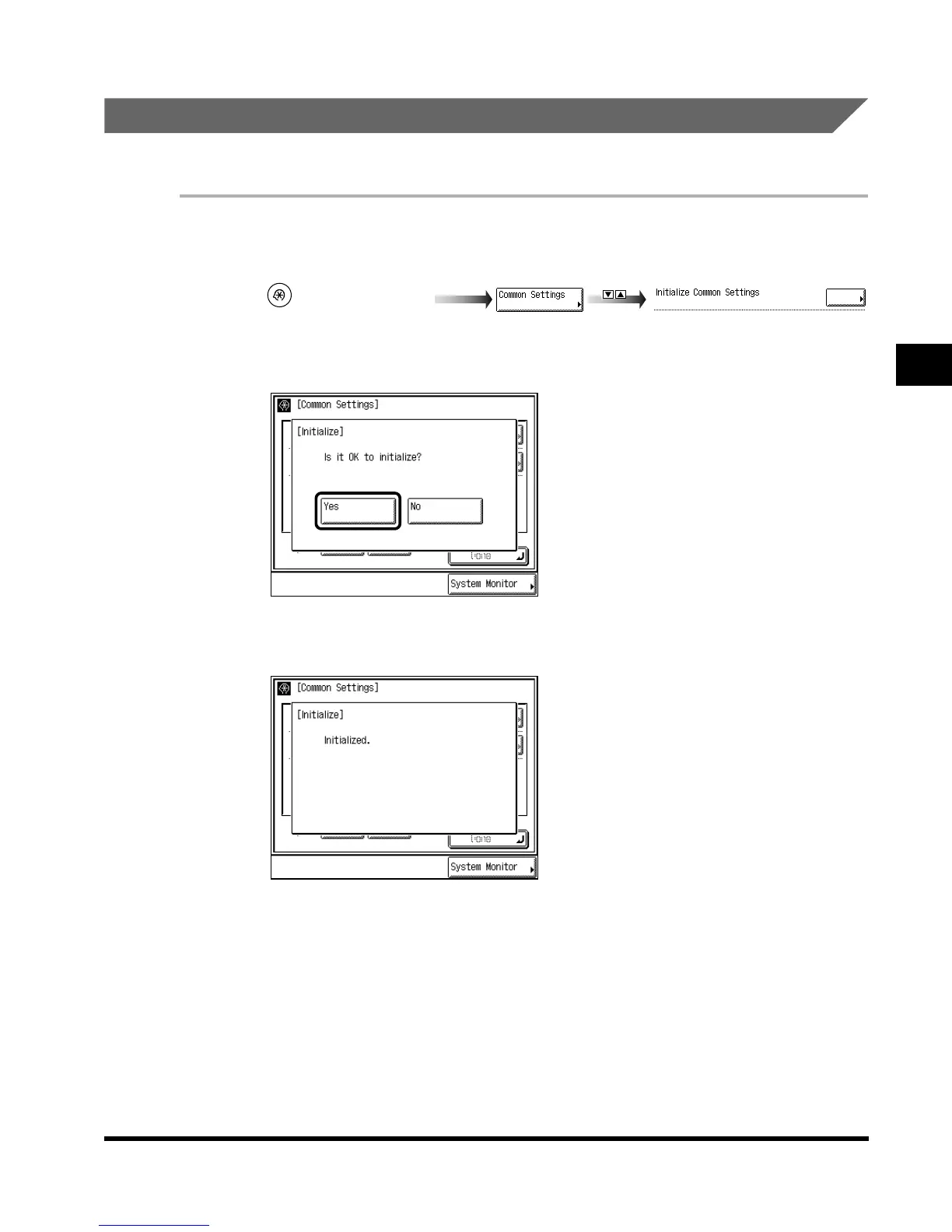
Call up the desired screen as follows:
2
Select “Yes.”
To cancel initialization, select “No.”
The screen shown below is displayed for about two seconds.
3
Press “Done.”
Repeat this procedure.
The specified mode is set and the display returns to the Basic Features screen.
(Additional Functions)
Initialize Common Settings
E1L_US_U_.book-INDEX Page 29 Wednesday, May 23, 2001 11:40 PM












 To Next Page