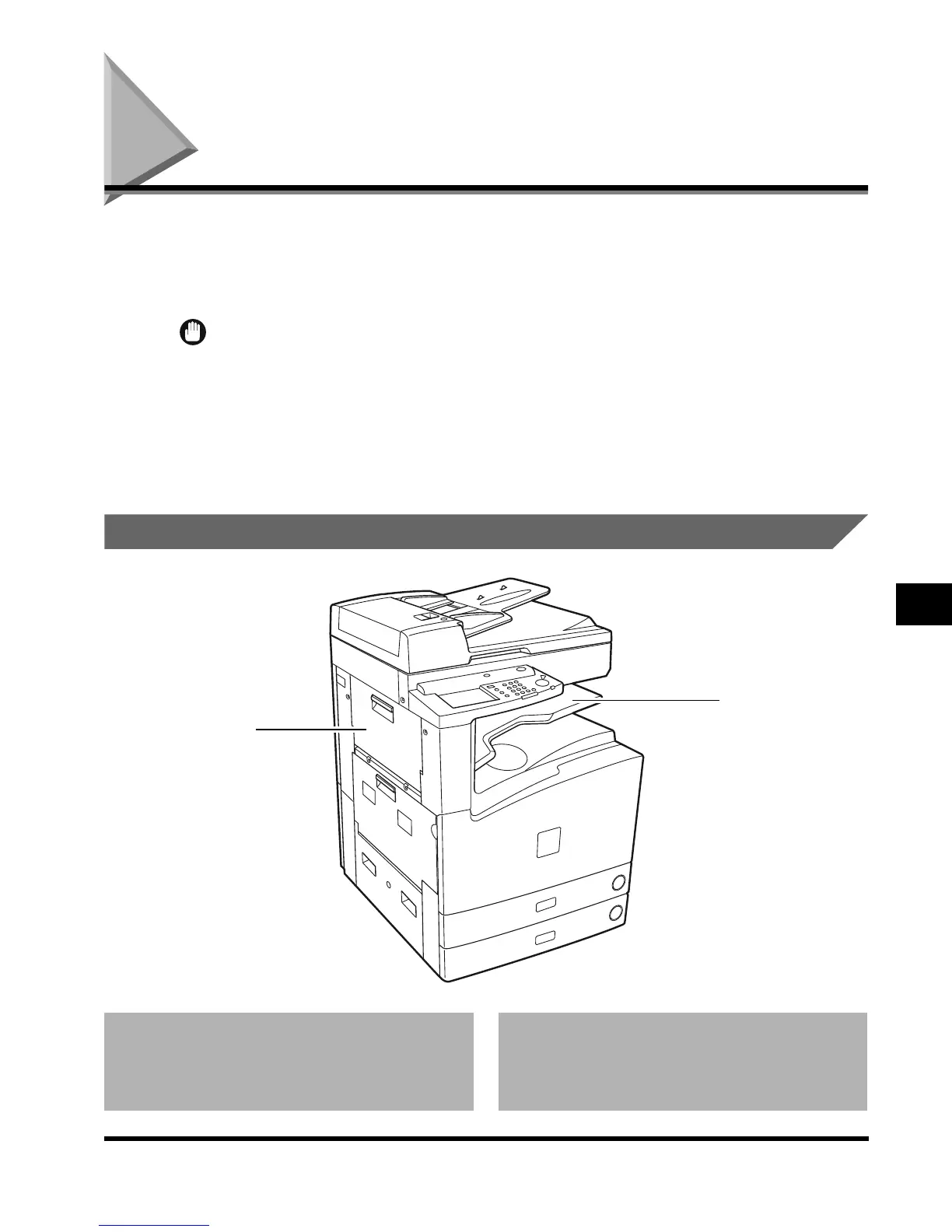
Inner 2way Tray-A1
7-73
Handling Options
7
Inner 2way Tray-A1
If you attach the Inner 2way Tray-A1 to the machine, prints can be delivered to both the Main
Tray and the Inner tray.
In addition to the Inner 2way Tray-A1, if the Saddle Finisher-G1 is attached to the machine,
prints can be delivered to three different locations.
IMPORTANT
•
The Inner 2way Tray-A1 is mandatory when attaching the Saddle Finisher-G1.
•
The Inner Tray is necessary when attaching the Inner 2way Tray-A1.
•
When the Inner 2way Tray-A1 is attached without the Copy Tray-F1, do not select Tray C for a
designated output tray although the selection is available in the setting screen.
•
When the Finisher-J1 is attached, the Inner 2way Tray-A1 cannot be attached.
Parts and Their Functions
1 Inner tray
Paper is output here.
2 Upper left cover
Open to remove jammed copy paper.
(See ‘Clearing Paper Jams in the Inner 2way
Tray-A1,’ on p. 7-74.)
1
2
E1L_US_U_.book-INDEX Page 73 Wednesday, May 23, 2001 11:40 PM












 To Next Page