1
Entering Characters from the Touch Panel Display
1-33
Before You Start Using This Machine
Entering Special Characters
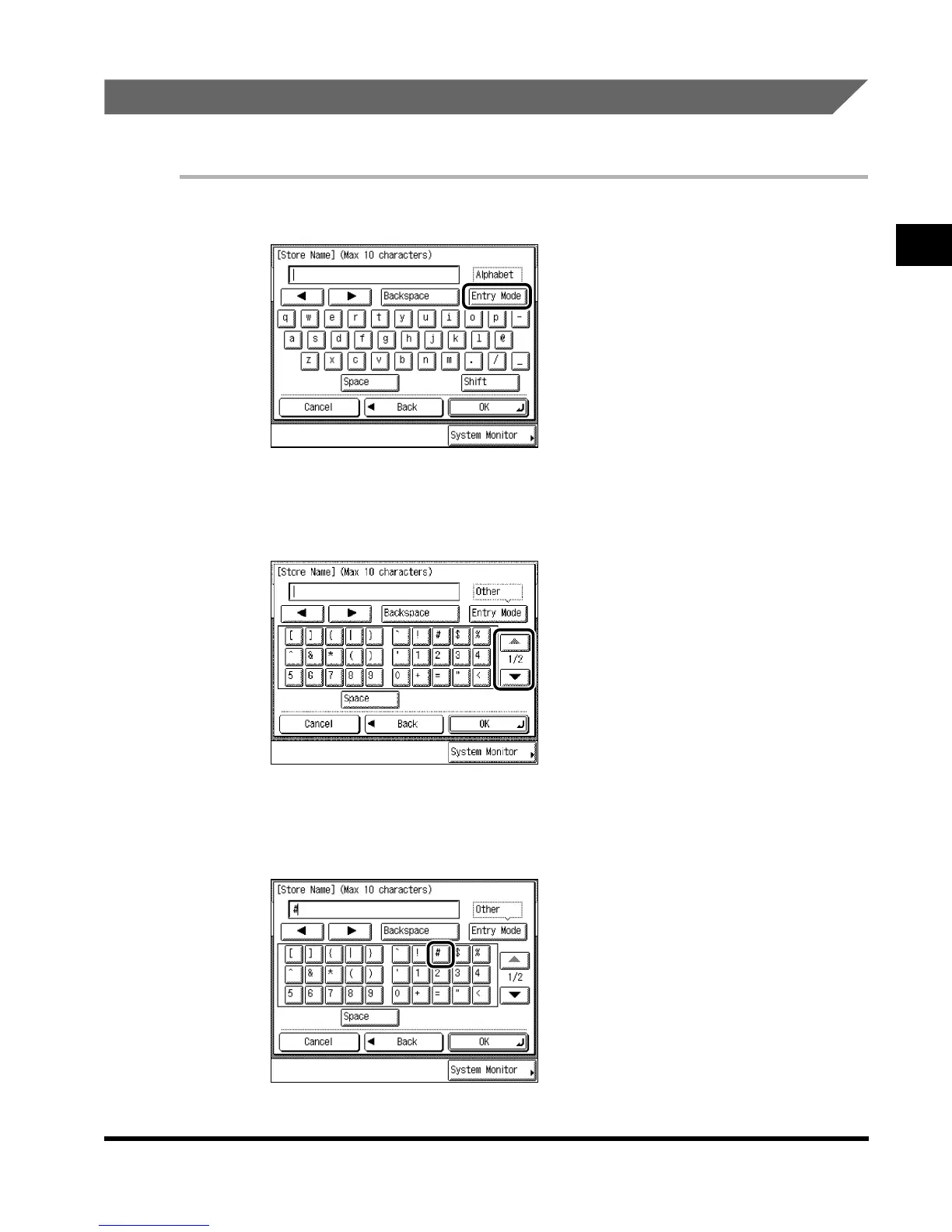
Example: Enter <#>.
1
Press “Entry Mode” to select “Other.”
Each press of “Entry Mode” switches the entry mode between “Alphabet” and “Other.”
2
Press “▼” or “▲” to display the desired special character.
3
Press “#.”
“#” is displayed.
E1L_US_U_.book-INDEX Page 33 Wednesday, May 23, 2001 11:40 PM












 To Next Page